Template details
Jekyll Garden
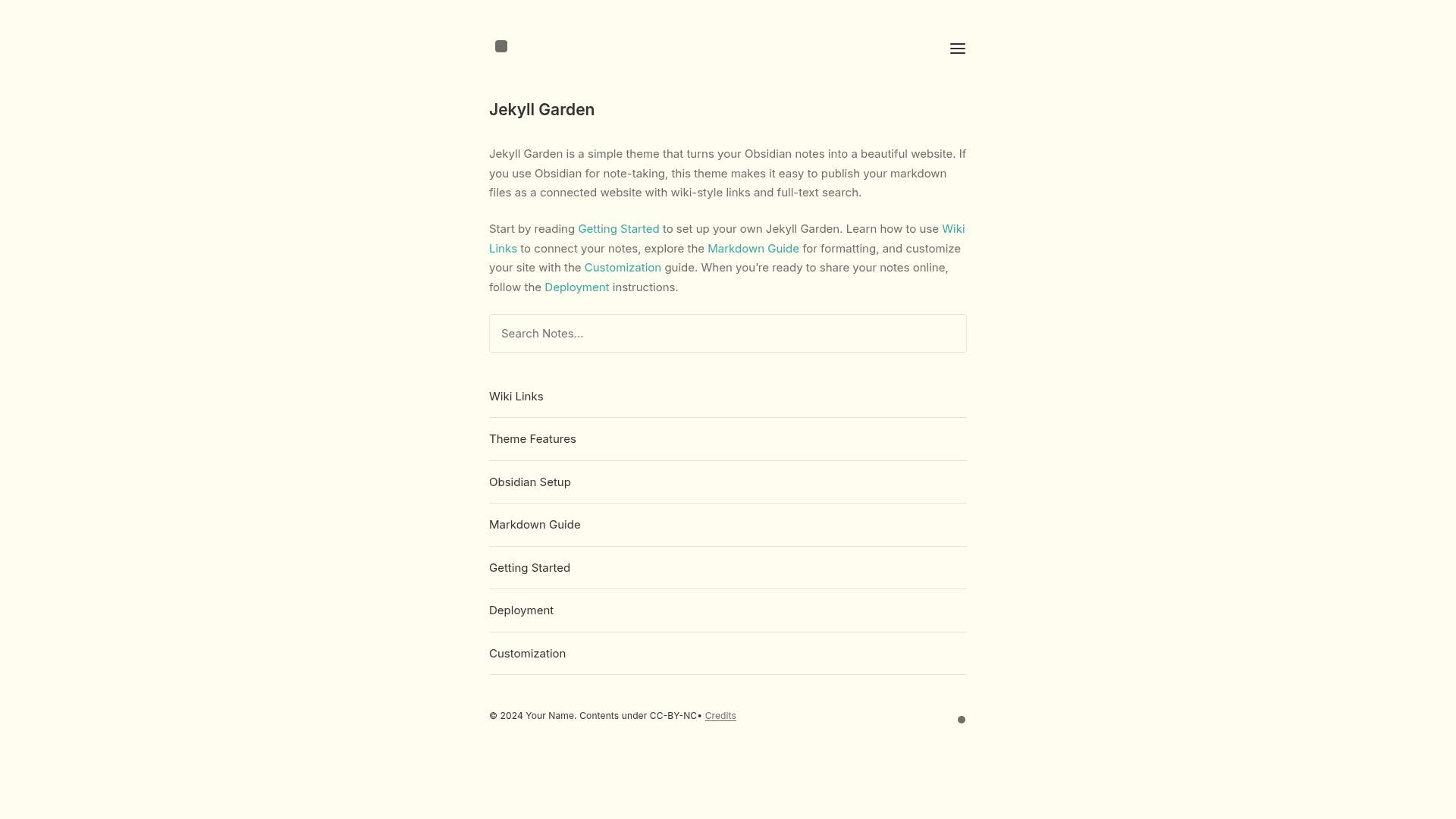
A Jekyll theme that turns Obsidian notes into a connected website with wiki-links, backlinks, search, and math support.
About this template
Jekyll Garden is a Jekyll theme that transforms Obsidian-style markdown notes into a static website featuring wiki-style links, backlinks, full-text search, and LaTeX math rendering.
What is Jekyll Garden?
Jekyll Garden is an open-source Jekyll theme designed to publish notes written in Obsidian as a connected, navigable website. It takes markdown files stored in the _notes folder that use Obsidian's [[note title]] linking syntax and outputs a static site with hover previews, backlinks, and a live search index. The theme runs on Jekyll, so it works with GitHub Pages, Netlify, or any static hosting service, and is released under the MIT License.
Key Features
- Wiki-style linking — Write
[[note title]]in any markdown note and Jekyll Garden generates automatic links with a hover preview of the target note, mirroring Obsidian's behavior. - Full-text search — The built-in search scans both titles and content of all notes instantly as you type, with no external search service required.
- Backlinks — Each note page displays a list of other notes that link to it, helping you discover related content and navigate your knowledge graph.
- Math support — Inline math like
$x = y$and display equations using$$...$$are rendered correctly, useful for technical or academic notes. - Dark and light themes — Toggle between dark and light modes to match your reading preference.
- Responsive layout — The clean, minimal design adapts to phones, tablets, and desktop screens without extra configuration.
- Blog posts — In addition to networked notes, you can write traditional chronological blog posts in the same Jekyll site.
- Flexible deployment — Configure a subdomain (e.g., notes.yoursite.com) or subdirectory (e.g., yoursite.com/notes) by setting the
urlandbaseurlfields in_config.yml.
Who is it for?
Jekyll Garden is for Obsidian users who want to share their notes publicly without manually copying content into a separate CMS. It also suits knowledge management enthusiasts who want a free, self-hosted digital garden, and for bloggers who prefer markdown and static site generation over database-driven platforms. Developers comfortable with Jekyll can extend the theme's _layouts/ and CSS to customize the design.
What can you do with Jekyll Garden?
- Knowledge workers: publish a personal wiki of research notes, book summaries, and ideas, where all notes interlink via
[[note title]]just like in Obsidian. - Academics and technical writers: write notes with LaTeX math and share them as a static site without paying for a hosting plan beyond the free tiers of GitHub Pages or Netlify.
- Hobbyist bloggers: combine a blog section with a linked notes area, sharing both structured articles and a growing collection of interconnected thoughts.
How does Jekyll Garden work?
Getting started involves downloading the theme, editing _config.yml with your site title and URL, and placing markdown files with YAML front matter (like a title and date) into the _notes folder. The theme then builds all links and backlinks automatically from the [[note title]] syntax. You can test locally by running bundle install and bundle exec jekyll serve, or deploy directly to GitHub Pages or Netlify, where the site rebuilds automatically when you push updates.
FAQ
Is Jekyll Garden free?
Yes. Jekyll Garden is open source under the MIT License, so you can use it for any project, personal or commercial, without paying licensing fees. Hosting on GitHub Pages or Netlify is also free for public repositories, though private repositories may incur charges on some platforms.
Does Jekyll Garden work with Obsidian?
Jekyll Garden is designed for Obsidian notes specifically. It reads the same [[note title]] link format and displays backlinks similarly, so if you already use Obsidian, you can keep your markdown files and publish them with this theme without converting anything.
Can I embed images in Jekyll Garden?
Since notes are plain markdown, you can embed images using standard markdown syntax. The theme does not require any special image handling, but you will need to store image files in an accessible location, such as an assets folder or an external URL, and reference them from your notes.
Does Jekyll Garden support tags or categories?
The documentation focuses on note linking and backlinks; tags and categories are not explicitly mentioned. If you need taxonomies, you would likely add them via Jekyll's built-in features or a plugin, but the default theme only guarantees wiki-links, search, and blog posts as described.
How do I customize the appearance?
You can edit assets/css/style.css to change colors, fonts, and visual styles, or modify files in the _layouts/ folder to adjust the HTML structure of pages. The theme is designed to be simple, so custom CSS and JavaScript can be added as needed.