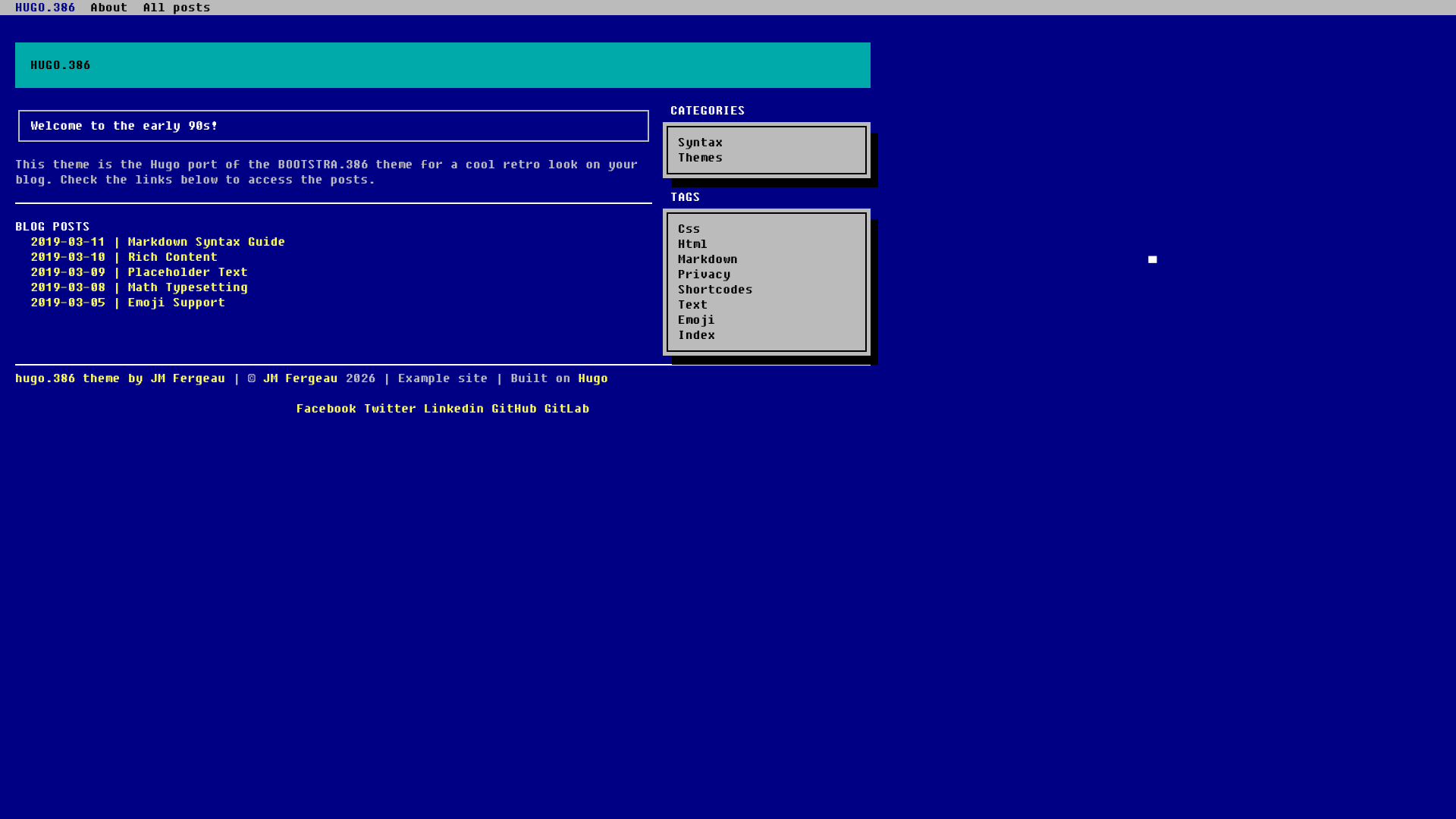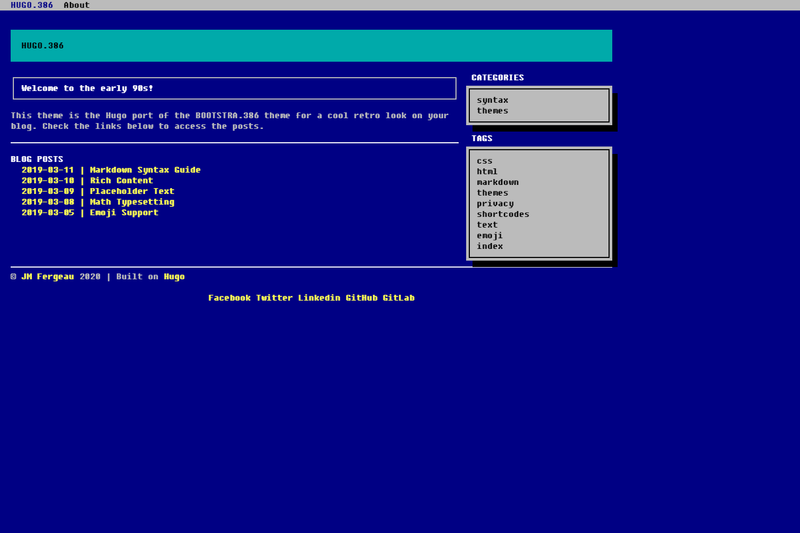
HUGO.386 is a free, open-source Hugo theme that ports the BOOTSTRA.386 Bootstrap theme into a retro MS-DOS-styled blog layout.
What is HUGO.386?
HUGO.386 is a port of the BOOTSTRA.386 theme by Kristopolous, rebuilt for the Hugo static site generator and released under the Apache License 2.0. It takes a Hugo site's content and configuration and produces a responsive blog with an MS-DOS command-line aesthetic, suitable for displaying on desktop and mobile browsers. The theme is maintained by jmfergeau, with the repository hosted at github.com/jmfergeau/hugo.386.
Key Features
- Retro MS-DOS aesthetic — Recreates the look and feel of a DOS command-line interface with boot-style styling, while remaining fully responsive on mobile devices.
- Blog-ready layout — The theme is designed specifically for blogs, providing a content-focused structure optimized for posts and articles.
- Hugo module support — Install by adding the module path
github.com/jmfergeau/hugo.386to your site config and runninghugo mod initandhugo mod tidy. - Git submodule install — Alternatively, install with
git submodule add https://github.com/jmfergeau/hugo.386 themes/hugo.386. - Configurable via config.toml — The exampleSite folder includes a detailed config.toml that documents every customizable string, which you copy into your site root.
- Live demo — A working demo of the v1 theme is available at hugo386.netlify.app, and a beta v3 demo at hugo386v3.netlify.app.
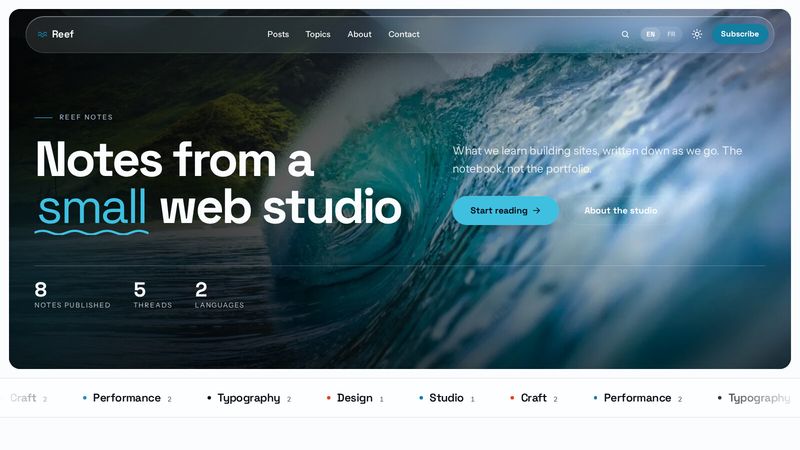
- Bootstrap 4 beta branch — A v3 branch based on Bootstrap 4 is in development with a slightly different design, but is not yet recommended for production.
- Apache 2.0 license — The theme is freely usable and modifiable under a permissive open-source license.
Who is it for?
- Hugo bloggers looking to give their site a distinctive retro terminal look without writing a custom theme from scratch.
- Retro-computing enthusiasts who want a website that matches their vintage computing content and interest in MS-DOS aesthetics.
- Developers evaluating Hugo themes who need a lightweight, responsive theme that installs cleanly via Hugo modules or git submodules.
- Hobbyists experimenting with static sites who want a quick way to stand up a blog with a unique visual style and local preview via
hugo server.
What can you do with HUGO.386?
- Launch a retro-styled blog: Set up a blog with the MS-DOS aesthetic by copying the example config.toml and running
hugo serverto preview atlocalhost:1313. - Customize every string: Use the annotated config.toml from the exampleSite to change titles, menus, and other text values without touching theme code.
- Test the next major version: Explore the v3 branch demo to see the Bootstrap 4 based redesign; it's still beta, so only use it for experimentation, not production.
How does HUGO.386 work?
Installation follows a simple workflow: either add the theme as a Hugo module by declaring the import path in your site config and running hugo mod init and hugo mod tidy, or clone it into the themes directory with git submodule add. After copying the provided config.toml into your site root, you run hugo server and open localhost:1313 in your browser.
Pros and cons
- Pros: Visually unique retro design; responsive across devices; two installation paths (module or submodule); detailed example configuration; active development with a v3 branch; free under Apache 2.0.
- Cons: The v3 Bootstrap 4 based redesign is still in beta and not recommended for production; the core theme is limited to blogs, so it may not suit other site types.
Pricing
HUGO.386 is free and open source, released under the Apache License 2.0. There are no paid tiers or premium features — the theme and all its source code are available for anyone to use and modify.
FAQ
Is HUGO.386 free?
Yes, HUGO.386 is completely free and open source. It is released under the Apache License 2.0, meaning you can use, copy, modify, and distribute it freely, including in commercial projects, as long as you retain the license notice.
What does HUGO.386 do?
HUGO.386 is a theme for the Hugo static site generator that gives blogs an MS-DOS command-line look. It transforms your Markdown content and site configuration into a responsive retro-style website, with a demo at hugo386.netlify.app showing the live result.
How do I install HUGO.386?
You can install it as a Hugo module by adding path = "github.com/jmfergeau/hugo.386" to your site's config and running hugo mod init and hugo mod tidy. Or use git submodules: git submodule add https://github.com/jmfergeau/hugo.386 themes/hugo.386. Then copy the example config.toml and run hugo server.
Is the v3 branch stable?
No, the v3 branch, which is based on Bootstrap 4, is still in beta with a slightly different design. The maintainer explicitly advises not to use it in production yet. A test demo is available at hugo386v3.netlify.app.
What is the license of HUGO.386?
HUGO.386 is licensed under the Apache License 2.0. The license file is referenced from the repository and grants broad permissions for use, modification, and distribution, including commercial use.