Template details
Hygraph Commerce Starter
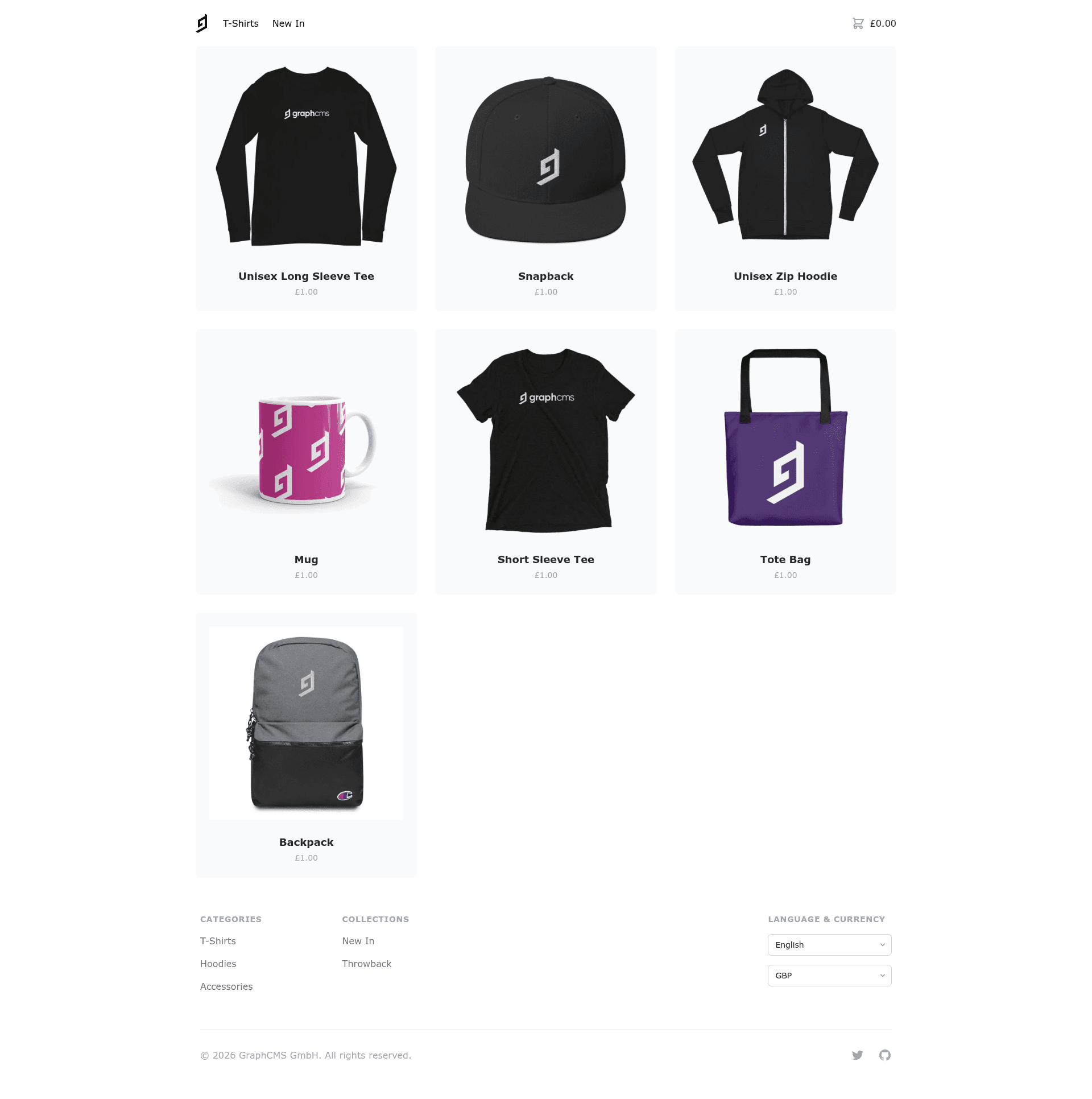
Next.js commerce storefront starter with Hygraph CMS, Stripe Checkout, Tailwind CSS, and SEO-ready pre-rendered pages.
About this template
The Hygraph Commerce Starter is an open-source Next.js ecommerce storefront template that pairs Hygraph as a headless CMS, Stripe for hosted payments, and Tailwind CSS for styling. It gives developers a fully functioning commerce site with a localized product catalogue, pre-rendered pages, a client-side shopping cart, and server-side order creation triggered by Stripe webhooks.
What is the Hygraph Commerce Starter?
The Hygraph Commerce Starter is a reference application that demonstrates how to build a production-style commerce storefront on the Next.js framework. It takes a Hygraph project created from the Commerce Starter template and a Stripe account as inputs, and outputs a deployable storefront with product pages, a cart, and a hosted checkout flow. The project was created by Hygraph (formerly GraphCMS) and is published on GitHub under the Hygraph organization.
Key Features
- Localized product catalogue — Uses Hygraph's content localization and Next.js i18n routing to serve products in multiple languages from one CMS schema.
- Pre-rendered catalogue pages — Product pages are statically generated at build time with
getStaticPropsandgetStaticPathsfor fast loads and SEO. - Dynamic client-side data fetching — SWR is used to fetch fresh content on the client without full page reloads.
- Localized shopping cart — The
react-use-cartlibrary keeps the cart state on the client and supports multiple languages. - Stripe Checkout integration — Payment processing is handled by Stripe's hosted checkout page, so the starter does not need to store payment details.
- Webhook-driven order creation — A Stripe webhook for the
checkout.session.completedevent calls a Next.js API Route, which uses the Hygraph mutation API to create an order in the CMS. - Multiple currency support — Currencies are configured in
hygraph.config.jsand are reflected throughout the storefront. - One-click deployment — A Vercel deploy button is provided, with environment variables for Hygraph tokens and Stripe keys already wired.
Who should use the Hygraph Commerce Starter?
- Next.js developers who want a complete ecommerce reference implementation rather than building cart, checkout, and CMS integration from scratch.
- Agencies building storefronts for clients who need multi-language and multi-currency support out of the box.
- Developers evaluating Hygraph as a CMS and wanting to see how its localization, query API, and mutation API work in a real commerce scenario.
- Stripe integrators looking for a proven pattern to connect Stripe Checkout with a headless CMS via webhooks.
What can you do with the Hygraph Commerce Starter?
- Launch a multi-language storefront: Configure locales in
hygraph.config.jsand the starter serves localized product pages using Next.js i18n routing. - Sell products with Stripe: Add products in Hygraph, and customers go through Stripe Checkout for payment with support for multiple currencies.
- Automate order recording: After a successful Stripe payment, the webhook triggers the creation of an order record in Hygraph through the mutation API, keeping the CMS as the system of record.
- Customize the design: Since the UI is built with Tailwind CSS, you can restyle the entire storefront by editing utility classes and the provided components.
How does the Hygraph Commerce Starter work?
- Clone the repository using
degitand install dependencies with npm. - Create a new Hygraph project from the Commerce Starter template and add the required environment variables (Hygraph endpoint, query and mutation tokens).
- Set up a Stripe account and configure a webhook for
checkout.session.completed, supplying the signing secret. - Edit
hygraph.config.jsto match the enabled locales and currencies in your Hygraph project. - Run
npm run devto start the Next.js development server and browse the storefront.
FAQ
Does the Hygraph Commerce Starter require a Stripe account?
Yes. The usage section states that the reference application requires a Stripe account because payment processing uses Stripe Checkout and webhooks for order creation.
What environment variables are needed?
The .env file requires HYGRAPH_MUTATION_TOKEN, HYGRAPH_QUERY_TOKEN, HYGRAPH_ENDPOINT, NEXT_PUBLIC_STRIPE_PUBLISHABLE_KEY, STRIPE_SECRET_KEY, and STRIPE_WEBHOOK_SIGNING_SECRET.
How is a product catalogue created?
Products are managed in Hygraph using the Commerce Starter content schema. The starter statically generates pages from this content at build time, and uses SWR for client-side updates when the data changes.
Can I add more languages or currencies?
Yes. The hygraph.config.js file defines the locales and currencies array. The locales must match the enabled locales in your Hygraph project to work correctly.