Template details
Hylia
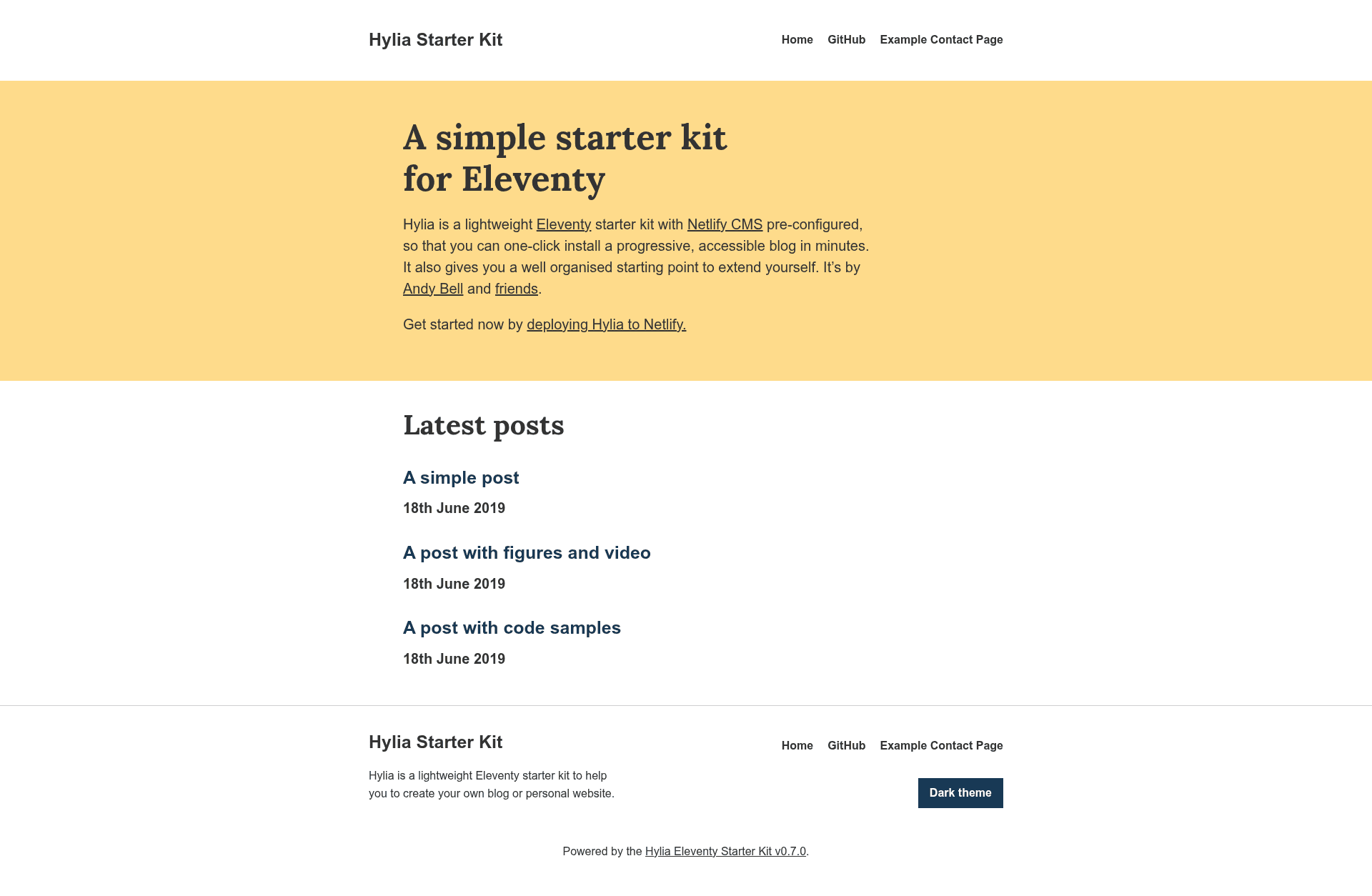
Hylia is a lightweight Eleventy starter kit to help you create your own blog or personal website.
About this template
Hylia is an Eleventy starter kit that pre-configures Netlify CMS so you can one-click deploy a lightweight, accessible blog in minutes.
What is Hylia?
Hylia is a lightweight Eleventy starter kit, version 0.7.0, built by Hank Chizljaw and hosted on GitHub at hankchizljaw/hylia with 911 stars. It takes Markdown content and a design-token config as input and outputs a static, semantic HTML site with an RSS feed, a service worker for offline reading, and a Netlify CMS admin panel at /admin. The kit runs on the Eleventy static site generator and is designed to be extended by developers who want a well-organized starting point.
Key Features
- Pre-configured Netlify CMS — Edit the home page, blog posts, generic pages, global site data, navigation, and theme settings from the /admin interface without touching code.
- Design tokens — Colors, size ratio, and fonts are controlled by src/_data/tokens.json and exposed in the CMS under Globals > Theme Settings.
- Sass system with utility generator — Built on the Stalfos v2 framework, src/scss/_config.scss powers a utility class generator that creates responsive classes like md:float-left.
- Offline support — A service worker caches pages so readers can open articles without a connection.
- RSS feed — A built-in feed for all posts is generated automatically.
- Netlify Forms contact form — A basic HTML form is ready to collect submissions through Netlify Forms.
- Tags and tag archives — Posts can be organized by tags, with archive pages generated automatically.
- Lightweight and accessible — Semantic markup, progressive enhancement, and a deliberately minimal front-end.
Who is Hylia for?
- Personal bloggers — Launch a blog with a CMS-driven workflow in minutes by deploying to Netlify and logging into /admin.
- Front-end developers — Use the Sass utility generator, design tokens, and Stalfos config to prototype custom static sites quickly.
- Designers and content editors — Manage site content and theme colors through the Netlify CMS interface without writing code.
What can you do with Hylia?
- Indie writers: publish Markdown-based blog posts that are served as static HTML, cached offline, and distributed via RSS.
- Agencies: spin up client sites by editing design tokens, using the included styleguide at /styleguide, and setting up Netlify Forms for contact pages.
- Developers: extend the starter with roadmap features such as webmentions, pagination, and the Web Share API integration.
How does Hylia work?
You can one-click deploy to Netlify or clone the repository and run npm install and npm start to serve the site at localhost:8080. After deployment, enable Netlify Identity and Git Gateway, invite a user, and log in at /admin to start editing content. The Sass is compiled via the sass:process command and design tokens are regenerated with sass:tokens.
FAQ
Do I need to know Eleventy to use Hylia?
No. Because Netlify CMS is pre-configured, you can create and edit posts and pages from the /admin interface. To customize the design you edit tokens in the CMS rather than code.
Is Hylia free?
The starter kit is open-source and free to use. You only pay for hosting and advanced Netlify features if you choose a paid plan.
How do I change the design tokens?
In the CMS go to Globals > Theme Settings, or edit src/_data/tokens.json directly. The tokens are converted into Sass maps that compile into the site's CSS.
Does Hylia include pagination?
Not yet. Pagination is on the roadmap but not in version 0.7.0. Tags and tag archives are included.
Can I remove the styleguide?
Yes. Delete src/styleguide.njk and the page will no longer appear on your site.