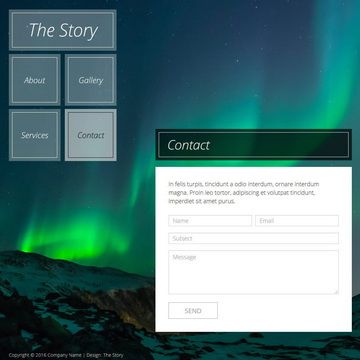
Template details
Jekyll Grid Portfolio Theme
A minimalistic responsive grid portfolio theme built on Jekyll for showcasing projects.
About this template
The Jekyll Grid Portfolio Theme is a minimalistic, responsive grid portfolio theme for Jekyll, designed to turn a collection of Markdown files into a static portfolio website.
What is the Jekyll Grid Portfolio Theme?
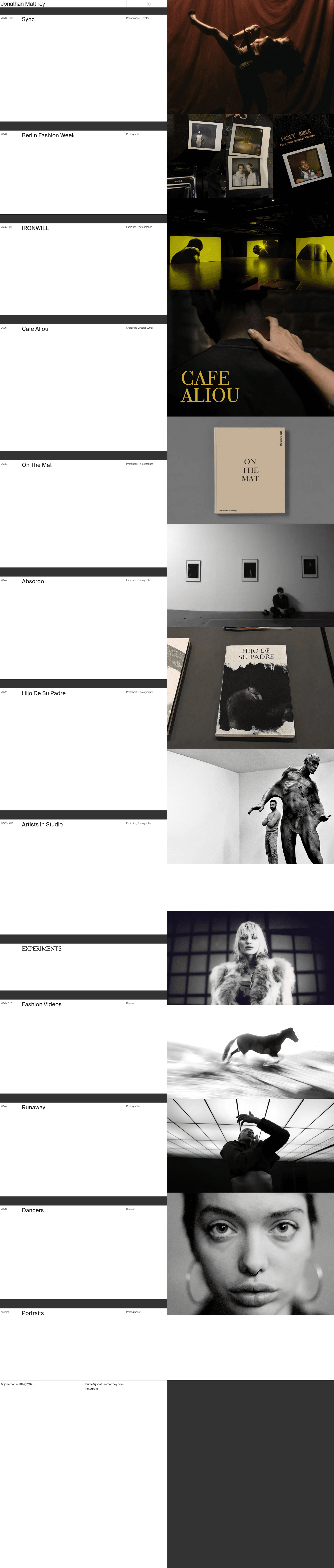
The Jekyll Grid Portfolio Theme is an open-source Jekyll template that generates a responsive grid-style portfolio site. It takes content written in Markdown or HTML (the standard Jekyll formats) and outputs a fully static website that can be hosted anywhere. The theme is built and maintained by Jonathan Matthey, and it powers his personal site at jonathanmatthey.com. As a Jekyll theme, it runs on a Ruby-based static site generator, requiring no database or server-side processing when deployed.
Key Features
- Responsive grid layout — The theme arranges portfolio items in a grid that automatically adapts to mobile, tablet, and desktop viewports, providing a consistent browsing experience.
- Minimalistic visual style — The design keeps visual noise low, letting project screenshots, titles, and links take center stage.
- Built on Jekyll — The theme uses Jekyll's conventions: posts or pages in Markdown, layouts in HTML with Liquid templating, and configuration in
_config.yml. - Live reference implementation — A working version of the theme is publicly accessible at jonathanmatthey.com, so you can see the layout and behavior in production before adopting it.
- Straightforward local development — After cloning the repository, three commands (
bundle i,bundle exec jekyll serve) start a local preview server; the README documents this workflow. - Public repository — The source code is hosted on GitHub under the repository
JonathanMatthey/jonathanmatthey.com, and had 30 stars at the time of writing.
Who is it for?
- Software developers — who want to publish a personal portfolio site without standing up a CMS or dynamic backend; they can add projects as Markdown files and rebuild.
- Designers and photographers — who need a focused, minimal grid to display visual work; the theme's clean layout works well for image-forward portfolios.
- Technical job seekers — who appreciate a git-based workflow where the site is version-controlled, reproducible, and deployable to any static host.
What can you do with it?
- Showcase personal projects — Add each project as a separate Markdown entry; the grid will display them uniformly with titles and links to live demos or code.
- Build a personal homepage — Use the theme's responsive layout as a simple one-page presence linking to your work, social profiles, and contact information.
- Teach yourself Jekyll — Because the theme is minimal and the code is open, studying it is a practical way to learn how Jekyll collections, layouts, and includes fit together.
How does it work?
The README documents a standard Jekyll setup process: clone the repository with git clone, install dependencies with bundle i, and run the development server with bundle exec jekyll serve. Once running, the site is generated from the theme's layouts and your content files, and is viewable at the local Jekyll address. For production, the generated _site directory can be uploaded to any static hosting service.