Template details
Bent-o
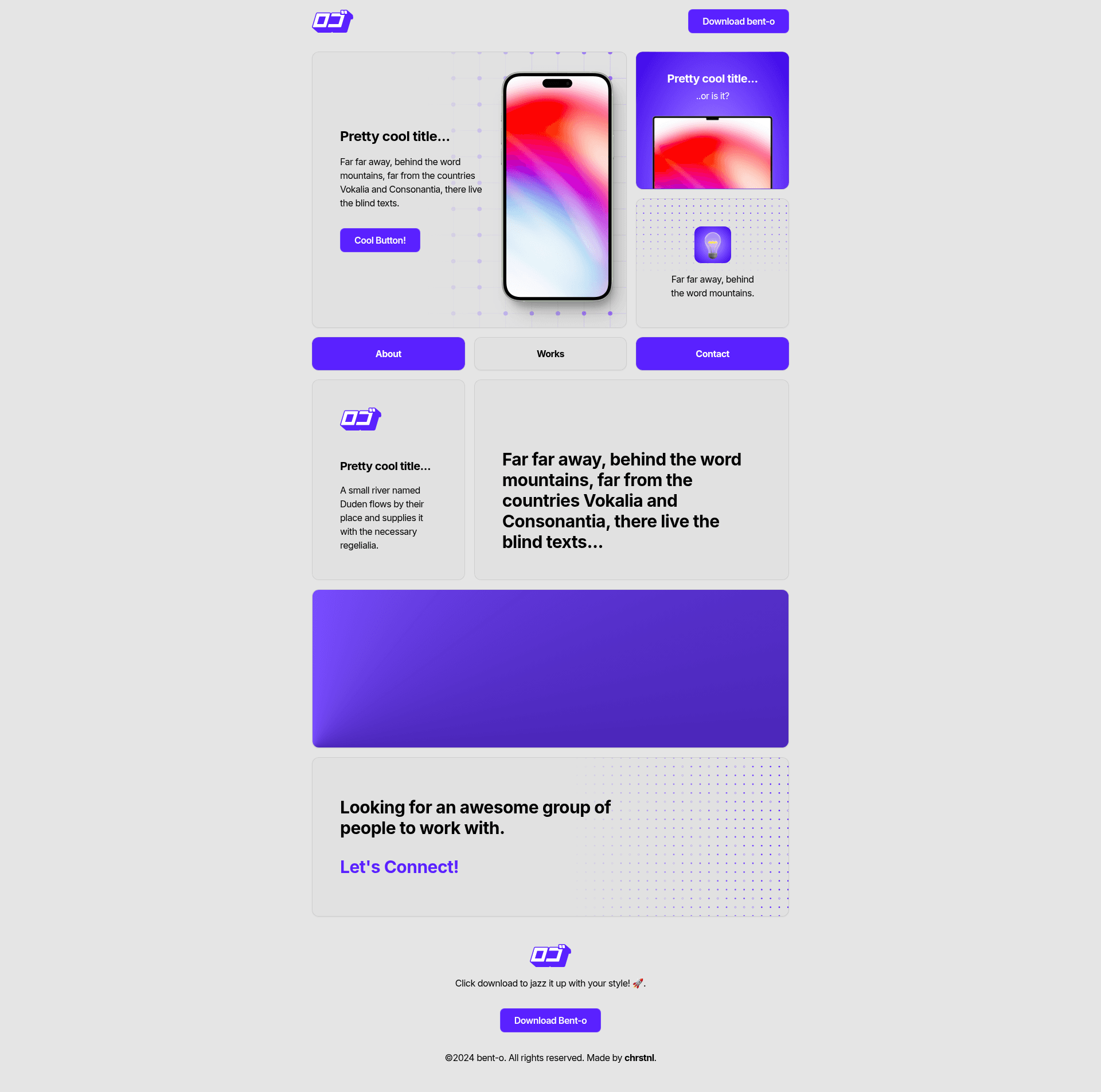
A bento-style Next.js and Tailwind CSS template with minimal styling and SEO-friendly markup.
About this template
Bent-o is a bento-grid website template built on Next.js and Tailwind CSS, released as a minimal, SEO-ready starting point for personal sites and portfolios.
What is Bent-o?
Bent-o is a publicly available Next.js template by chrstnl that arranges content in a bento-style grid of mixed-size cards. It takes site metadata from a single config.ts file and Tailwind CSS configuration as inputs, and outputs a responsive, SEO-friendly static site through Next.js. Version 1.0.0 was created on 12 January 2024, and the project is bootstrapped with create-next-app.
Key Features
- Minimal styling — Ships with a clean default look so you can override colors, fonts, and spacing using Tailwind utility classes and the tailwind.config file.
- Accessible, semantic HTML — The markup uses semantic elements to support screen readers and improve search indexing.
- SEO-friendly metadata — Includes canonical URLs, OpenGraph data, and meta tags; all site-wide fields like site URL, author, description, title, OpenGraph image, and keywords are edited in one config.ts file.
- Next.js and Tailwind CSS stack — Runs on the Next.js React framework with TailwindCSS for styling; it is bootstrapped with create-next-app.
- Responsive design — The bento grid adjusts to different screen sizes, making it suitable for mobile and desktop viewing.
- One-command deployment — Can be deployed to Vercel directly, or to Netlify by setting the build command to
npm run buildand the publish directory toout. - Simple customization workflow — Update colors in the Tailwind config, and replace favicon files under public/images/icons along with manifest.json.
Who is it for?
Bent-o is for developers who want a lightweight Next.js starter for a personal website, portfolio, or landing page without committing to a heavy theme. It is also suited for designers who want to build a bento-style layout from a small, clean codebase, and for anyone who wants a fast, free template that can be deployed to Vercel or Netlify in minutes.
What can you do with Bent-o?
- Create a personal homepage: Display your name, bio, and links in a visually interesting grid of cards.
- Build a simple portfolio: Showcase projects or images using the bento layout's varied card sizes.
- Launch a landing page: Use the minimal styling and SEO metadata to put up a quick site for a product or idea.
How does Bent-o work?
After cloning the repo, run npm run dev or yarn dev to start the development server. Update the site metadata in the config.ts file, change the theme colors in the Tailwind configuration, and replace the favicon in the public section. The site builds to static files with npm run build, ready for deployment.
Pros and cons
- Pros: Minimal codebase, SEO features built in, fast setup, easy deployment to Vercel or Netlify, clear configuration file.
- Cons: The minimal styling means you build most visual design yourself; documentation covers setup only, not advanced customization patterns.
FAQ
How do I change the site metadata?
Open the config.ts file in the project root. It contains fields for site URL, author, description, title, OpenGraph image, and keywords. Edit the values and save, and the site will reflect the new metadata on the next build.
How do I deploy Bent-o to Netlify?
Go to your Netlify site settings for the repository, set the build command to npm run build, and set the publish directory to out. Netlify will then build the static site on each push.
Can I use Bent-o with Vercel?
Yes. The template is designed for one-click deployment on Vercel; connecting your GitHub repository to Vercel will automatically detect the Next.js configuration and build the site without extra setup.
How do I customize the colors?
Open the Tailwind configuration file in the project and update the color values there. Since Tailwind compiles utility classes, your new colors will apply across all components that use those classes.
Is Bent-o free to use?
The repository is publicly available and the author describes it as a theme made for you, implying free use. No explicit license is mentioned in the README, so check the repository for license details before commercial use.