Template details
Jekyll Portfolio
A minimal Jekyll portfolio template with a blog and project showcase, ready for GitHub Pages.
About this template
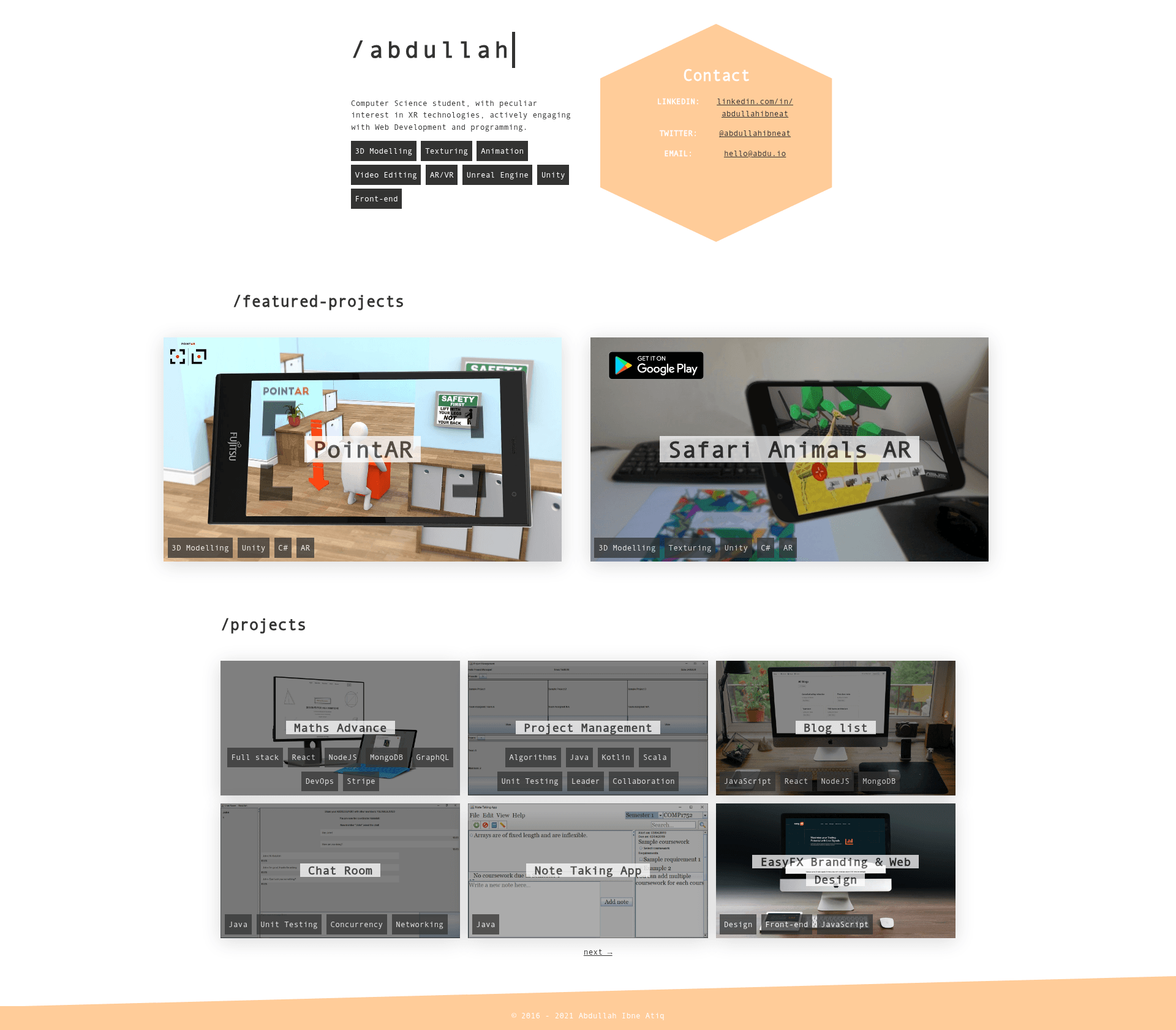
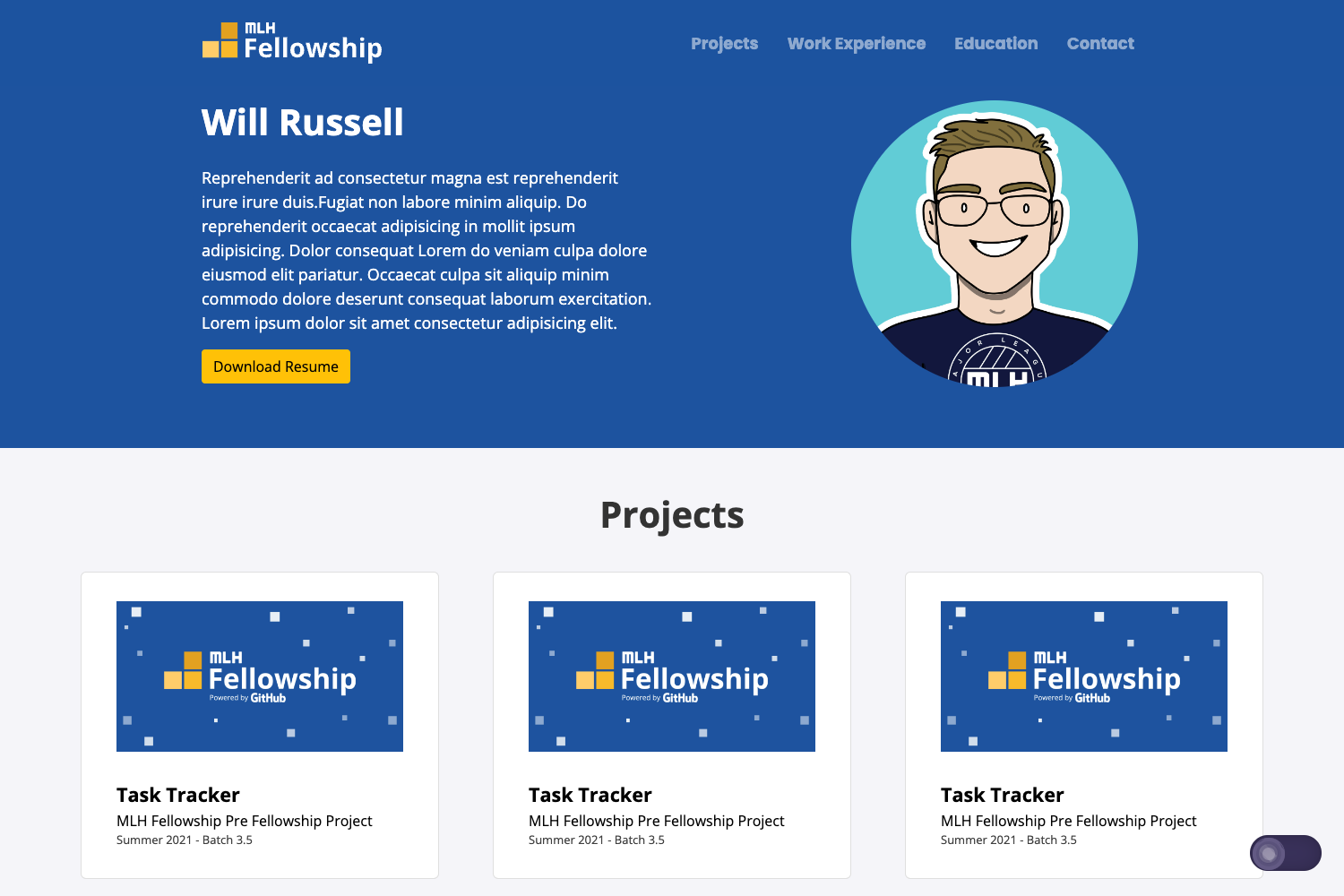
Jekyll Portfolio is a minimal portfolio template built with HTML and Liquid for Jekyll, designed to run on GitHub Pages and produce a personal portfolio site with a blog and featured projects.
What is the Jekyll Portfolio template?
This template is a minimal portfolio theme for the Jekyll static site generator. It accepts markdown posts and HTML pages with YAML front matter as input and outputs static pages with a homepage, article pages, and custom pages. The template was created by GitHub user abdullahibneat and currently powers the live demo at abdu.io. It runs on Jekyll and is built specifically for free hosting on GitHub Pages. According to the repository description, it has been replaced by the author's next-portfolio project, but this Jekyll version remains available on the jekyll-template branch.
Key Features
- Built with HTML and Liquid — The template uses plain HTML and Liquid templating, both of which are natively supported by Jekyll.
- GitHub Pages ready — Fork the repository and rename it to yourusername.github.io to deploy the site without any additional build setup.
- Configurable
_config.yml— Edit the main configuration file to set your site URL, text-based logo, and other global settings. - Post creation via front matter — Add markdown files in the
_postsfolder with the naming conventionYYYY-MM-DD-your-title.mdand required fields like title, description, and layout. - Featured projects section — Add the tag
featuredto a post's front matter to display it in the featured projects section on the homepage. - Media folder organization — Store article images in
assets/mediaand reference them with themedia-folderandfeaturedfront matter variables. - Skill display — A
skillsarray in front matter renders skills on the project container and beneath the post title. - Custom pages — Add new HTML files with
layout: pageand a permalink to create extra pages on the site.
Who is it for?
- Developers and designers — Publish a personal portfolio with project write-ups and skill tags in a static site that is easy to maintain.
- Freelancers — Build a professional online presence with a blog and featured work to attract clients.
- Job seekers — Create a clean portfolio site to share with recruiters, with a projects section and skills shown per post.
What can you do with it?
- Create portfolio posts — Write an article in markdown, include images and a skills list, and it appears on the homepage and as a standalone post.
- Build a blog — Use the
_postsfolder to publish regular articles alongside portfolio items in the same Jekyll site. - Customize branding — Change the text-based logo, favicon, and the
siteFT.jpgsocial-sharing image through configuration and the assets folder.
How does it work?
- Fork the repository and rename it to yourusername.github.io.
- Edit
_config.ymlto set your URL (withhttps://at the beginning), logo text, and other settings. - Add article markdown files to
_postsusing the required filename format and front matter. - Push the repository to GitHub, and GitHub Pages publishes the site automatically.
FAQ
Is this template free?
Yes, the repository is publicly available on GitHub, so the template can be freely used and modified for your own portfolio.
How do I deploy with GitHub Pages?
Fork the repository, name it yourusername.github.io, and configure _config.yml with your full URL including https://. After pushing changes, GitHub Pages serves the site from the repository.
What is the required naming convention for posts?
Posts must be named YYYY-MM-DD-your-title.md and placed in the _posts folder. Each post's front matter must include title, description, and layout values.
Can I create custom pages?
Yes, add an HTML file with front matter containing layout, title, and permalink. The page will be accessible at the permalink path on your site.
What happened to this template?
According to the repository description, the template has been replaced by the author's next-portfolio project, but this Jekyll version remains available on the jekyll-template branch.