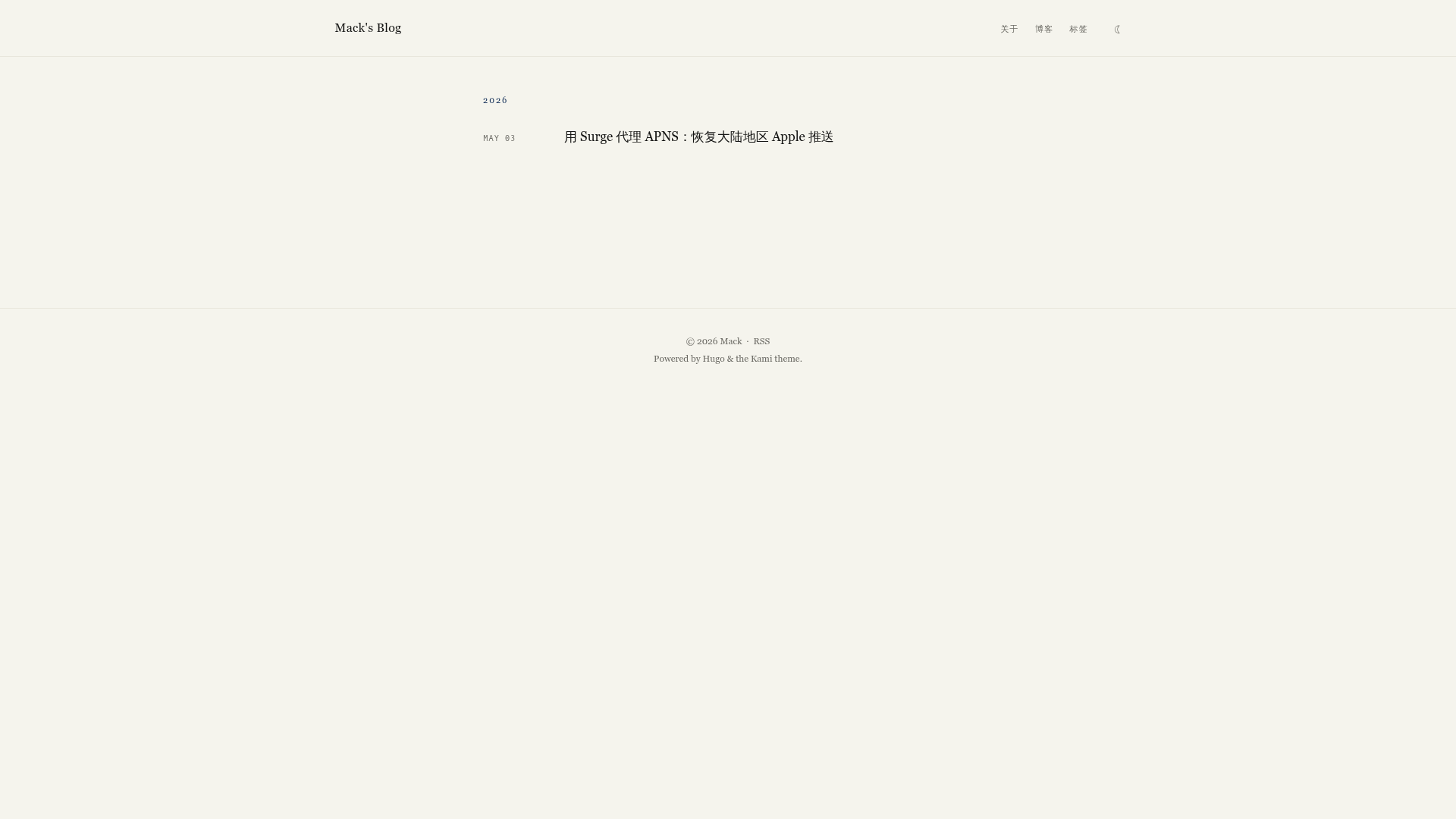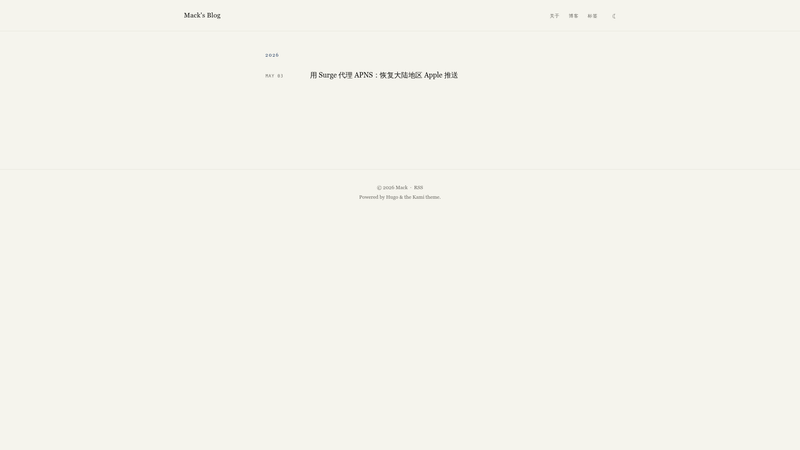
Kami Hugo Theme is an editorial Hugo theme that ports Tw93's Kami design language — warm parchment backgrounds, a single ink-blue accent, and serif-led typography — into a static blog template built for long-form bilingual publishing.
What is the Kami Hugo Theme?
The Kami Hugo Theme is a Hugo Extended theme developed at github.com/mackt/hugo-theme-kami. It takes standard Markdown posts with front matter — title, date, draft, tags — from a Hugo content folder and generates a static site with a year-grouped homepage stream, article pages, tag term pages, and static page templates such as About, Now, and Uses. Hugo Extended version 0.146.0 or later is required, and the rendered site includes RSS output. No JavaScript framework or web fonts are bundled.
What makes the Kami Hugo Theme stand out?
The homepage is a minimal date-and-title stream grouped by year, inspired by the site designs of Craig Mod and Robin Sloan rather than a card grid. On article pages, a right-hand sticky table of contents highlights the current section using IntersectionObserver. Code blocks are highlighted with Chroma but restyled to a single ink-blue and warm gray palette, and each block carries a copy button with i18n labels. Bilingual articles are supported by pairing Markdown files with the same slug but different language codes, and the article then shows a language switcher that disappears when no translation exists. Dark mode is stored in localStorage and falls back to the system theme with no first-paint flash. External links automatically receive a ↗ glyph plus target="_blank" and rel="noopener". The CSS bundle is about 10 KB, the JavaScript bundle about 1 KB, and no web fonts are loaded.
Who is the Kami Hugo Theme for?
Long-form essayists get a Craig Mod / Robin Sloan-style index and a clean reading layout with sticky navigation. Bilingual writers can publish paired translations in the same post without extra taxonomy. Developer-bloggers who want a static, low-asset site will appreciate that the only build dependency is Hugo Extended itself. Personal site owners can add static pages for About, Now, or Uses with a dedicated layout and menu entries.
What can you do with it?
These are the concrete workflows the theme was built for:
- Publish a bilingual article: Write
content/posts/hello.mdandcontent/posts/hello.zh-Hans.md; the theme links them with a per-article language switcher that is hidden when no pair exists. - Run a year-grouped blog: Drop in Markdown posts, and the homepage sorts them by year into a date-stream index, while tags get their own pages sorted by post count.
- Add About / Now / Uses pages: Create a Markdown file with
type = "page"in the front matter, and it renders with the static page template instead of the post template.
Pricing
The Kami Hugo Theme is free to use under the MIT license, and it preserves Tw93's original Kami copyright notice in the license file. No paid plan or premium features are mentioned in the documentation.
FAQ
Here are the questions most often asked about the Kami Hugo Theme, answered from its README.
How do I install the Kami Hugo Theme?
You can use Hugo Modules by adding the path github.com/mackt/hugo-theme-kami to config/_default/module.toml and setting theme = "hugo-theme-kami" in hugo.toml, then run hugo mod get -u. Alternatively, add it as a git submodule under themes/hugo-theme-kami and set the same theme name.
Can I use the theme with a single language?
Yes. The bilingual features activate only when a translated file exists. A single-language blog renders the standard post layout and homepage without a language switcher.
How do I change the colors or fonts?
Edit assets/css/tokens.css in the theme and rebuild your site. The theme intentionally structures configuration around that token file rather than many separate theme options.