Template details
Landing Page Animation
Landing page animation made using CSS
About this template
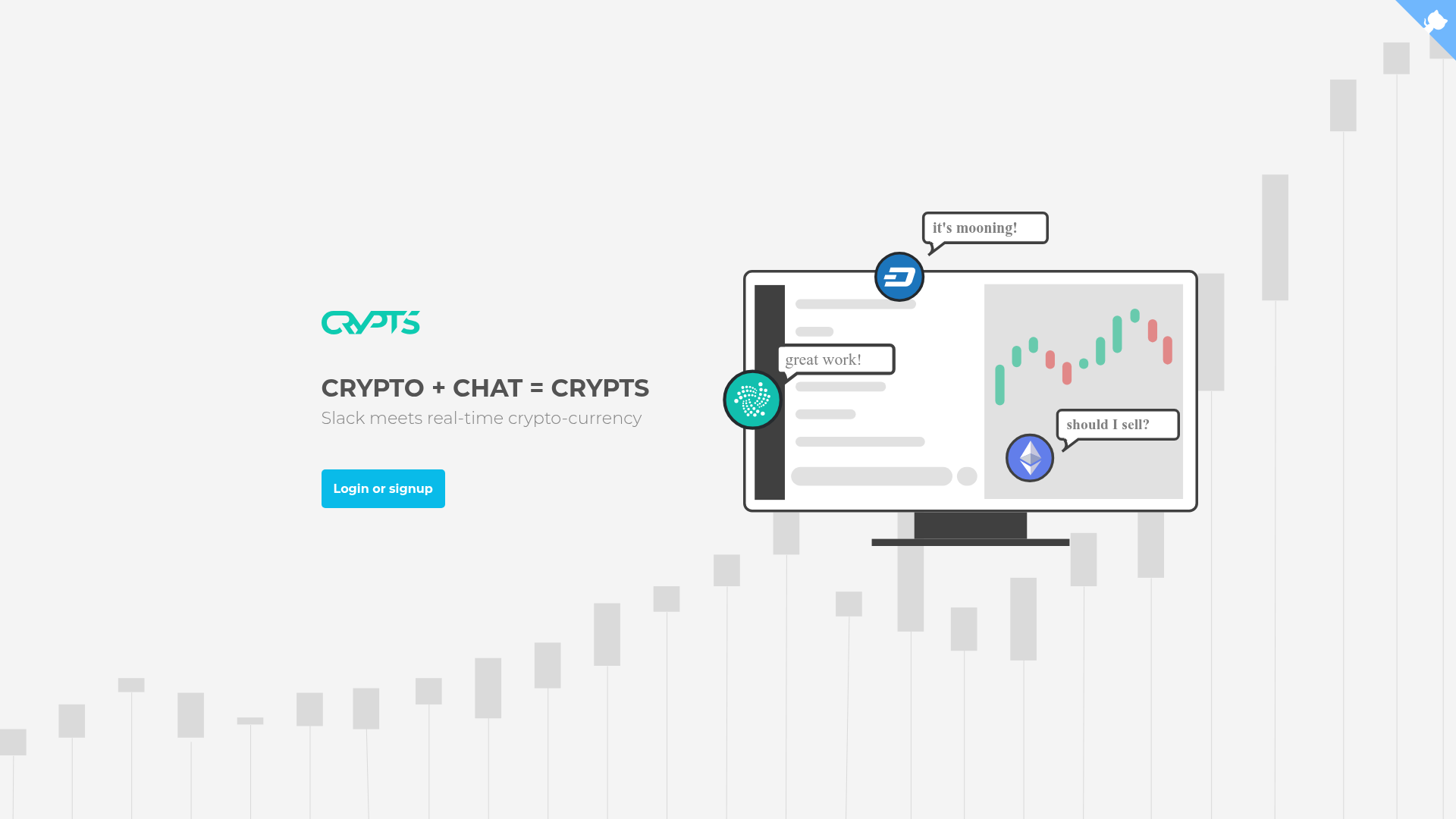
Landing Page Animation is a free, CSS-only template that animates an SVG-based landing page with a monitor sliding in and chat blips popping up, created by GitHub user kvaibhav01 and shared as a public repository. It uses only basic CSS animations and requires no JavaScript, making it easy to integrate into any HTML project.
What is Landing Page Animation?
Landing Page Animation is a CSS-only template for animating SVG-based landing page illustrations. It takes an SVG file and a CSS stylesheet as inputs and produces smooth entry animations for the monitor and chat elements of the landing page. The template runs in any modern browser that supports CSS animations, and it was created by kvaibhav01 as a public GitHub repository. The live demo is hosted on GitHub Pages.
Key Features
- Pure CSS animations — No JavaScript is required; only basic CSS animation properties and keyframes are used.
- SVG integration — The animation is designed to be applied to SVG files, which are often used in landing page illustrations.
- Two keyframe sets — The
monitorInkeyframe translates the monitor element along the Y-axis while adjusting opacity, and thechatblipskeyframe uses a bounce-in effect with the CSSscale()function. - Configurable animation properties — The template uses an
animationshorthand with a duration of1s,ease-in-outtiming, andforwardsfill mode. - Live demo — A working example is available at https://kvaibhav01.github.io/Landing-Page-Animation/.
- Educational references — Links are provided to W3Schools tutorials on CSS animations and SVG, plus an article on Codeburst explaining the technique.
Who is it for?
- Web developers — who want to add a landing page animation without pulling in a JavaScript animation library.
- CSS learners — who are studying CSS animations and want a practical example using keyframes, transform, and opacity.
- Designers — who create SVG-based landing page illustrations and need a way to bring them to life with animation.
What can you do with Landing Page Animation?
- Front-end developers: quickly add a monitor-and-chat animation to a landing page hero section by copying the CSS keyframes and applying them to an SVG.
- Prototypers: test the look and feel of a landing page animation before committing to a full front-end framework.
- Students: use the template as a hands-on exercise to understand how
@keyframes,animation,transform, andopacitywork together.
How does Landing Page Animation work?
The template follows a straightforward workflow: first, include an SVG file containing the elements you want to animate (such as a monitor and chat bubbles). Then, in your CSS file, define the monitorIn keyframe with from and to states that translate the element along the Y-axis and change its opacity. Next, define the chatblips keyframe using a bounce-in effect that relies on the CSS scale() function. Finally, apply these animations to the corresponding SVG elements using the animation shorthand with a duration of 1s, ease-in-out timing, and forwards fill.
FAQ
Is Landing Page Animation free?
Yes, the template is hosted in a public GitHub repository and can be freely viewed, cloned, and used in your own projects.
Does Landing Page Animation require JavaScript?
No, it is built entirely with basic CSS animations. You only need HTML (for the SVG) and CSS.
What files do I need to use it?
You need an SVG file containing the elements to animate and a CSS file where you define the keyframes and animation properties.
Can I customize the animation speed?
Yes, the duration, timing function, and delay can be adjusted by editing the animation shorthand property in your CSS.
What browser support does it have?
Because it uses standard CSS animations and transform functions, it works in all modern browsers that support CSS3 animations.