Template details
Mantine + Next + Vanilla Extract Template
A GitHub starter template combining Mantine components, Next.js, and vanilla-extract styling.
About this template
The Mantine + Next + Vanilla Extract Template is a GitHub boilerplate that wires the Mantine React component library into a Next.js project using the vanilla-extract styling system, so you can start building without manual integration.
What is the Mantine + Next + Vanilla Extract Template?
The Mantine + Next + Vanilla Extract Template is a starter repository on GitHub that preconfigures the Next.js React framework with the Mantine component library and vanilla-extract, a zero-runtime CSS-in-JS tool. Its core input is nothing more than a GitHub account: you click "Use this template" to copy the file structure into a new repository. The output is a project skeleton with these three technologies already connected, ready for a developer to add pages and components. The template is hosted on GitHub and has 16 stars, with repository topics covering mantine, nextjs, template, and vanilla-extract.
Key Features
- Next.js foundation — The template runs on Next.js, giving you a file-based routing system, server-side rendering capabilities, and a built-in development server without extra configuration.
- Mantine component library — Mantine is integrated as the UI component layer, so buttons, inputs, modals, and other components are available to use directly.
- vanilla-extract styling — Styling is handled with vanilla-extract, which compiles your CSS-in-JS code to plain CSS files at build time instead of injecting styles at runtime.
- One-click GitHub template — A "Use this template" button at the top of the page lets you create a new repository from this starter in a single action.
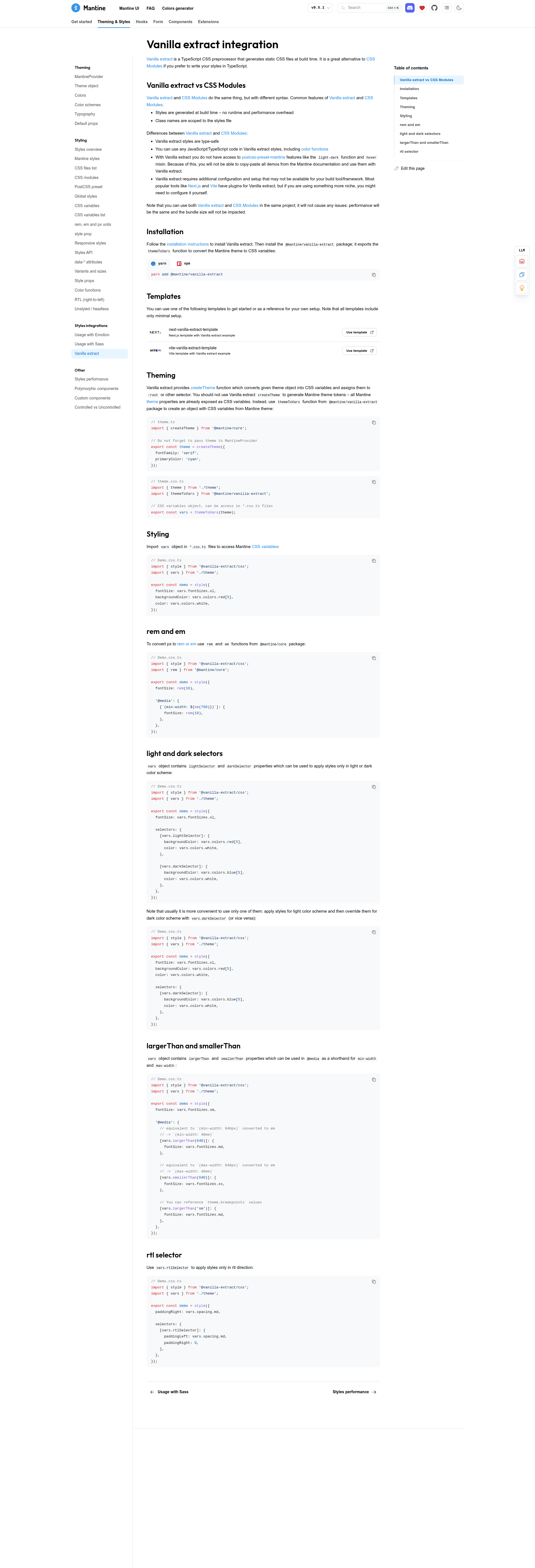
- Official Mantine documentation link — The repository links directly to Mantine's vanilla-extract guide at https://mantine.dev/styles/vanilla-extract/ for setup details.
- Public repository metadata — The project is discoverable on GitHub under the topics "mantine", "nextjs", "template", and "vanilla-extract", and is open for reuse.
Who should use the template?
- Next.js developers — Use this template to start a new app with Mantine and vanilla-extract already configured, saving the time spent on manual setup.
- Mantine users — Existing Mantine users who want to adopt vanilla-extract for zero-runtime styling can use this template as a jump-off point.
- CSS-in-JS learners — Developers exploring vanilla-extract can study this template to see how it integrates with a React component library and the Next.js framework.
What can you do with the template?
- New project starter: Click "Use this template" on GitHub to create a repository that has the Next.js + Mantine + vanilla-extract stack preconfigured, then clone and run the development server.
- Learning reference: Pair the template with the linked Mantine vanilla-extract documentation to understand each part of the integration.
- Team baseline: Use the same boilerplate across multiple projects to keep a consistent component library and styling approach.
How does the template work?
The template works through GitHub's repository template feature. Clicking "Use this template" on the top of the page creates a new repository in your account with the same file structure. After cloning that new repository, you install dependencies and start the Next.js development server to work with the preconfigured setup.
FAQ
Is the Mantine + Next + Vanilla Extract Template free?
The repository is public on GitHub and the page instructs you to click "Use this template" to get started, so it is free to copy to your own account. No pricing or payment model is mentioned in the repository metadata.
What is included in the template?
The template includes a Next.js project with Mantine and vanilla-extract configured together. The exact file structure is not detailed on the page, but the repository topics state that it covers mantine, nextjs, vanilla-extract, and template.
Where can I find guidance on using vanilla-extract with Mantine?
The repository links to Mantine's official vanilla-extract styling documentation at https://mantine.dev/styles/vanilla-extract/. That page covers how to configure vanilla-extract within a Mantine-based Next.js project.