Template details
Material UI Portfolio
A portfolio single-page app built with React and Material UI, featuring home, resume, portfolio, and contact sections.
About this template
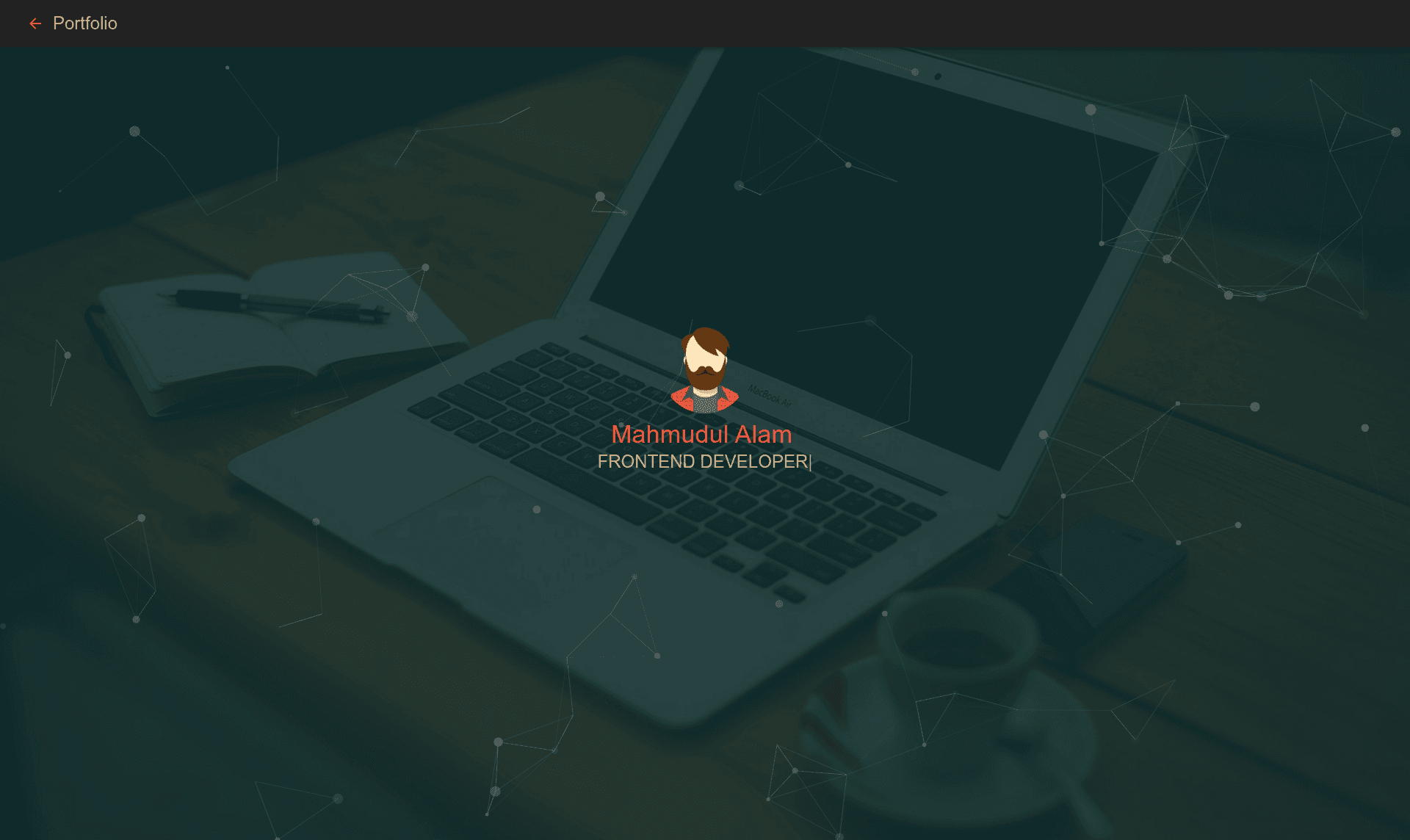
Material UI Portfolio is a free, open-source single-page portfolio template built with React and Material UI that renders a personal resume website with home, sidebar, resume, portfolio, and contact sections.
What is Material UI Portfolio?
Material UI Portfolio is a personal portfolio single-page application (SPA) created by Mahmudul alam and published on GitHub under the repository devmahmud/material-ui-portfolio. It takes personal data that you edit in the React components and produces a styled portfolio website with multiple sections. The template runs on any Node.js environment, using npm for dependency management, and includes a production build command for static hosting. A live demo is hosted on Netlify, and the repository has received 198 stars.
Key Features
- React single-page application — The entire site is built as one page with client-side navigation, avoiding full page reloads.
- Material UI styling — All components use Google's Material UI component library, giving a consistent Material Design look.
- Home page — A landing section with a hero-style layout that appears immediately when the app loads.
- Sidebar navigation — A fixed sidebar provides links to the other sections of the portfolio.
- Resume section — A dedicated area for listing work experience, education, and skills.
- Portfolio section — A gallery for showcasing projects with images, likely from screenshots shown in the README.
- Contact section — A section for displaying email and other contact details.
- Simple npm workflow — Commands include
npm installto install dependencies,npm startfor a local development server on http://127.0.0.1:3000, andnpm run buildfor a production build.
Who is it for?
- Front-end developers who know React and want a clean starting point for a personal portfolio without building from scratch.
- Job seekers who need a professional online resume and can edit the components to add their own experience and projects.
- Designers who want a Material Design–style showcase and are comfortable working with React and npm.
- Students learning React who want a functional project to study and modify.
What can you do with Material UI Portfolio?
- Showcase your work: Replace the placeholder project data with your own projects and screenshots to fill the portfolio gallery.
- Present your resume: Update the resume section with your education, employment history, and skills so visitors see your background.
- Share contact information: Add your email address and links in the contact section, making it easy for recruiters to reach you.
- Deploy your site: Run
npm run buildto generate a static build that can be hosted on Netlify, GitHub Pages, or any static host.
How does Material UI Portfolio work?
First, clone the repository from GitHub using git clone https://github.com/devmahmud/material-ui-portfolio.git. Then run npm install to install all dependencies. After that, run npm start to launch the development server at http://127.0.0.1:3000. When you are ready to publish, run npm run build to create a production-ready static build.
FAQ
Is Material UI Portfolio free?
Yes, the template is open-source and free to use. It is published on GitHub, so you can clone, modify, and deploy it for your own portfolio.
How do I customize the content?
The content is stored in React components inside the project. You edit the JSX and data files to replace the default text, images, and links with your own personal information.
Can I deploy it to Netlify?
Yes. The demo site is hosted on Netlify, and because npm run build produces a static site, you can connect the repository to Netlify and it will build and deploy automatically.
What sections are included?
The template includes a home page, a sidebar for navigation, a resume section, a portfolio section, and a contact section. All of these are visible in the README screenshots.
Who created Material UI Portfolio?
The template was created by Mahmudul alam, whose email is listed as expelmahmud@gmail.com in the repository.