Template details
Pineapple
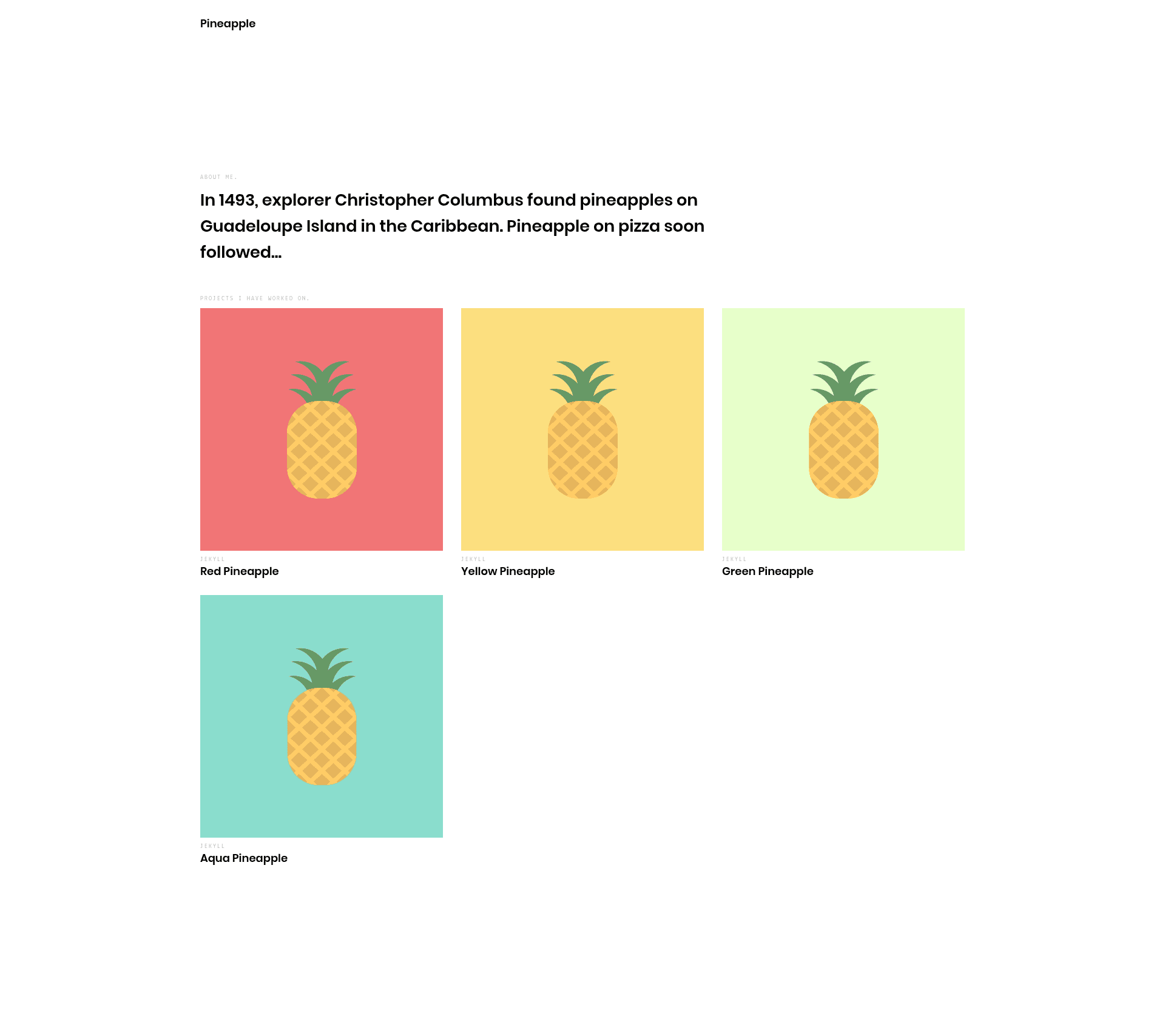
Pineapple is a minimalistic Jekyll portfolio theme that focuses on putting your projects in the spotlight.
About this template
Pineapple is a minimalistic Jekyll portfolio theme that focuses on putting your projects in the spotlight.
What is Pineapple?
Pineapple is a minimalistic portfolio theme built with Jekyll, the Ruby-based static site generator. It takes project descriptions written as Markdown files and renders them into a clean, project-focused static website. The theme is open source under the MIT license and is maintained in the GitHub repository arnolds/pineapple. It comes with a demo site to preview the design before using it.
Key Features
- Minimalistic design — The layout strips away distractions so your projects get the visual attention.
- Jekyll-based — Uses standard Jekyll conventions for posts and pages, so it works with any Jekyll environment.
- Markdown project files — Projects are authored as .md files in the _posts/projects directory, following Jekyll's naming and front matter rules.
- GitHub Pages deployment — The theme is set up to deploy to GitHub Pages by renaming the repository to yourusername.github.io and setting baseurl to an empty string.
- Four example projects — Included sample project posts show you how to structure your own entries.
- MIT license — Free to use, modify, and distribute, including for commercial projects.
- Live demo — The demo site at arnolds.io/pineapple lets you see the theme in action.
Who is it for?
- Developers and designers who need a clean portfolio to showcase their code and design projects.
- GitHub users who want to host a personal website on GitHub Pages without extra infrastructure.
- Jekyll enthusiasts who prefer a lightweight theme with no JavaScript dependency.
- Job seekers who want a professional, project-first layout to display their work to potential employers.
What can you do with Pineapple?
- Build a project portfolio: Write a Markdown file for each project and Pineapple renders them as portfolio entries on your site.
- Deploy to GitHub Pages: Fork the repository, rename it to yourusername.github.io, update _config.yml, and your site is live.
- Run locally for development: Use
jekyll serveto preview your site at http://127.0.0.1:4000/pineapple/. - Customize the theme: Adjust user configuration values in _config.yml and modify the theme's files to match your brand.
How does Pineapple work?
Pineapple follows standard Jekyll workflows. After installing Jekyll and Bundler with gem install jekyll bundler, clone the repository and run jekyll serve to start a local server. To publish, fork the repository on GitHub, rename it to yourgithubusername.github.io, and set baseurl to an empty string in _config.yml. Projects are added by placing Markdown files in the _posts/projects folder using the date-based naming convention (YYYY-MM-DD-title.md).
FAQ
Is Pineapple free?
Yes, Pineapple is open source and released under the MIT license. You can use it without paying anything, and you can modify it for personal or commercial purposes.
How do I deploy Pineapple to GitHub Pages?
Fork the repository, rename it to yourgithubusername.github.io, and update the user configuration values in _config.yml. Set baseurl to an empty string. GitHub Pages automatically builds and serves the Jekyll site.
How do I create a new project in Pineapple?
Create a new Markdown file inside _posts/projects with a date-based filename like 2017-04-01-myproject.md. Use one of the four example projects, such as the Red Pineapple example, as a guide.
What technologies does Pineapple use?
Pineapple is built on Jekyll, a Ruby-based static site generator. It uses Liquid templates and Markdown content, so it requires no database or backend server.