Template details
Maupassant Hugo
Maupassant theme, ported to Hugo.
About this template
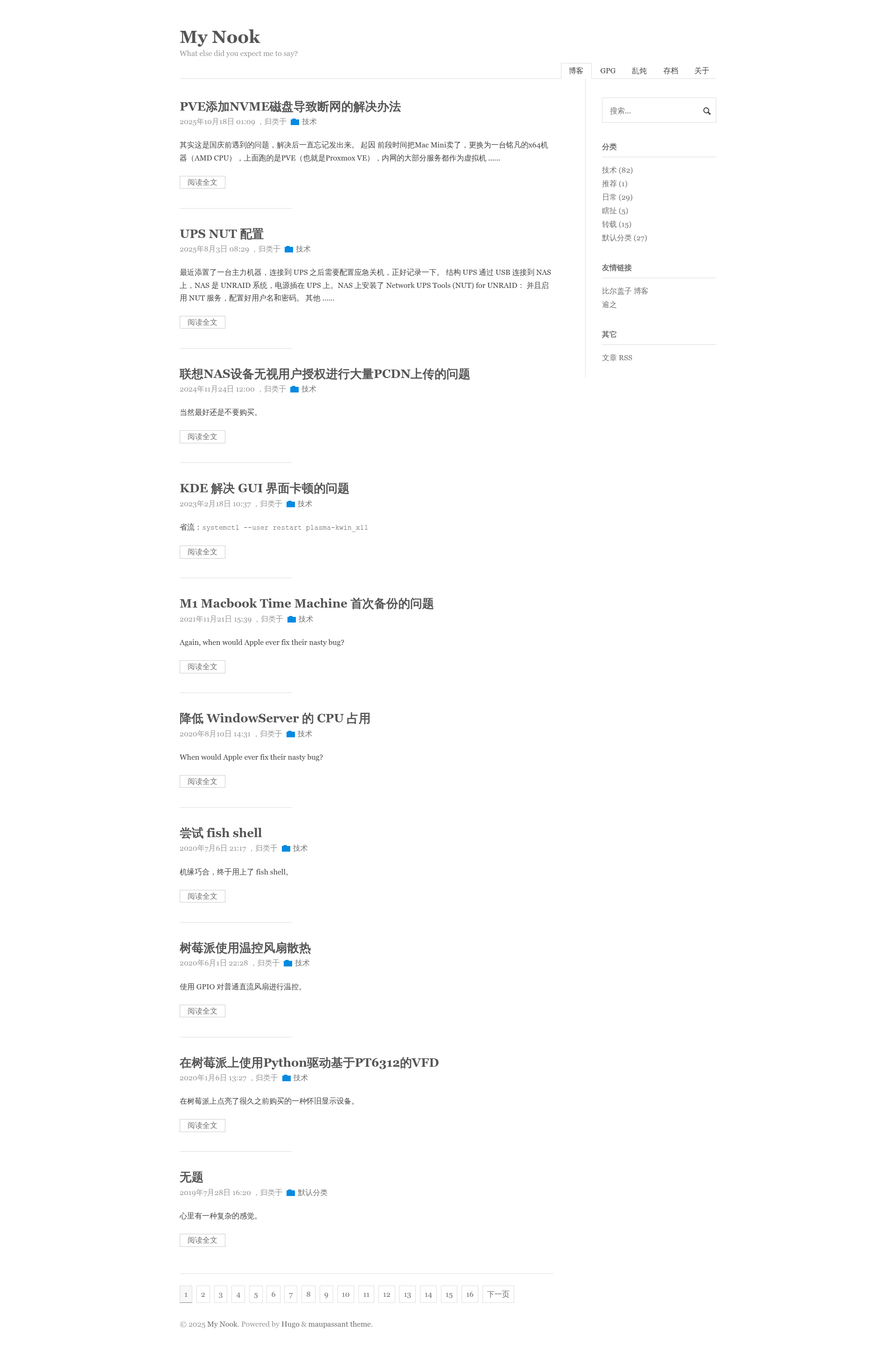
Maupassant Hugo is a Hugo theme ported from the Maupassant theme, providing a minimalist blog template with syntax highlighting, MathJax, and GitHub-based comments.
What is Maupassant Hugo?
Maupassant Hugo is a port of the original Maupassant theme designed for the Hugo static site generator. It takes Hugo content files (Markdown) and produces a static blog with archive, tags, categories, and a configurable sidebar. The theme is maintained by Joker Qyou and is available on GitHub.
Key Features
- Chroma syntax highlighting — Uses Hugo's built-in Chroma highlighter with a dracula style default; you can generate your own syntax.css with
hugo gen chromastyles --style=monokai. - MathJax support — Renders mathematical expressions via MathJax loaded from the Cloudflare CDN; requires adding
cdnjs.cloudflare.comto your CSP script-src. - utteranc.es comments — Integrates GitHub-issue-based comments; configure repo, issueTerm (
url,pathname,titleorog:title), and theme (github-lightorgithub-dark). - Donation QR codes — Displays Alipay and WeChat donation QR codes between post content and comments, expandable by default and disableable per post via
donation: falsein front matter. - Automatic post summaries — Uses Hugo's built-in
.Summarymechanism, defaulting to the first 70 words; override withsummaryordescriptionin front matter, or adjust viasummaryLength. - Custom CSS/JS — Loads bare filenames from
static/cssandstatic/jsthrough thecustomCSSandcustomJSparams. - Sidebar search — Provides a sidebar search box using DuckDuckGo by default, switchable to Google with
search_provider = "google". - No built-in analytics — The theme does not track visitors by default, prioritizing privacy.
Who is it for?
- Personal bloggers who want a clean, content-focused Hugo theme with Chinese/English support (
hasCJKLanguage,zh-CNlanguageCode in sample config). - Technical writers or academics needing LaTeX math rendering via MathJax and a static site workflow.
- Developers who prefer a self-hosted, privacy-friendly blog with GitHub-based comments via utteranc.es.
What can you do with it?
- Math and science bloggers: write equations in Markdown and have them rendered by MathJax; configure CSP to load from cdnjs.cloudflare.com.
- Developers wanting GitHub-based discussions: enable utteranc.es comments so each post maps to a GitHub issue, using URL, pathname, or title matching.
- Content creators accepting donations: add Alipay and WeChat QR codes to posts, and let readers collapse or expand them.
- Hugo users needing quick archives: create an
archives.mdfile withtype: "archives"to generate a full post archive list at/archives/.
How to install Maupassant Hugo
Clone the repository into the themes directory of a Hugo site, then set theme = "maupassant-hugo" in the site config. For Hugo v0.60.0 and above, the [markup] block with codeFences = true and noClasses = false is required for syntax highlighting, and startLevel = 1 is needed for table of contents when headings start at h1.
Pros and cons
- Pros: No built-in analytics (privacy-friendly), easy customization via front matter and params, supports multiple comment term options, and provides built-in MathJax and code copying.
- Cons: utteranc.es integration does not support custom issue term or user-specified issue numbers; MathJax relies on an external CDN, which requires updating your Content Security Policy; comments are disabled entirely if
[params.utteranc]is absent from the config.
FAQ
Does Maupassant Hugo support comments?
Yes, via the utteranc.es service, which stores comments as GitHub issues. You must configure [params.utteranc] with a public repo, an issue term like url, and a theme such as github-dark. If this block is missing, comments are disabled.
How do I change the syntax highlighting color scheme?
Run hugo gen chromastyles --style=monokai > static/css/syntax.css from your site root to generate and override the default dracula style. Any Chroma style supported by Hugo can be used.
Can I use custom CSS and JavaScript with this theme?
Yes. Set customCSS and customJS in the [params] section using bare filenames. The theme loads them from static/css and static/js respectively.
Is there built-in website analytics?
No, the theme deliberately avoids analytics by default. There is no Google Analytics or other tracking integration; you need to add your own via customJS or a separate service.
How do I create an archive page?
Create content/archives.md with front matter containing title: "Archives" and type: "archives". You can customize the URL with a slug. The archive lists all posts by term.