Template details
Jekyll Theme Diary
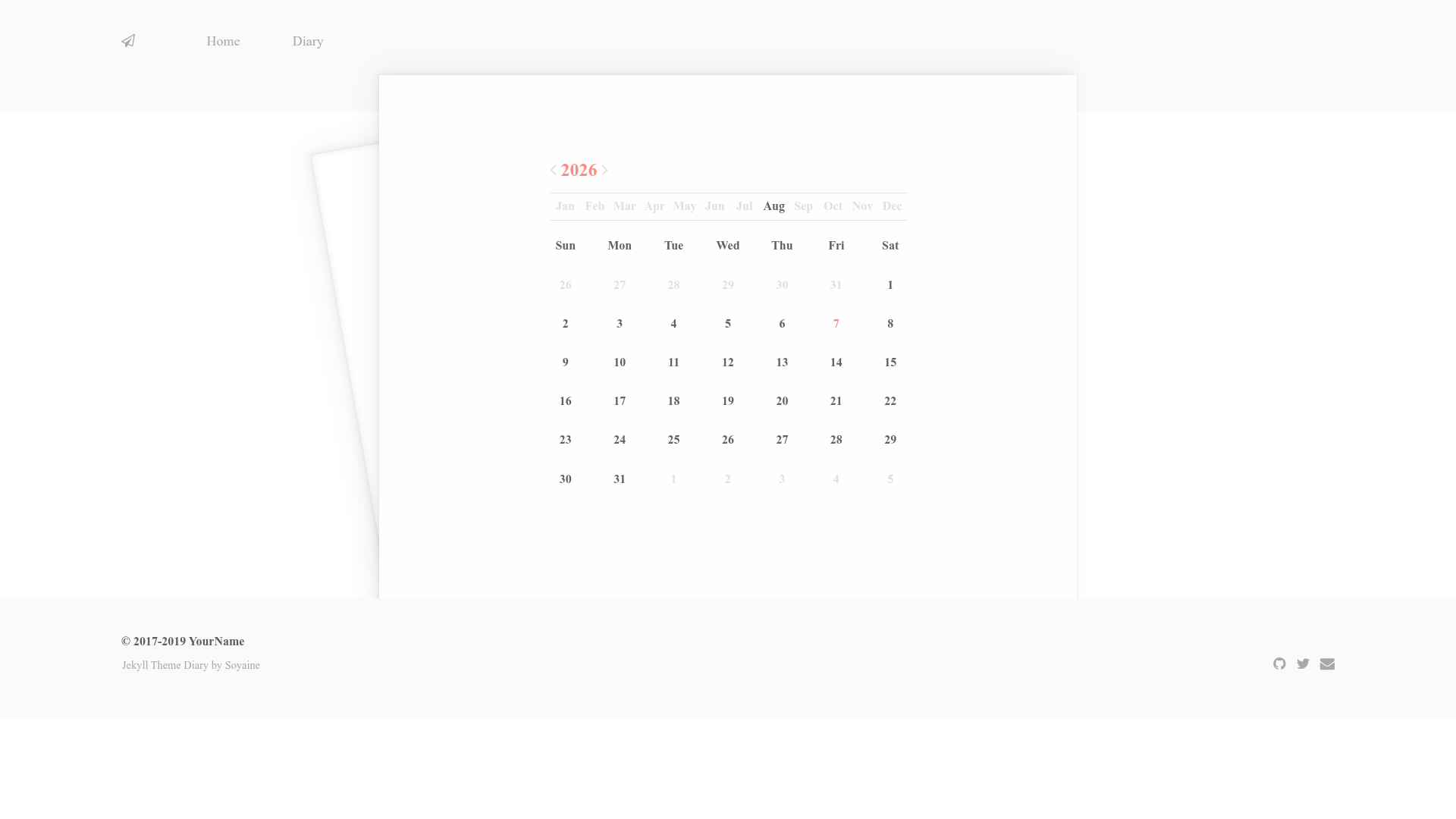
A minimal Jekyll theme for diary blogs with a calendar view, responsive layout, and configurable colors.
About this template
Jekyll Theme Diary is a minimal, MIT-licensed Jekyll theme built for personal diary blogs, with a calendar view that lights up the days you post. It is created by developer soyaine and is available as a public GitHub repository with a live demo hosted at https://soyaine.github.io/jekyll-theme-diary/.
What is Jekyll Theme Diary?
Jekyll Theme Diary is a static site theme for the Jekyll generator, intended for diary-style personal blogs. It produces a light-colored, responsive website with a calendar widget that highlights each day a diary entry is published, and it takes Markdown content as input. The theme is free to use under the MIT License, and its configuration is managed through a single _config.yml file.
Key Features
- Diary Calendar — Lights up the days you write diary entries, giving readers a visual overview of your posting frequency.
- Responsive Design — The layout adapts to desktop and mobile screen sizes so the diary is readable on any device.
- Clone-and-go installation — Clone the repository from GitHub and start blogging with Jekyll immediately; no complicated setup steps are required.
- Configurable footer social links — Set your email, GitHub, and Twitter handles in
_config.yml, and they appear in the footer. - Custom navigation menu — The
navsection of_config.ymllets you add any number of links with custom names and URLs. - Centralized color scheme — All theme colors are defined in
_sass/predefine.scss, so you can change the entire color palette by editing one file. - Font Awesome icon support — The theme uses Font Awesome for icons in the interface.
- Optional Chinese typography — Includes typo.css for improved Chinese typesetting; it can be removed if you don't publish in Chinese.
Who is it for?
- Diary bloggers — People who write regular personal journal entries and want a dedicated calendar to display their writing days.
- Jekyll newcomers — Users starting a new blog who want a ready-made theme with minimal configuration before their first post.
- Minimalist writers — Writers who prefer an uncluttered layout without sidebars or heavy widgets.
- Chinese-language bloggers — Bloggers writing in Chinese benefit from the bundled typo.css, which improves text rendering.
What can you do with it?
- Keep a personal diary — Publish daily or occasional entries and let the calendar show your writing streak at a glance.
- Launch a personal site — Use the configurable navigation and footer to add pages and social links, turning the theme into a general-purpose homepage.
- Customize the look — Change the color palette in
_sass/predefine.scssto match your brand or mood without editing layout files.
How does Jekyll Theme Diary work?
- Install Jekyll, then clone the theme with
git clone https://github.com/soyaine/jekyll-theme-diary.git. - Edit
_config.ymlto set your name, social media handles, and navigation links. - Write diary entries as Markdown posts in the standard Jekyll
_postsdirectory, then build and serve the site with Jekyll.
FAQ
Is Jekyll Theme Diary free?
Yes, the theme is released under the MIT License, so you can use, modify, and distribute it freely for personal or commercial projects.
How do I change the color scheme?
Edit the _sass/predefine.scss file, where all theme colors are defined. Change any color value and rebuild the site to see the update.
What social links can I show in the footer?
The footer supports email, GitHub, and Twitter links. You set your usernames in the link section of _config.yml.
Can I add custom navigation pages?
Yes. The nav section in _config.yml lets you add any number of links with custom names and URLs, such as Home, Diary, or anything else.
Does the theme support Chinese content?
The theme includes typo.css for improved Chinese typesetting. It's optional — you can remove it if you don't need it.
Acknowledgments
The demo's placeholder articles are generated by Lorem Markdownum, the icon set is Font Awesome, and the Chinese typography enhancement uses typo.css. The author welcomes questions and feedback via email or GitHub issues.