Template details
Minimaless
A simple, minimal Jekyll theme with Disqus comments, Google Analytics, and tag archive pages.
About this template
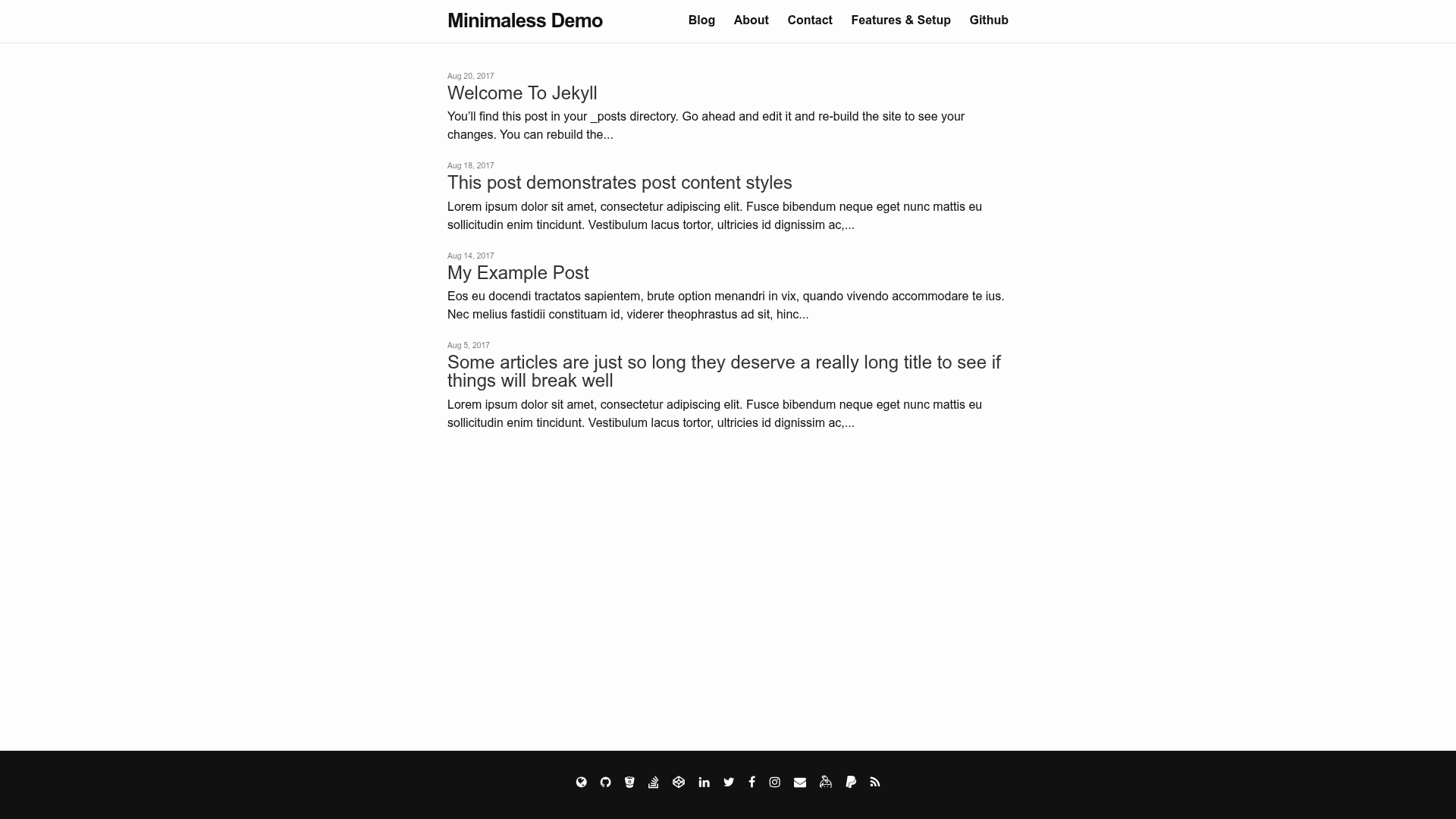
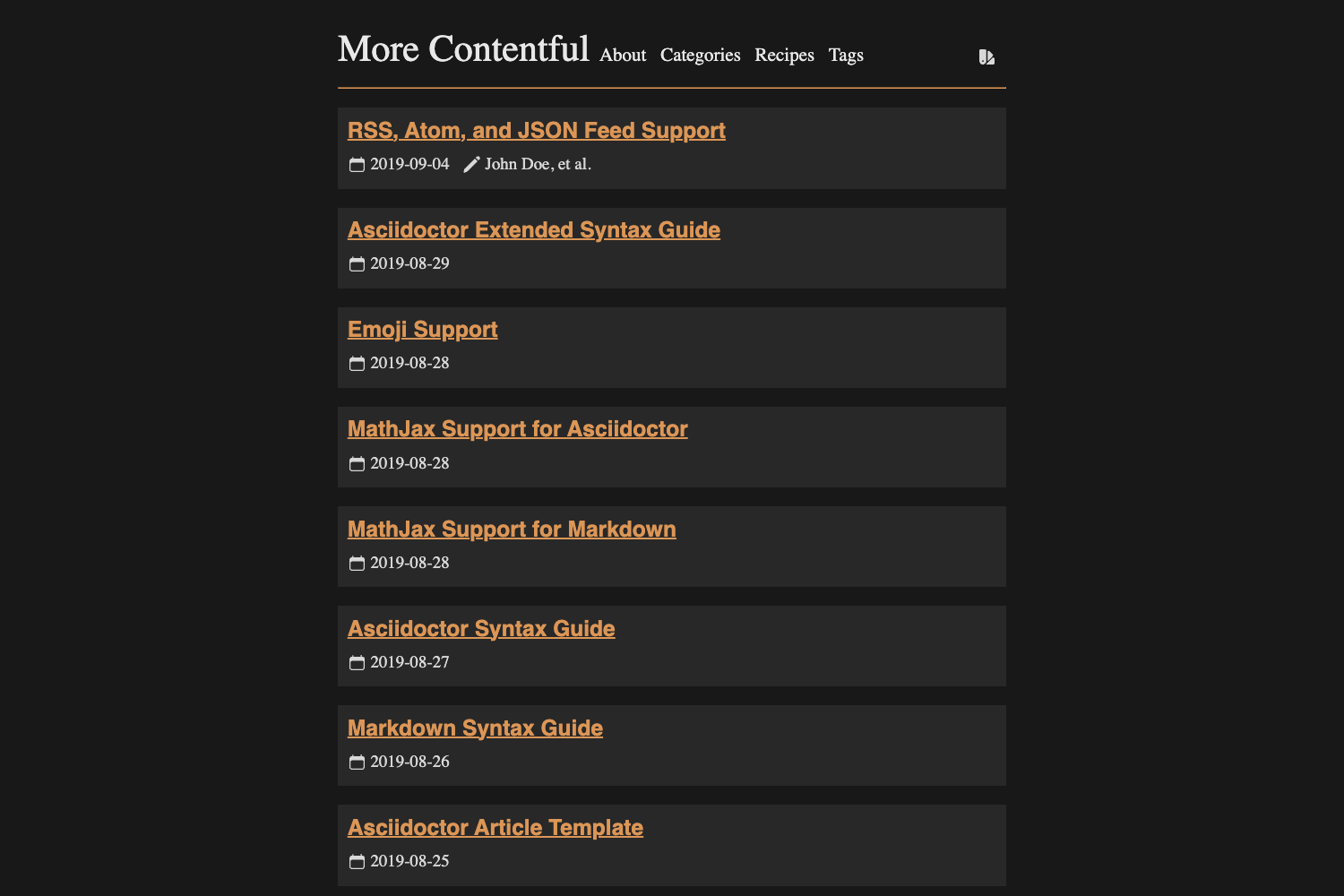
Minimaless is a minimal Jekyll theme for blogs that strips the default minima theme down to less noise while adding Disqus comments, Google Analytics, and tag archive pages.
What is Minimaless?
Minimaless is a Ruby gem-based theme for Jekyll, installable by adding gem "minimaless" to your Gemfile and setting theme: minimaless in your site's config. It takes Jekyll content — Markdown posts, pages, and _config.yml settings — and renders a static HTML blog. The theme is published on RubyGems and developed in the GitHub repository brettinternet/minimaless, with a live demo at brettinternet.github.io/minimaless.
Key Features
Minimaless packs several convenience features into a small set of Liquid includes and SCSS files, all of which you can override from your site source.
- Minimal design based on minima — Removes visual clutter from the default Jekyll theme and adds a splash/landing page controlled by
index.md. - Disqus comments — Enable by setting a
disqus.shortnamein config; comments appear only whenJEKYLL_ENV=productionand can be turned off per post withcomments: falsein front matter. - Google Analytics — Add a Universal Analytics tracking ID via the
google_analyticsconfig key; the snippet is injected only in production. - Tag archive pages — Create a
tagfolder with one Markdown file per tag (usinglayout: tagsand a permalink like/tag/kittens/) to list all posts carrying that tag. - Contact icons — Set social media
*_usernamevalues in config to display icons in the header; adding an.ascfile shows a GPG key download icon. - SCSS customization — The default stylesheet lives in
assets/main.scssinside the gem; override it by creating your ownassets/main.scssat your site source or copying the gem's assets folder. - Overridable includes — Includes such as
head.html,header.html,footer.html, andgoogle-analytics.htmlcan be copied from the gem into your site's_includesdirectory to customize markup.
Who is it for?
Minimaless fits Jekyll users who want a clean, functional blog without the default theme's visual weight. It suits personal bloggers who want to publish Markdown posts and organize them by tags, developers who need a theme they can inspect and override directly from the gem, and site owners who want Disqus comments and Google Analytics wired in without building those integrations themselves.
What can you do with Minimaless?
With Minimaless you can publish a tagged blog and integrate comment and analytics systems without writing Jekyll plugins.
- Personal bloggers: write posts in
_posts, assign tags, and give readers tag archive pages under/tag/. - Site owners: enable Disqus comments by adding a shortname and control per-post comment visibility.
- Analytics-minded writers: add a Google Analytics property to track production traffic and leave local development untracked.
- Customizers: edit
index.mdfor a simple splash page and override the theme's SCSS or Liquid includes for a bespoke design.
How does Minimaless work?
Install the gem with bundle, set theme: minimaless in _config.yml, and run bundle exec jekyll serve to preview. To customize, copy any include file from the gem into your site's _includes directory or create your own assets/main.scss; to use tags, make a tag folder with a Markdown file per tag. The theme injects Disqus and Google Analytics snippets only in the production environment (JEKYLL_ENV=production).
Alternatives
If the default Jekyll appearance is all you need, Minima is the direct point of comparison.
- Minima — the default Jekyll theme that Minimaless is based on; it offers the same include structure but with more visual noise and no tag pages out of the box.
FAQ
These answers cover the most common setup questions for Minimaless.
Is Minimaless free?
Yes, Minimaless is open source under the MIT License, so you can use, modify, and redistribute it freely, including in commercial projects.
How do I enable Disqus comments?
Add disqus.shortname: my_disqus_shortname to your site config. Comments are enabled by default and appear only in production; to hide comments on a specific post, set comments: false in that post's front matter.
How do I override the default CSS?
Create a file named main.scss in your site's assets/ directory with the frontmatter dashes and @import "minimaless";, then add your custom CSS. Alternatively, copy the gem's assets/ folder into your site root and edit the values directly.
Does Minimaless work on GitHub Pages?
The theme is a Ruby gem, so it works on GitHub Pages with Jekyll if you declare it in your Gemfile and set it as the theme in _config.yml. The demo site is hosted on GitHub Pages.