Template details
Minimalist
A minimal Jekyll theme for GitHub Pages with light/dark modes, a custom sidebar, and easy remote installation.
About this template
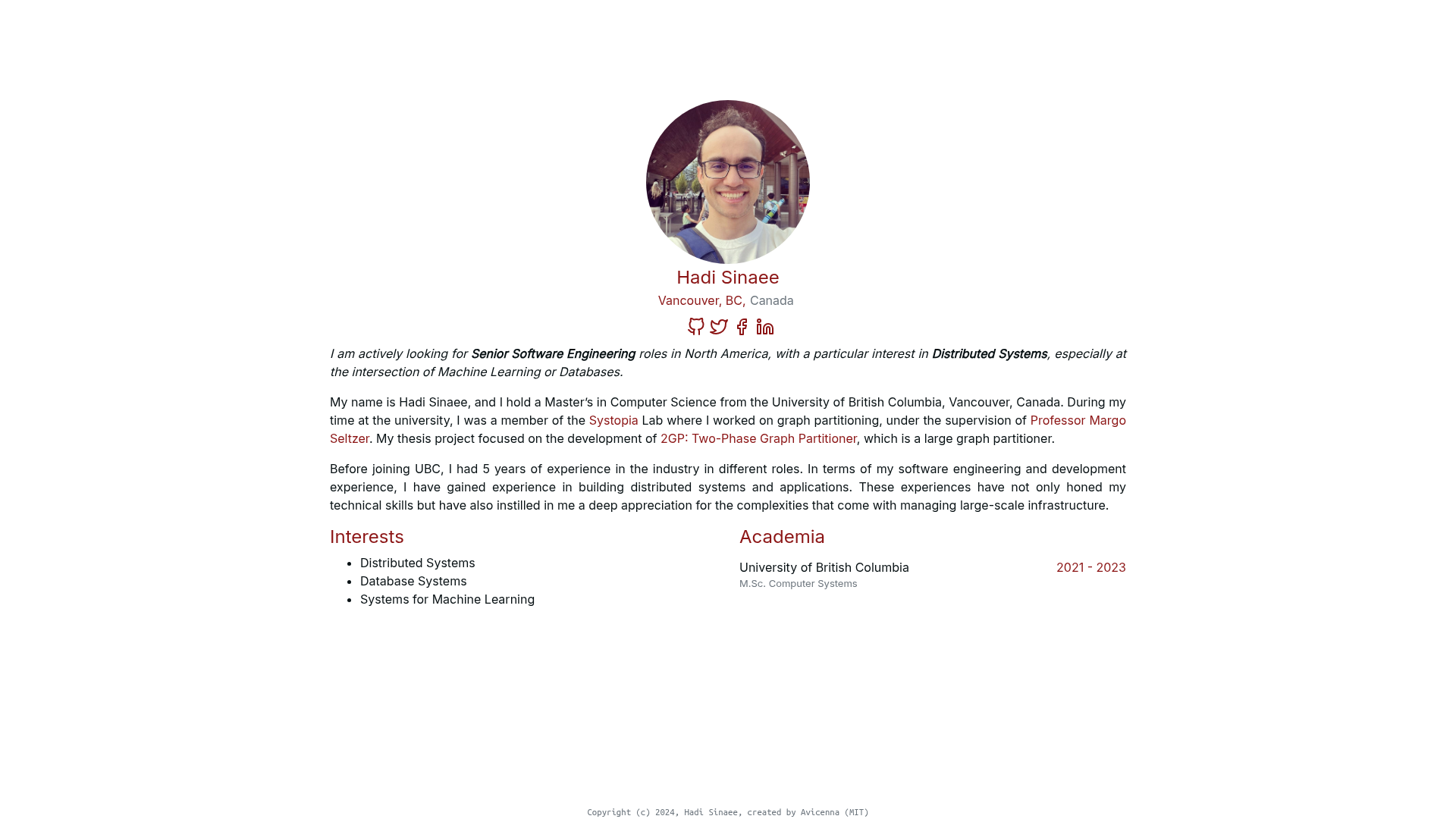
Minimalist is a Jekyll theme for GitHub Pages, inspired by the Minimal theme, that provides a clean personal site layout with a configurable sidebar, light/dark modes, and remote installation via jekyll-remote-theme.
What is Minimalist?
Minimalist is a Jekyll theme maintained by BDHU and designed for use on GitHub Pages. It takes a Jekyll site's configuration and content and renders a minimal web page with a sidebar, a main content area, and support for a logo and favicon. The theme is installed either with Docker (via deploy.sh) or with the jekyll-remote-theme plugin, pointing remote_theme to BDHU/minimalist.
What makes Minimalist stand out?
- Light, dark, and auto color schemes — set the color-scheme variable to light, dark, or auto to match the visitor's system preference.
- Custom sidebar with icon links — in _config.yml, define a list of name, SVG or Font Awesome icon, and link to display platforms like Google Scholar and GitHub.
- Remote theme installation — add jekyll-remote-theme to your Gemfile and set remote_theme to BDHU/minimalist; no local gem is required.
- Google Analytics integration — include a tracking ID via the google_analytics variable, or override the latest snippet in _includes/head-custom-google-analytics.html.
- Logo and favicon support — point the logo variable to an image file and enable favicon by placing favicon.ico in the repo root.
- Docker deployment option — run ./deploy.sh to serve the theme inside a container, bypassing manual Jekyll setup.
- Customizable styles and layouts — override /assets/css/style.scss or copy the default layout from _layouts/default.html to add your own HTML and SCSS.
- Automated test suite — run script/cibuild to verify your site builds successfully before pushing.
Who should use Minimalist?
- Researchers and academics — showcase publications and professional links like Google Scholar through the sidebar.
- Developers — host a personal portfolio, blog, or project page on GitHub Pages with a straightforward, no-frills design.
- Open-source maintainers — set up a lightweight documentation or landing site that deploys automatically from a GitHub repository.
What can you do with Minimalist?
- Build a personal homepage — add your name, a short description, and links to your online profiles to create a clean one-page presence.
- Create a project landing page — use the main content area for project details and the sidebar to point visitors to code and resources.
- Publish a blog — write posts in Markdown; Jekyll converts them into a static site with the same minimal layout.
How does Minimalist work?
The theme supports two setup paths. The quickest is Docker: install Docker and run ./deploy.sh to spin up a local server. Alternatively, add the jekyll-remote-theme plugin to your Gemfile, enable it as a plugin in _config.yml, and set remote_theme: BDHU/minimalist. Then run bundle exec jekyll serve to preview locally or deploy the branch to GitHub Pages.
Alternatives
- Minimal — the original GitHub Pages theme that inspired Minimalist, offering an even simpler single-column layout without sidebar customization options.
FAQ
Does Minimalist support dark mode?
Yes. Set the color-scheme variable to auto, light, or dark in your _config.yml. The auto option switches the theme based on the visitor's system preference.
How do I install Minimalist?
Add jekyll-remote-theme to your Gemfile and run bundle install. Then enable the plugin in _config.yml and set remote_theme to BDHU/minimalist. Finally, run bundle exec jekyll serve to start the site.
Can I use Minimalist on GitHub Pages?
Yes, the theme is built for GitHub Pages and the repository lists github-pages as a topic. The demo repository linked in the theme's README is hosted as BDHU/bdhu.github.io.
How do I customize the sidebar?
In _config.yml, add a sidebar list with each entry containing a name, an icon (either inline SVG or a Font Awesome class), and a link. For deeper changes, edit _includes/sidebar.html or _includes/links-mobile.html.
Is there any cost to use Minimalist?
The theme is published as a public GitHub repository with no pricing or license information on the page. You can freely download and use it for your own Jekyll sites.