Template details
Next Intercepting Routes Demo
A simple implementation of preview modals with Next.js intercepting & parallel routes
About this template
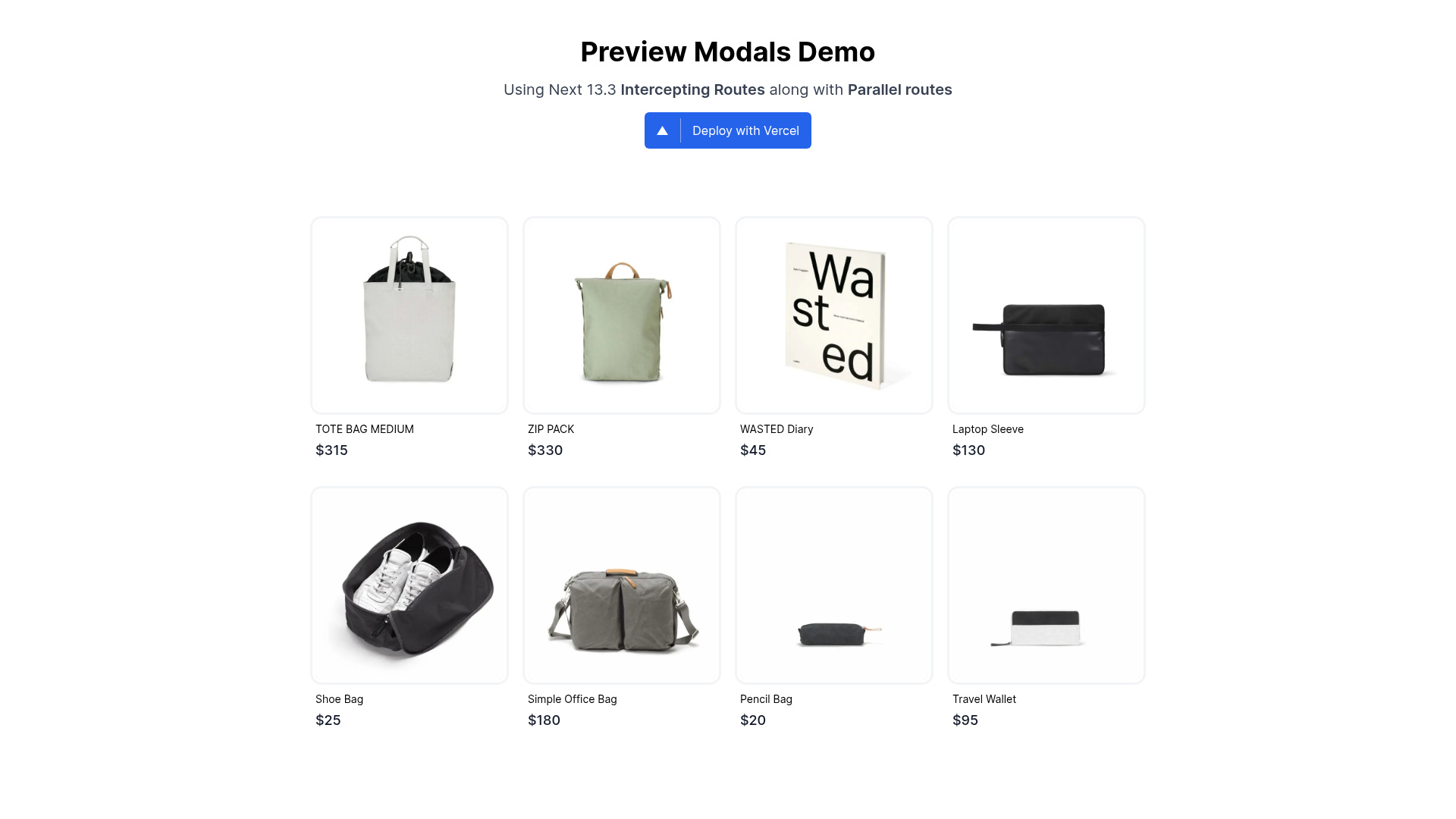
Next Intercepting Routes Demo is a Next.js 13.3 boilerplate that shows how to build preview modals using intercepting routes and parallel routes, so a modal opens on navigation and the full page renders on refresh. Created by developer Krish Nerker, this public demo project mirrors the preview pattern used on Product Hunt and is ready to run locally or deploy to Vercel.
What is Next Intercepting Routes Demo?
This is a minimal example project, written in TypeScript, that showcases two routing features introduced in Next.js 13.3: parallel routes and route interception. It takes a page with a list of items and displays a modal preview when an item is clicked; refreshing the page on the modal URL renders the full content page instead of the modal. The project runs on Next.js and uses Tailwind CSS and PostCSS for styling, as noted in the repository metadata.
Key Features
- Parallel routes — Renders multiple route segments in the same layout, letting a modal overlay the underlying content without losing the current URL.
- Intercepting routes — Shows a route inside a different context, such as a preview modal, while the original route stays addressable for full-page navigation.
- TypeScript — The entire demo is written in TypeScript, giving you type checking across the app.
- Tailwind CSS — The UI is styled with Tailwind CSS, so you can modify the look with utility classes instead of custom CSS files.
- PostCSS — Configured with the build tooling for processing styles.
- Vercel deploy — The README includes a one-click Deploy with Vercel button that creates a new project from the repository URL.
- Live demo — A working instance is hosted at https://next-intercepting-routes-demo.vercel.app/, letting you test the modal behavior without cloning.
Who is it for?
- Next.js developers learning the 13.3 routing model — use this as a reference for how parallel and intercepting routes behave together.
- Frontend engineers building preview modals for product listings, portfolio items, or social feeds — copy the route structure to implement the same pattern.
- Teams evaluating Next.js — run the demo locally to see whether intercepting routes match their navigation needs before integrating it into a larger codebase.
What can you do with it?
- Product listing sites: show a preview modal when a product card is clicked, and render the full product page when the link is opened directly or refreshed.
- Portfolio or gallery: let visitors preview a project in an overlay without leaving the grid, while still receiving a shareable direct URL to the full project page.
- Learning exercises: trace how the parallel match and interceptor work together, then adapt the pattern to other dynamic segments.
How does it work?
The repository uses the Next.js App Router. A parallel slot defines the modal region, and an intercepting route captures navigation that would normally trigger a full page change. When a link is clicked, Next.js renders the matching route inside the modal slot; when the same URL is requested directly, such as on refresh, Next.js falls back to the full page. To run the project, clone the repo, run npm install, and then npm run dev, as documented in the README.
FAQ
Does this template require Next.js 13.3 or newer?
Yes. Intercepting routes and parallel routes were introduced in Next.js 13.3, so older versions will not render the modal or fall back to the full page correctly.
Is there a live demo?
Yes. The README links to a working demo at https://next-intercepting-routes-demo.vercel.app/ where you can click items and refresh to see the full-page behavior.
How do I run the project locally?
Clone the repository, install dependencies with npm install, and start the development server with npm run dev. The README documents these three steps.
Can I deploy this to Vercel?
Yes, the repository includes a Deploy with Vercel button in the README. It creates a new project from the GitHub URL with one click.