Template details
Next Project Starter
Get your next React project up and running quickly with Next.js, Theme UI, MDX and more.
About this template
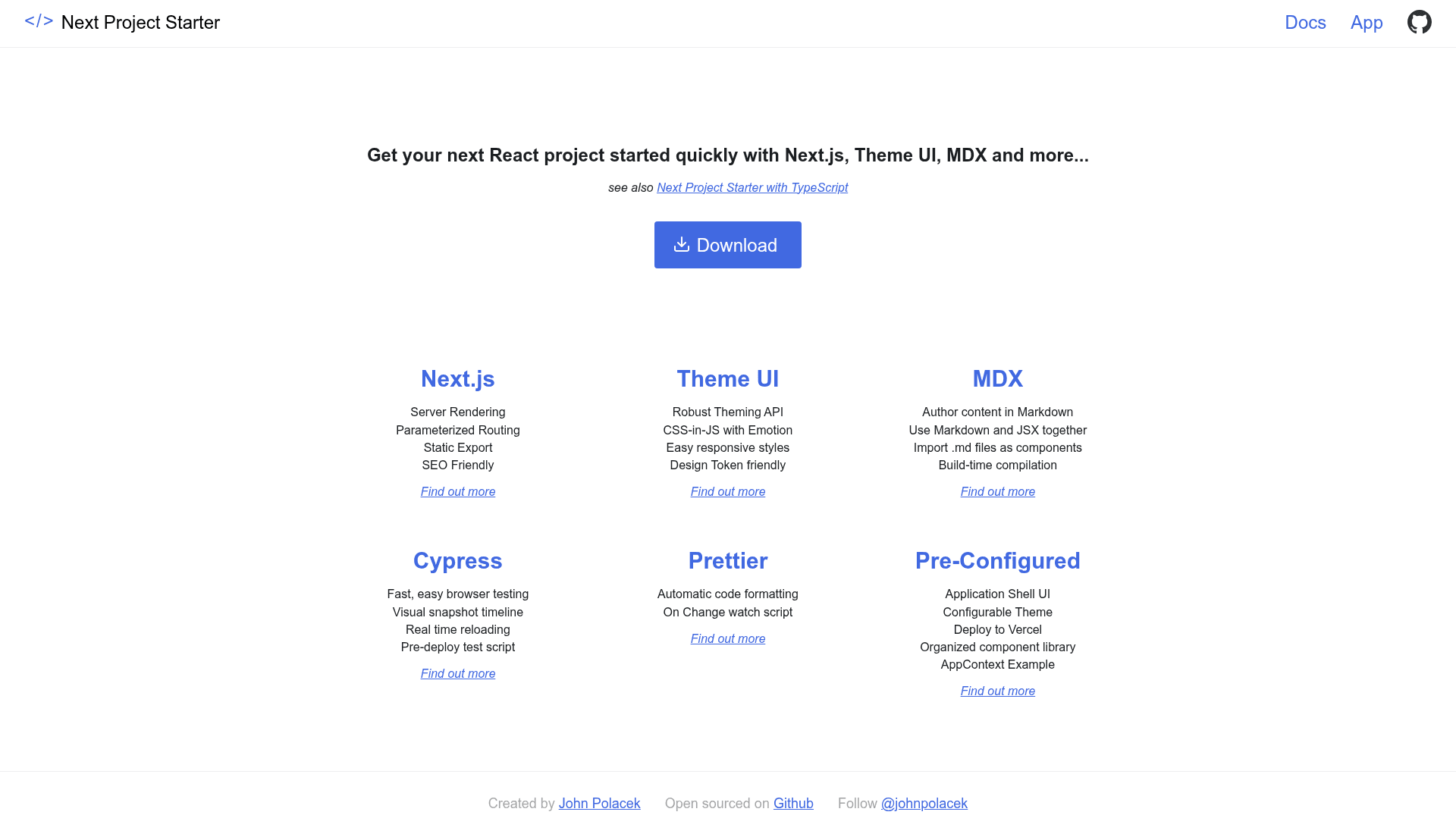
Next Project Starter is a GitHub boilerplate that scaffolds React applications with Next.js, Theme UI, MDX, and Cypress, providing a landing page, documentation, and an example stateful route out of the box.
What is Next Project Starter?
Next Project Starter is a starter repository created by johnpolacek on GitHub for getting a React project running quickly. It takes a fresh clone from https://github.com/johnpolacek/project-starter.git and produces a multi-page Next.js site: after npm install, npm run dev starts a local development server. The included pages cover a markdown-authored homepage, a docs view imported from the project's top-level README.md, and an example /app route that demonstrates a shared app context.
Key Features
- Next.js framework — The project is built on Next.js with file-based routing under the
/pagesfolder; each page uses aLayoutcomponent that composesHeader,Footer, andMaincomponents. - Theme UI styling — Design tokens like colors and typography are configured in
src/layout/Theme.jsfollowing the System UI Theme Specification; components can be styled with Theme UI'ssxprop or built-in components. - MDX content authoring — Long-form content is written in markdown with MDX; the homepage lives in
src/markdown/Home.mdx, and the docs page imports the top-levelREADME.mdfile. - Prettier integration — Run
npm run format-watchto enable automatic code formatting with Prettier in the local dev environment. - Cypress testing — Pre-written Cypress tests cover the landing page, docs, and app; they live in
cypress/integration, with a custom command incypress/support/commands.js. Run them withnpm run test. - Vercel deployment — The
npm run deployscript runs tests, pushes to master, and deploys to Vercel (formerly now); the first run requires setting up a Vercel account. - Global head and wrapper components — Edit
src/layout/Head.jsfor the global title, description, and meta tags, and add services like Google Analytics to theWrappercomponent insrc/layout/Wrapper.js.
Who is it for?
- React developers who want a preconfigured Next.js project with routing, styling, and testing already wired up, so they can focus on writing features instead of configuration.
- Teams building documentation or marketing sites that want markdown-driven pages using MDX and README import, with layout and head metadata managed per page.
- Design system enthusiasts who want to explore Theme UI's theme object and System UI spec, and want the option to drop in components from styled-system-compatible frameworks like Chakra UI.
What can you do with it?
- Prototype a landing page: Replace the markdown in
src/markdown/Home.mdxto rewrite the homepage content, whileLayoutandWrapperhandle metadata and embedded services. - Build a stateful demo app: Use the parameterized
/approute andAppContextto switch between color modes and share that state across components such as theMaincomponent. - Create a documentation site: Import your project's
README.mdinto a docs view and style it with Theme UI components, with routing handled by Next.js.
How does Next Project Starter work?
Clone the repository with git clone https://github.com/johnpolacek/project-starter.git your-project-name, then run npm install to install dependencies. Start the dev server with npm run dev, and optionally run npm run format-watch to enable Prettier. Tests are executed with npm run test, and npm run deploy runs tests, pushes to master, and deploys to Vercel.