Template details
Next.js Local Authentication with MongoDB
A Next.js authentication starter with MongoDB, bcrypt password hashing, cookies, and serverless functions.
About this template
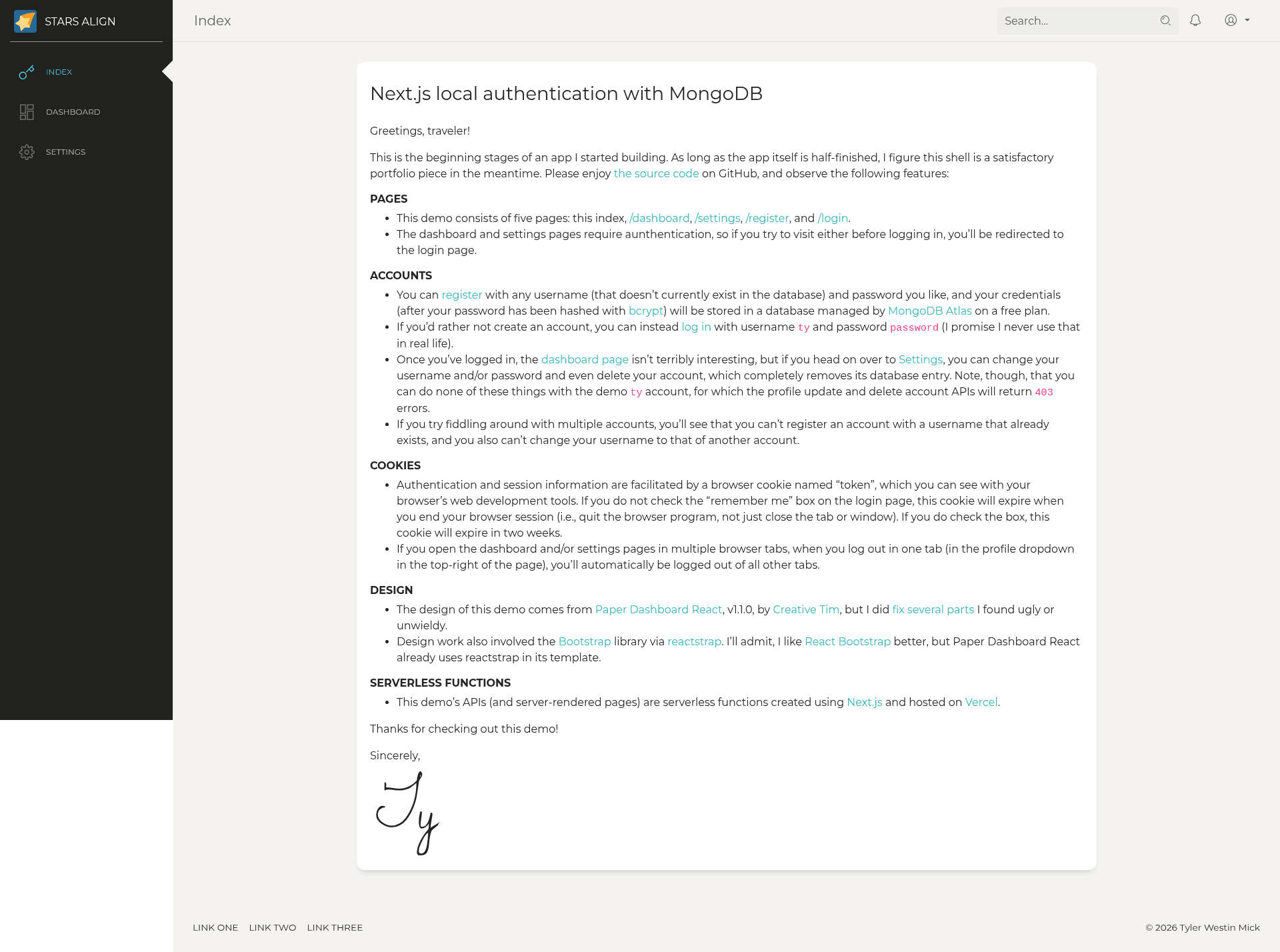
Next.js Local Authentication with MongoDB is a serverless authentication starter built by Ty Mick that demonstrates local username/password authentication on Next.js with bcrypt password hashing and cookie-based sessions backed by MongoDB Atlas. The project is hosted as a live demo at nextjs-local-authentication.tymick.me and its source code is available on GitHub.
What is Next.js Local Authentication with MongoDB?
This demo shell consists of five pages: a homepage, a dashboard, a settings page, a register page, and a login page. The dashboard and settings pages are protected and redirect unauthenticated visitors to /login. Users can register with any username not already in the database and any password; the password is hashed with bcrypt before storage in a MongoDB Atlas database on the free plan. Authentication and session state are handled by a browser cookie named "token". If the "remember me" box is checked on login, the cookie expires in two weeks; otherwise it expires when the browser session ends. Logging out in one browser tab automatically logs out every other open tab.
Key Features
- Local registration and login — register a unique username and password, then log in with those credentials; the demo also offers a shared demo account (username
ty, passwordpassword) for trying protected pages without creating an account. - bcrypt password hashing — passwords are hashed with the bcrypt library before being stored in MongoDB, so plaintext credentials are never saved.
- MongoDB Atlas storage — user records live in a MongoDB Atlas database configured on a free plan, making it easy to adapt to your own cluster.
- Protected routes — /dashboard and /settings require authentication; unauthenticated visitors are redirected to /login.
- Account management — the settings page lets logged-in users change their username and/or password and delete their account, which removes the database entry. The demo
tyaccount is restricted: the profile update and delete account APIs return 403 errors for it. - Cookie sessions with "remember me" — the "token" cookie is session-only by default or lasts two weeks when "remember me" is checked; multi-tab logout is automatic.
- Serverless functions on ZEIT Now — the APIs and server-rendered pages are serverless functions built with Next.js and hosted on ZEIT Now.
- Paper Dashboard React design — the UI is based on Paper Dashboard React v1.1.0 by Creative Tim, with several fixes by the author, and uses Bootstrap styles via reactstrap.
Who is it for?
- Next.js developers — learn how to implement local email/username authentication with bcrypt, MongoDB, and cookie sessions in a Next.js app.
- Portfolio builders — use this demo shell as a starting point for a full-stack project that shows authentication and protected routes.
- Starter-project seekers — fork the GitHub repo to quickly spin up a Next.js app with registration, login, and account settings already wired to MongoDB.
Use cases
- Authentication tutorial: study how bcrypt hashing and a "token" cookie combine to authenticate users while keeping passwords safe.
- Full-stack demo: present a working app with protected dashboard and settings pages to demonstrate session handling and database integration.
- Custom auth base: replace the demo data and design with your own pages while keeping the registration, login, logout, update, and delete APIs.
FAQ
Is there a demo account I can use?
Yes. You can log in with username ty and password password. This account cannot be updated or deleted; the update and delete endpoints return 403 errors for it.
How long does the session cookie last?
If you check "remember me" on the login page, the "token" cookie expires in two weeks. If you don't, it expires when you end your browser session (quitting the browser, not just closing a tab).
Can I register any username?
You can register any username that does not already exist in the database. The system blocks duplicate usernames on registration, and you also cannot change your username to one already used by another account.
Where are user credentials stored?
Credentials are stored in a MongoDB Atlas database on a free plan. Passwords are hashed with bcrypt before being saved.
Does logging out in one tab log me out everywhere?
Yes. If you have the dashboard or settings pages open in multiple tabs, logging out in any tab automatically ends the session in all other tabs.