Template details
Quick Web
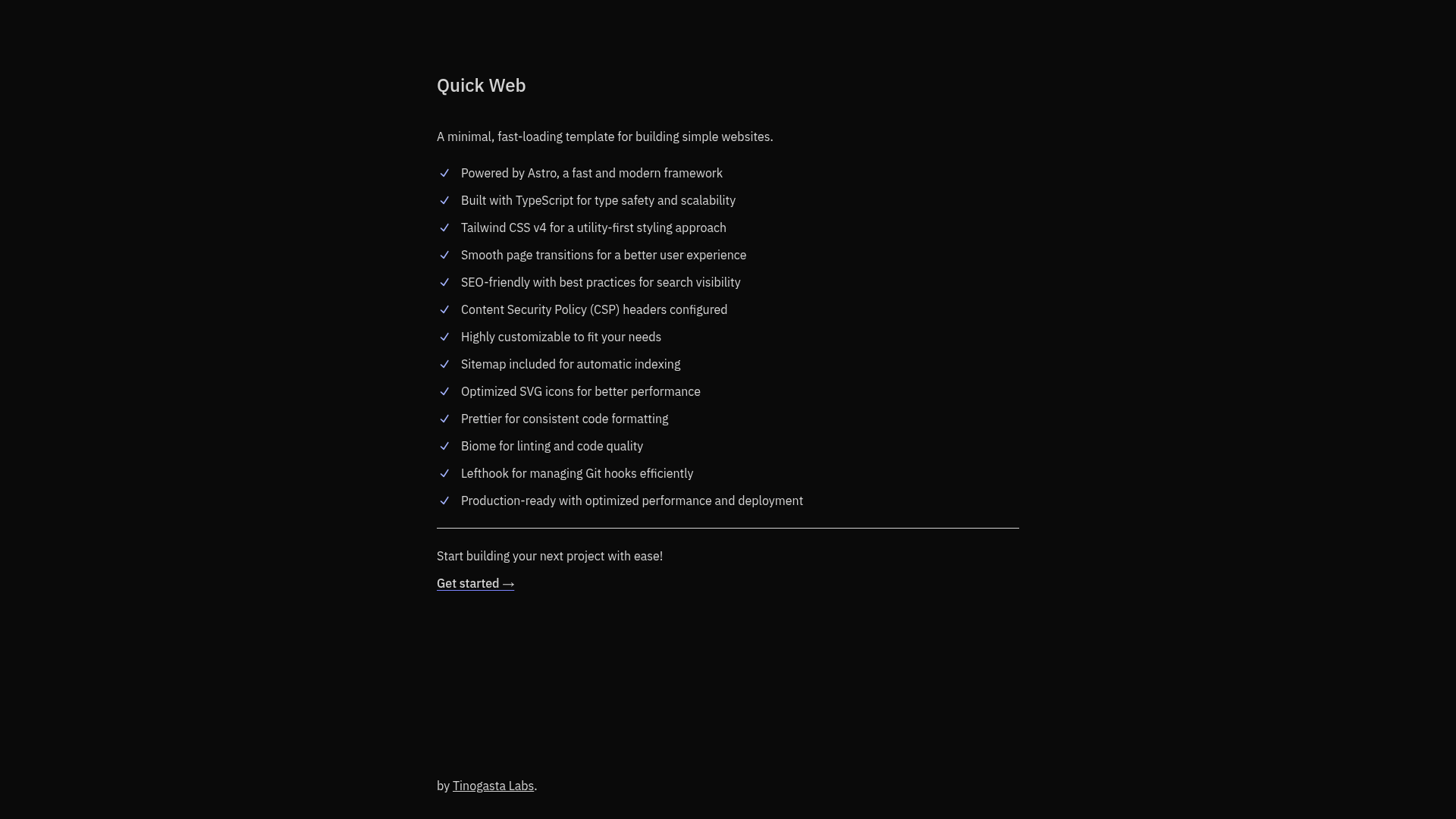
A minimal, fast-loading template for building simple websites and landing pages. Perfect for showcasing information with a clean, lightweight design.
About this template
Quick Web is a minimal, fast-loading Astro template for building simple websites and landing pages, with a clean and lightweight design.
What is Quick Web?
Quick Web is a production-ready starter template built with Astro, TypeScript, and Tailwind CSS v4. It takes a project scaffold and produces a static website or landing page with smooth page transitions, SEO best practices, strict CSP security headers, and a built-in sitemap. The template is developed and maintained by tinogasta-labs and is distributed as a public GitHub repository.
Key Features
- Astro framework — Built on Astro, a modern static site generator that ships zero JavaScript by default and optimizes for fast loading.
- TypeScript — The entire template is written in TypeScript for type safety and maintainability.
- Tailwind CSS v4 — Uses Tailwind CSS v4 for utility-first styling with minimal custom CSS.
- Smooth page transitions — Includes page transition effects that improve perceived performance and user experience.
- SEO-friendly — Comes with SEO best practices configured, including metadata and semantic markup.
- Strict CSP headers — Ships with strict Content Security Policy headers configured to protect against XSS and other injection attacks.
- Sitemap included — Generates a sitemap automatically for better search engine indexing.
- Optimized SVG icons — Uses SVG sprites via vite-plugin-icons-spritesheet for efficient icon loading, with a dedicated Icon component.
- Code quality tools — Includes Prettier for formatting, Biome for linting, and Lefthook for Git hooks.
Who is it for?
Quick Web is aimed at developers who need a lightweight, fast-starting site without a heavy framework. It's a good fit for freelancers building client landing pages, startups creating marketing sites, and developers who want a clean Astro starter with modern tooling preconfigured.
What can you do with Quick Web?
- Start a landing page quickly — Clone the repo, run pnpm install, pnpm run setup, and pnpm dev to have a working site with Tailwind and Astro in minutes.
- Add icons with Sly CLI — Use the Sly CLI to add Radix UI icons and other SVG icons directly into the resources/icons directory, and consume them through the generated Icon component.
- Deploy a production-ready site — The template includes strict security headers, a sitemap, and optimized performance, making it suitable for direct deployment.
How does Quick Web work?
The development workflow is defined in the README: clone the repository, install dependencies with pnpm, run the setup script, and start the dev server. Icons are stored as raw SVG files in resources/icons and compiled into a sprite with generated TypeScript types, so components can import an Icon component and reference icon names as props.