Template details
Nextjs Tailwind CSS TypeScript Starter
Production-ready Next.js 16 boilerplate with TypeScript, Tailwind CSS 4, Clerk auth, DrizzleORM, testing, i18n, and monitoring.
About this template
Next.js Boilerplate is a production-ready starter kit for building full-stack Next.js applications with the App Router, Tailwind CSS 4, and TypeScript, bundling authentication, database, testing, and monitoring integrations out of the box.
What is the Next.js Boilerplate?
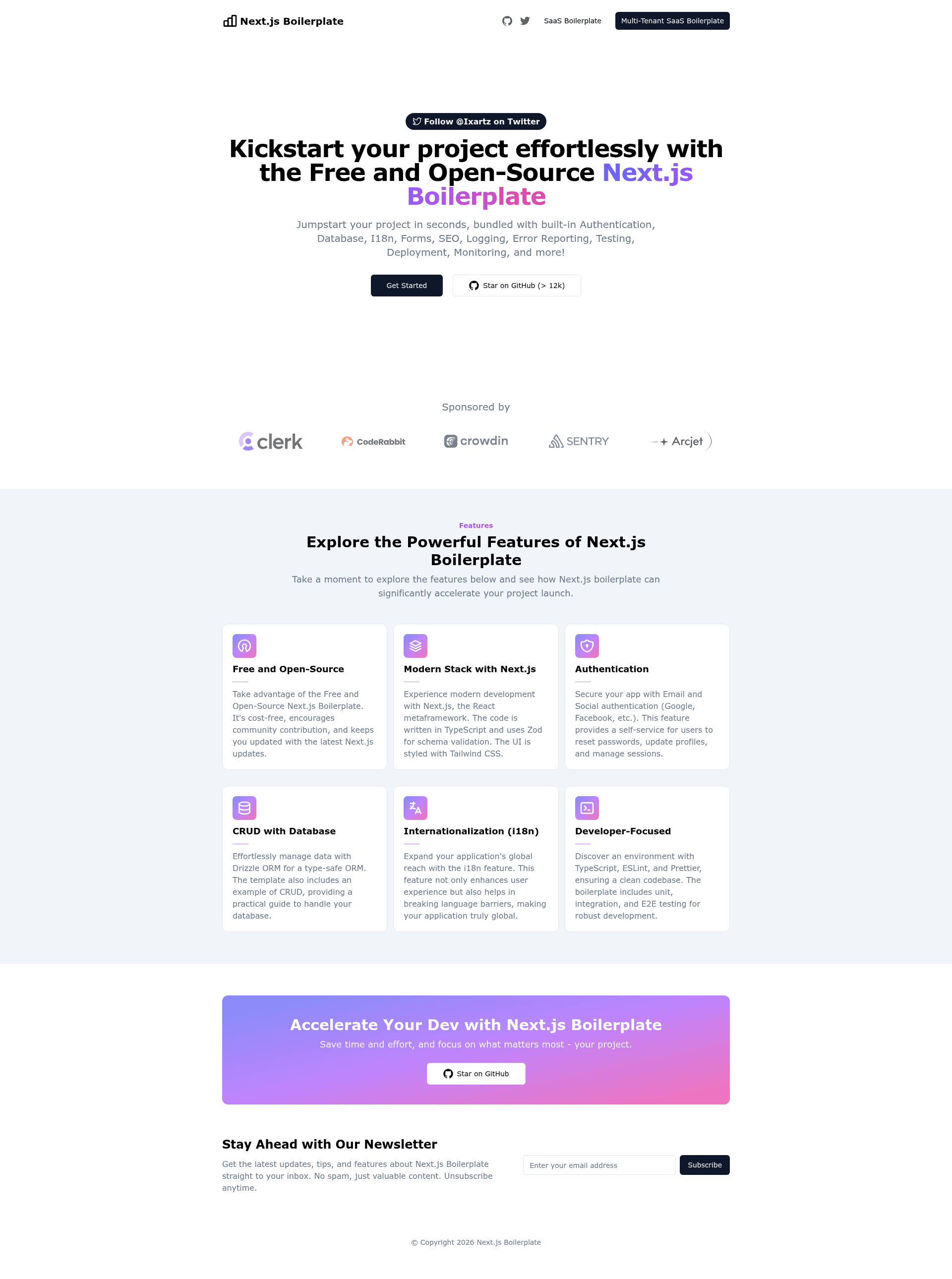
Next.js Boilerplate is a production-ready starter kit for full-stack Next.js applications, developed by CreativeDesignsGuru (ixartz) and released under the MIT License. It takes a fresh clone of the GitHub repository and outputs a configured Next.js 16 project with App Router, Tailwind CSS 4, TypeScript strict mode, Clerk authentication, DrizzleORM database access, and a full testing and monitoring stack. The live demo at demo.nextjs-boilerplate.com shows a working authentication system with sign-up and sign-in pages. It is maintained with monthly dependency updates and currently has over 13,000 stars on GitHub.
Key Features
- App Router and React 19 — Built on Next.js 16 with the App Router and React 19 strict mode, with TypeScript type checking across the entire project.
- Authentication via Clerk — Includes sign-up, sign-in, sign-out, forgot password, reset password, profile updates, passwordless magic links, MFA, social auth (Google, Facebook, Twitter, GitHub, Apple), passkeys, and user impersonation.
- Database with DrizzleORM — Type-safe ORM compatible with PostgreSQL, SQLite, and MySQL; local development uses PGlite (no Docker required) and production can use Neon's free PostgreSQL tier.
- i18n with next-intl — Multi-language support with English as the default, synchronized with Crowdin for community or machine translation.
- Testing and quality tools — Unit tests via Vitest, E2E and integration tests via Playwright, UI component development via Storybook, and linting via Oxlint with the Ultracite preset.
- Observability integrations — Error monitoring with Sentry (Spotlight for local dev), logging with LogTape and Better Stack, monitoring as code with Checkly, and analytics with PostHog.
- Security and bot protection — Arcjet provides bot detection and a Shield WAF blocking SQL injection, XSS, and other OWASP Top 10 attacks.
- Developer experience extras — T3 Env for type-safe environment variables, React Hook Form with Zod validation, Commitlint and Commitizen for conventional commits, Drizzle Studio for database exploration, and GitHub Actions for CI on pull requests.
Who is it for?
- Indie hackers and startup founders — Launch a SaaS MVP with authentication, database, payments-readiness, and monitoring pre-configured, so they can focus on product logic.
- Full-stack developers — Get a consistent project structure with App Router, DrizzleORM schema, and tests, and customize via files marked
FIXME:. - Teams needing production standards — Adopt the included GitHub Actions workflows, CodeRabbit AI code reviews, Semantic Release changelogs, and Dependabot updates for a professional CI/CD setup.
- Agencies building client sites — Use the included minimalist theme and SEO metadata (JSON-LD, Open Graph, sitemap.xml, robots.txt) to ship marketing or content sites quickly.
What can you do with the Next.js Boilerplate?
- SaaS product teams — Set up a fully functional authentication system with Clerk in minutes by adding two environment variables, plus a remote Neon database for production.
- Global website owners — Build a multi-language site with next-intl and Crowdin, where your team only maintains the English copy and translations are synced automatically.
- Quality-conscious developers — Run unit, integration, and E2E tests locally or in GitHub Actions, generate Storybook components, and use the bundle analyzer to inspect JavaScript bundle sizes.
- Security-focused operations — Enable Arcjet bot detection and Shield WAF by adding an
ARCJET_KEY, and monitor production uptime with Checkly browser checks.
How does the Next.js Boilerplate work?
The project is designed to run with zero configuration for local development. After cloning with git clone --depth=1, running npm install and npm run dev starts the app on http://localhost:3000 with a local PGlite PostgreSQL database created automatically. To add authentication, create a Clerk application and copy the publishable and secret keys into .env.local. For production, define DATABASE_URL (Neon recommended) and CLERK_SECRET_KEY, then run npm run build; migrations apply automatically during build.
FAQ
Does the Next.js Boilerplate require Node.js 24?
Yes, the project lists Node.js 24+ and npm as requirements. If you use an older Node version, the Next.js 16 setup may not run as intended.
Is the Next.js Boilerplate free?
Yes, the boilerplate is open source under the MIT License, and the repository has no upfront cost. Optional commercial products exist: Next.js Boilerplate Pro adds multi-tenancy, Teams, roles and permissions, Shadcn UI, Stripe payment, and oRPC, while Next.js Boilerplate Max uses a self-hosted Better Auth stack.
Does the boilerplate work without Clerk?
The project's authentication system is built on Clerk; without adding Clerk keys, the demo sign-in/sign-up pages will not function. The source code is fully accessible, so you can replace the auth provider with your own solution.
What database does the local development environment use?
Local development uses PGlite, an in-memory PostgreSQL database that is created automatically when you run the project, so you do not need Docker or a separate database server. Removing the local.db folder resets to a fresh empty database.
Can I use a different PostgreSQL provider besides Neon?
Yes, the project works with any PostgreSQL provider. Neon is mentioned because it offers a free tier and is tested with the boilerplate; you can set any provider's connection string as DATABASE_URL.