Template details
Next.js with AOS Example
NEXT.JS - Example project using Next.js with Animate On Scroll Library.
About this template
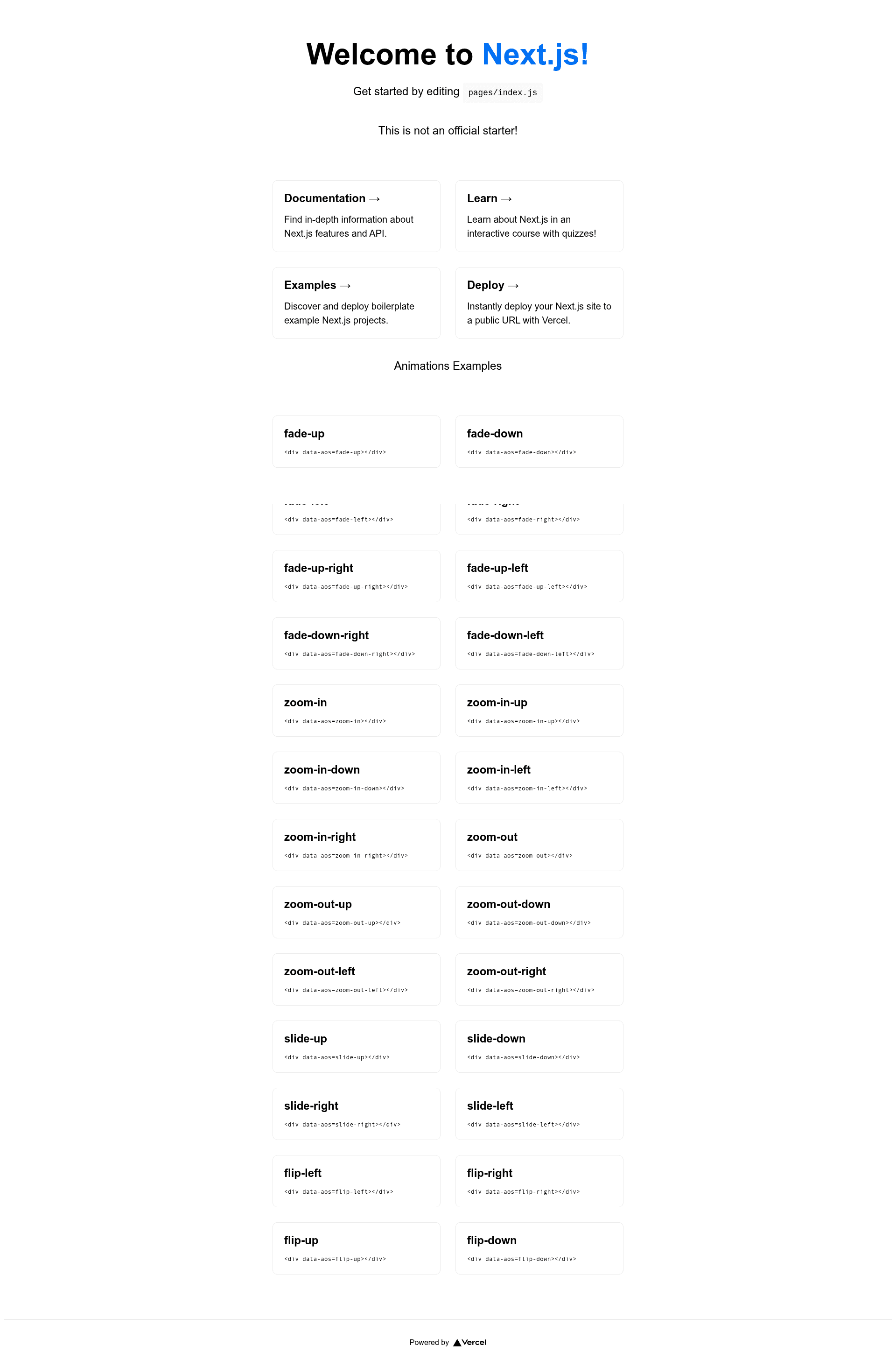
Next.js with AOS Example is an open-source boilerplate that demonstrates how to integrate the Animate On Scroll (AOS) library into a Next.js application for reveal-scroll animations. The project pairs Next.js with AOS to externalize animation handling, avoiding the performance problems that come from adding many scroll event listeners directly to the DOM.
What is Next.js with AOS Example?
Next.js with AOS Example is a boilerplate project that shows how to add the Animate On Scroll library to a Next.js app. It takes a standard Next.js project and adds AOS initialization in src/pages/_app.tsx plus style inference in src/pages/_document.tsx; the output is a working template where elements can be animated on scroll using AOS data attributes. The project runs on Next.js and is deployable to Vercel, with a live demo hosted at https://nextjs-with-aos-example.vercel.app/. It was created by Bruno Silva, based on a starter template by João Pedro Schmitz.
Key Features
- Next.js with TypeScript — The template is scaffolded for Next.js with TypeScript (the
create-next-appcommand targets a TypeScript starter), using thesrc/pagesdirectory structure. - AOS integration — Animate On Scroll is wired into the app entry point, so animations are driven by AOS rather than hand-written event listeners.
- No-JavaScript style inference — Styles for AOS are added in
_document.tsx, which lets animations render correctly even in browsers where JavaScript is disabled. - create-next-app support — Start a new project with
npx create-next-app ts-next -e https://github.com/brunos3d/nextjs-with-aos-example. - Local development — Clone the repo and run
yarn dev(ornpm install/yarn) to see the example athttp://localhost:3000. - Live demo — A deployed preview is available on Vercel to inspect the animation behavior.
- MIT License — The project is open source and licensed under the MIT License.
Who is it for?
Next.js with AOS Example is for front-end developers who want scroll-reveal animations without building their own intersection-observer code. It suits landing page and marketing site builders who need fade and slide effects on sections. It also works as a learning resource for developers who want to see a working pattern for adding third-party animation libraries to a Next.js app. Finally, it's a boilerplate for anyone who wants a TypeScript Next.js starter with AOS preconfigured.
What can you do with Next.js with AOS Example?
- Landing page creators: Add AOS
data-aosattributes to headings, images, or cards to trigger fade and slide animations when users scroll to them. - Portfolio builders: Animate project galleries or about sections with reveal effects while keeping the animation logic centralized in AOS.
- Next.js learners: Study how to initialize AOS in
_app.tsxand inject styles in_document.tsx— the two integration points every Next.js + AOS project needs. - Open-source contributors: Fork the repository (MIT licensed) and build on the working example, modifying the animation configuration to suit a project.
How does Next.js with AOS Example work?
To get started, run npx create-next-app ts-next -e https://github.com/brunos3d/nextjs-with-aos-example in a terminal. Next, install dependencies with npm install or yarn, then start the development server with yarn dev. The AOS library is initialized once at the app level in _app.tsx, and AOS CSS styles are pre-injected through _document.tsx so the animations do not flash or break when JavaScript is turned off.
FAQ
How do I install the template?
Run npx create-next-app ts-next -e https://github.com/brunos3d/nextjs-with-aos-example, then yarn dev inside the generated folder. Alternatively, clone the repository and run npm install or yarn before starting the dev server.
What does AOS stand for?
AOS stands for Animate On Scroll. It is an npm package that applies CSS transitions and JavaScript to reveal elements as they enter the viewport, using attributes such as data-aos="fade-up".
Is the template free to use?
Yes, the template is released under the MIT License, so you can use, modify, and distribute it freely as long as you include the original license text.
Does the template work without JavaScript?
For browsers with JavaScript disabled, AOS styles are injected in _document.tsx so elements still show the intended styles. The animation behavior itself may be limited, but the content remains styled and visible.