Template details
nextjs-with-locomotive-scroll-example
A Next.js example project demonstrating how to integrate Locomotive Scroll for smooth, parallax scrolling effects (experimental).
About this template
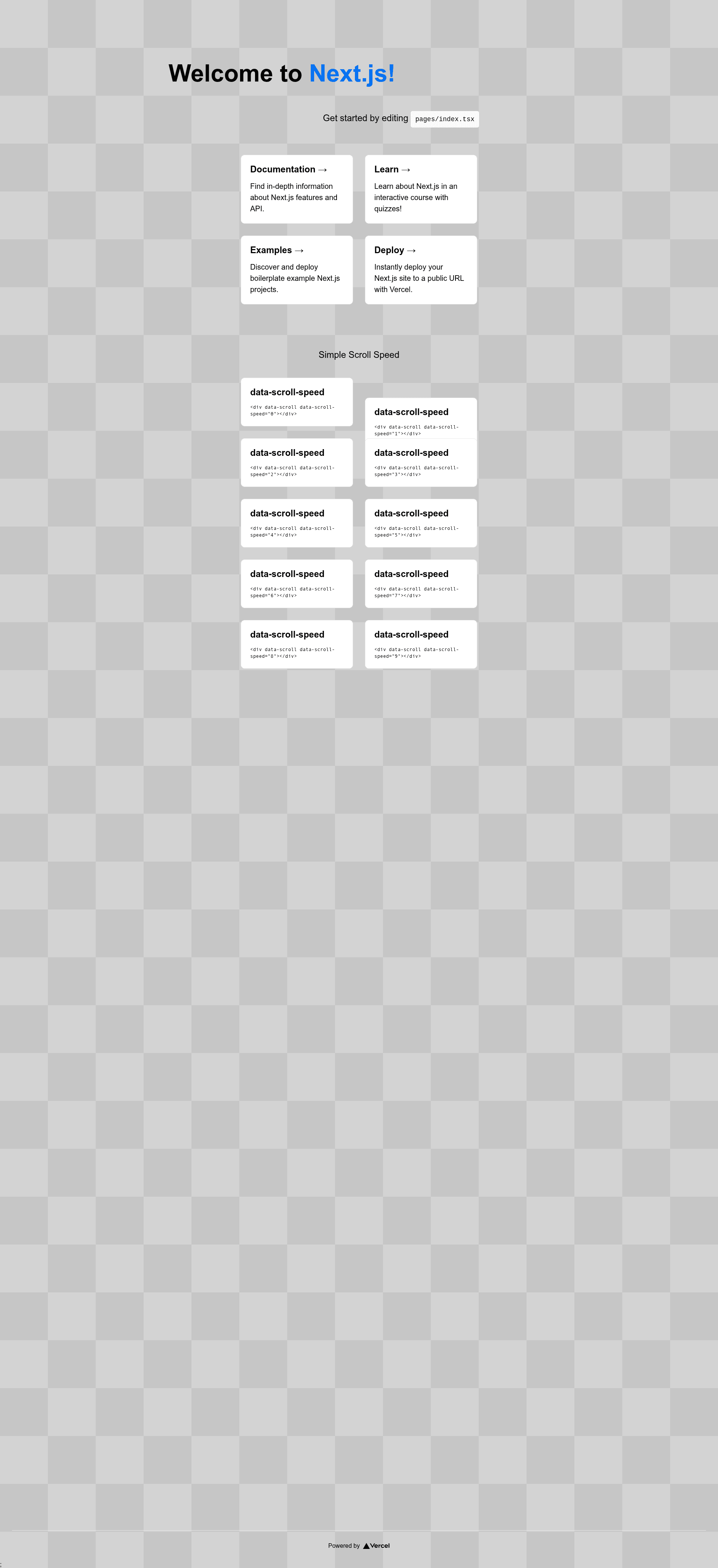
nextjs-with-locomotive-scroll-example is a Next.js starter template that demonstrates how to wire the Locomotive Scroll library into a Next.js project for smooth, parallax scrolling — marked experimental by its author.
What is nextjs-with-locomotive-scroll-example?
This is a GitHub repository created by user brunos3d that serves as an example project rather than a full-featured template. It shows how to integrate Locomotive Scroll, a library for smooth and parallax scrolling effects, into a Next.js application. The project outputs a working Next.js site with scroll effects and can be used as a learning reference or a base for new projects. It includes a live demo hosted on Vercel, and the source is available under the MIT License.
Key Features
- Next.js framework — Built on Next.js, so it uses React, file-based routing, and component-based architecture.
- Locomotive Scroll integration — Demonstrates how to import and attach Locomotive Scroll to a Next.js app, enabling smooth scrolling and parallax effects.
- Quick scaffolding — Can be cloned directly with
create-next-appby passing the repository URL, which sets up a fresh project instantly. - Live demo — Hosted at a Vercel demo URL, so you can see the scroll effects in action before installing anything.
- MIT License — Open source and free to use, modify, and distribute.
- Experimental status — Marked experimental, so you should expect potential changes or rough edges when using it in production.
Who is it for?
- Next.js developers who want to learn how to add Locomotive Scroll to their own projects and see a minimal working integration.
- Front-end designers building landing pages or portfolios who need smooth-scroll behavior as a starting point for a custom site.
- Hobbyists and students who want a quick scaffold with scroll effects to experiment with, without configuring everything from scratch.
What can you do with nextjs-with-locomotive-scroll-example?
- Start a new smooth-scrolling site: Use the create-next-app command to generate a new Next.js project that already includes Locomotive Scroll, then extend it with your own pages and components.
- Study the integration pattern: Read the code to understand how to initialize Locomotive Scroll in a Next.js environment, which can be adapted to any React-based project.
- Create parallax showcase pages: Use the included effects to build storytelling or marketing pages that animate content as the user scrolls.
How does it work?
The repository is a complete Next.js project. To use it, run npx create-next-app ts-next -e https://github.com/brunos3d/nextjs-with-locomotive-scroll-example (or the yarn equivalent). This creates a new app in a folder named ts-next with all dependencies and the scroll integration already configured. Then you run the development server and edit the pages.
FAQ
Is nextjs-with-locomotive-scroll-example free?
Yes, it is open source under an MIT License, so you can use it freely for personal or commercial projects.
What is Locomotive Scroll?
Locomotive Scroll is a modern library for smooth scrolling and scroll-based animations. It provides smooth scrolling behavior on the page and lets you trigger events and transform elements based on scroll position, which enables parallax effects.
Is this template production-ready?
The repository description marks it as experimental, so it is intended as an example rather than a validated production template. You should test it thoroughly and adjust the integration for your specific use case before deploying to production.