Template details
Nuxt 3 Starter
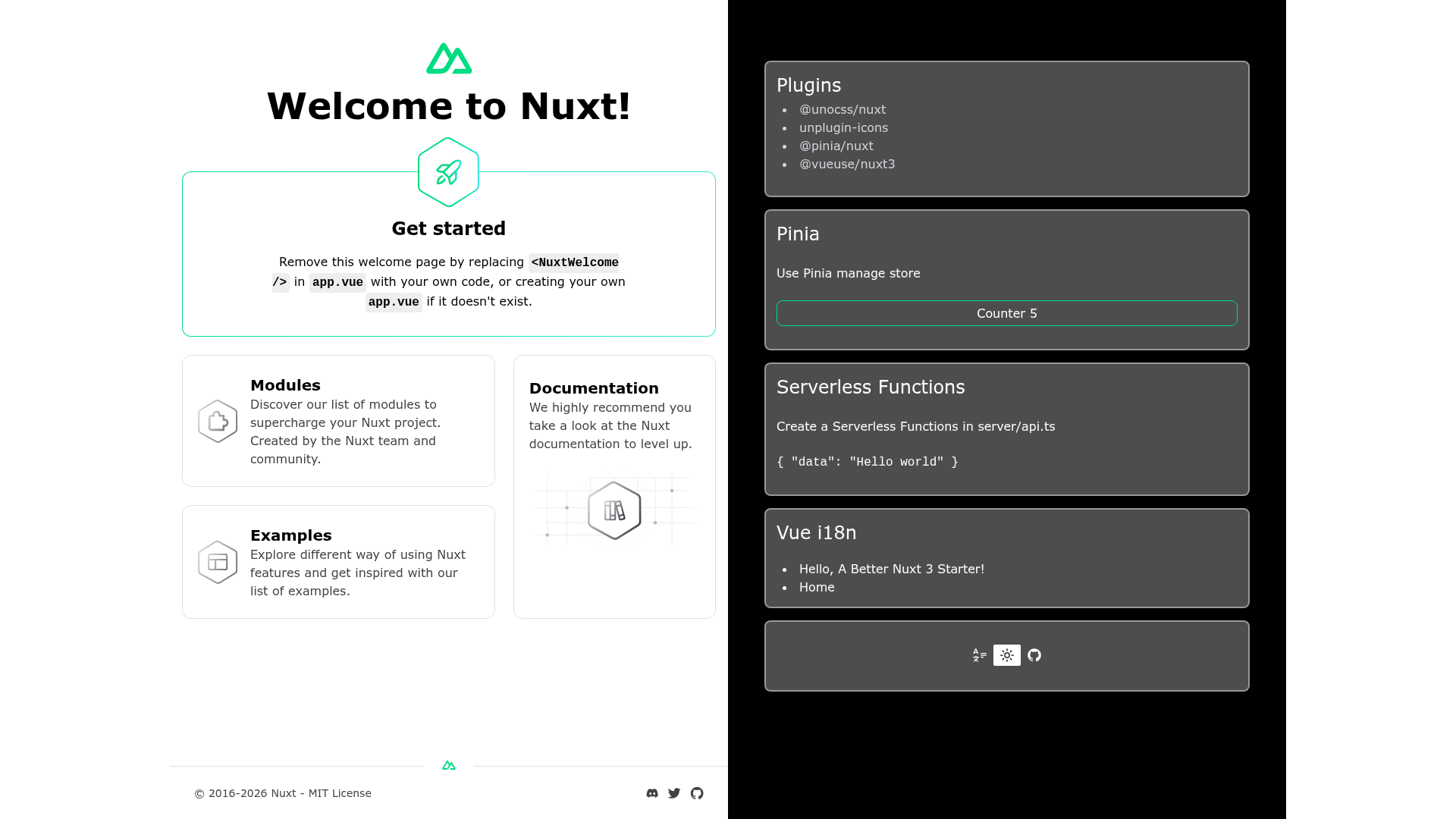
A Nuxt 3 starter template with UnoCSS, Pinia, VueUse, and unplugin-icons, generated by nuxi.
About this template
Nuxt 3 Starter is an open-source Nuxt 3 boilerplate that preconfigures UnoCSS, Pinia, VueUse, and unplugin-icons so you can scaffold a new Nuxt 3 project with one command.
What is Nuxt 3 Starter?
Nuxt 3 Starter is a GitHub repository created by xiaoluoboding that serves as a starting point for Nuxt 3 applications. It takes a fresh Nuxt 3 project and wires up four well-known Vue ecosystem tools: UnoCSS for atomic CSS, Pinia for state management, VueUse for composables, and unplugin-icons for icon components. The template can be used either by clicking "Use this template" on GitHub or by running npx nuxi init -t nuxtbase/nuxt3-starter my-nuxt3-app from the command line. It runs on Nuxt 3 with Vite underneath, and the development server starts on port 3088.
Key Features
- UnoCSS integration — @unocss/nuxt provides instant, on-demand atomic CSS generation so you can write utility classes without a separate CSS build step.
- Pinia store — @pinia/nuxt adds Pinia state management with Nuxt SSR support, so you can manage shared state across your app.
- VueUse add-on — @vueuse/nuxt3 enables auto-importing VueUse composables directly in your components and stores, reducing manual imports.
- unplugin-icons — Use icons from any icon collection as Vue components without manually registering them.
- One-command scaffolding — Create a new local project with
npx nuxi init -t nuxtbase/nuxt3-starter your-app-name. - StackBlitz preview — Open the template instantly in your browser at https://stackblitz.com/github/nuxtbase/nuxt3-starter to test it without installing anything.
- MIT license — The template is freely usable and modifiable for personal or commercial work, with attribution to @xiaoluoboding.
Who is it for?
Nuxt 3 Starter is aimed at developers who want a pragmatic, preconfigured Nuxt 3 base rather than building configuration from scratch. It suits developers evaluating Nuxt 3 with common integrations, teams starting new Nuxt 3 projects who want a consistent foundation, and anyone who wants to learn how to combine UnoCSS, Pinia, VueUse, and unplugin-icons in a Nuxt 3 app.
What can you do with Nuxt 3 Starter?
- Nuxt 3 developers: Scaffold a new application and immediately write components with UnoCSS utility classes and Pinia stores, skipping the usual setup time.
- Prototypers and learners: Use the StackBlitz preview to explore the template and experiment with the preconfigured tools entirely in the browser.
- Open-source contributors: Fork the template, customize it for your own needs, and use it as a reference for integration patterns.
How does Nuxt 3 Starter work?
The template lives as a GitHub repository that can be copied via GitHub's template feature or pulled down with the nuxi CLI. After you obtain a local copy, you install dependencies with yarn install, then start development with yarn dev — the dev server runs at http://localhost:3088. A production build is generated with yarn build, and the README links to Nuxt 3's deployment documentation for publishing the output.
FAQ
Is Nuxt 3 Starter free?
Yes, the project is released under the MIT license. You can use it without cost in both personal and commercial projects.
How do I create a project from this template?
You have two options: click the "Use this template" button on the GitHub repository page, or run npx nuxi init -t nuxtbase/nuxt3-starter your-app-name and follow the printed instructions.
What port does the development server use?
The default development port is 3088. When you run yarn dev, you'll see the app at http://localhost:3088.
What is included in the template?
The template includes UnoCSS for styling, Pinia for state management, VueUse for reusable composables, and unplugin-icons for icon components. It does not include a UI component library, a testing framework, or a linting setup — those are left for you to add as needed.
Can I run it without installing Node.js?
Not locally. The template requires a Node.js environment because Nuxt 3 and its toolchain run on Node. However, you can use the StackBlitz preview to try it in a browser without a local environment.