Template details
Nextly
Nextly is a free, open-source landing page and marketing website template for startups and indie projects, built with Next.js and Tailwind CSS.
About this template
Nextly is a free, open-source landing page and marketing website template built with Next.js and Tailwind CSS that lets startups and indie projects deploy a polished site directly from GitHub to Vercel.
What is Nextly?
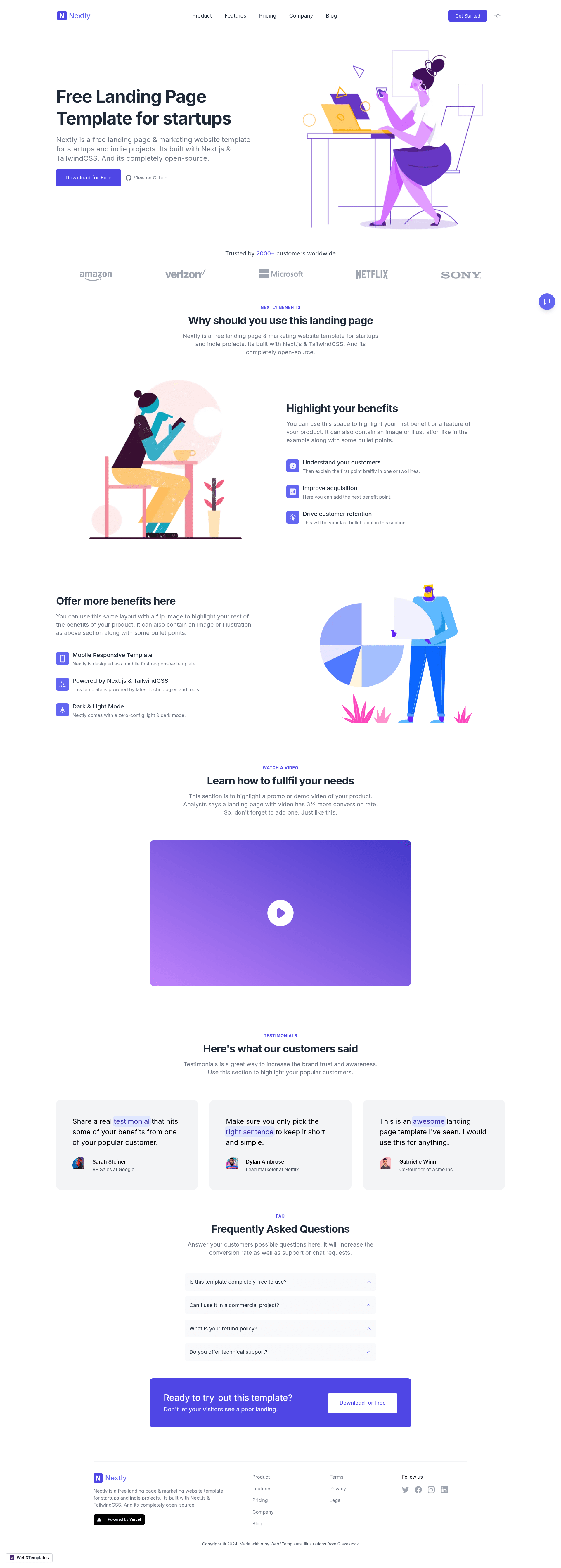
Nextly is a free landing page and marketing website template for startups and indie projects, built entirely with Next.js and Tailwind CSS. The template is created by Surjith S M (@surjithctly) and published under the Web3Templates brand, and the repository is completely open-source on GitHub. It takes a GitHub-based starting point — either by clicking the "Use Template" button to create a new repository or by cloning the repository locally — and produces a responsive marketing site ready for deployment. The template runs on Next.js and includes a ready-made layout for marketing pages.
Key Features
- Free and open-source — The entire Nextly codebase is available for free on GitHub, and you can clone or generate your own copy without any licensing fees.
- Next.js framework — The template is built on Next.js, giving you server-side rendering and static site generation capabilities out of the box.
- Tailwind CSS styling — All components are styled with Tailwind CSS utility classes, so you can customize colors, spacing, and layout by editing the Tailwind configuration.
- GitHub Use Template — A one-click "Use Template" button on the repository page lets you create a new project from Nextly without manually copying files.
- Local development setup — After cloning, you can install dependencies with either npm or yarn and start the dev server with 'yarn dev' or 'npm run dev'.
- Vercel deployment — The README includes a "Deploy with Vercel" button that connects the repository to Vercel for one-click publishing.
- Marketing-focused layout — The template is structured specifically as a landing and marketing website, with the responsive design visible in the repository screenshot.
Who is it for?
- Startups that need a marketing homepage quickly can clone Nextly, customize the copy, and deploy to Vercel within minutes.
- Indie developers and side-project creators can use Nextly to build a credible landing page without hiring a designer or writing CSS from scratch.
- Next.js developers looking for a lightweight starting point can fork the repository to study how Tailwind CSS and Next.js are combined in a real template.
What can you do with Nextly?
- Startups: launch a product marketing site by generating a new GitHub repo from the template and deploying it with the Vercel button.
- Indie hackers: create a landing page for a side project by editing the Tailwind classes and site copy in your local dev environment.
- Developers: use the template as a base for rapid prototyping or as a reference for Next.js and Tailwind setup patterns.
How does Nextly work?
Nextly's workflow is straightforward: click the "Use Template" button on GitHub to generate a new repository from the template, or clone the repository using git. Then install dependencies with npm or yarn and start the dev server with 'yarn dev' or 'npm run dev'. When you're ready to publish, the README's Vercel deploy button creates a production deployment directly from your GitHub repo.
Pricing
Nextly is completely free to use. The README describes it as a free landing page template, and the code is open-source, so there are no licensing fees or premium tiers mentioned.
FAQ
Is Nextly really free?
Yes, Nextly is described in the README as a free landing page and marketing website template, and the code is open-source on GitHub, so you can use it without paying.
What technology stack does Nextly use?
Nextly is built with Next.js and Tailwind CSS. It is a React-based framework with utility-first styling, and it can be deployed on any platform that supports Next.js, including Vercel.
Who created Nextly?
Nextly was authored by Surjith S M (@surjithctly) and is published under the Web3Templates brand. The GitHub repository is maintained by Surjithctly.
How do I deploy Nextly to my domain?
The README includes a Deploy with Vercel button that creates a new Vercel project connected to your cloned GitHub repository. Once deployed, you can configure a custom domain in the Vercel dashboard.