Template details
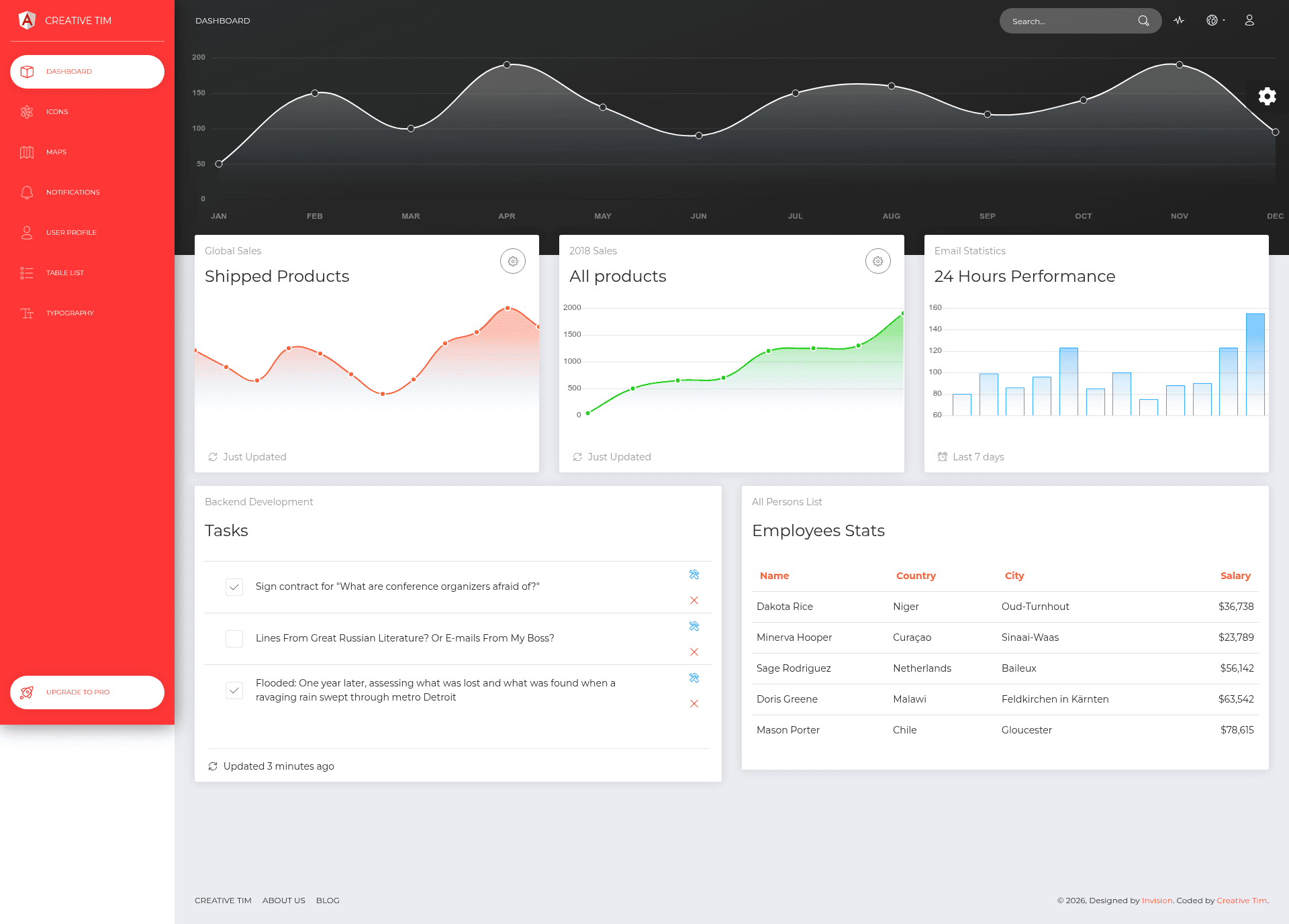
Now UI Dashboard Angular
Free responsive Angular admin dashboard template on Bootstrap 4 with example pages and documentation.
About this template
Now UI Dashboard Angular is a free, responsive admin dashboard template for Angular, built on Bootstrap 4 and published by Creative Tim in collaboration with InVision.
What is Now UI Dashboard Angular?
Now UI Dashboard Angular is a front-end dashboard kit for Angular developers. It takes an Angular project as input and provides a set of reusable components, example pages, and styles as output. The template runs on Angular via the Angular CLI, and it is created and maintained by Creative Tim with design input from InVision. It includes a live preview at https://creativetimofficial.github.io/now-ui-dashboard-angular.
Key Features
- Bootstrap 4 foundation — The entire UI is built on Bootstrap 4. If you already have a Bootstrap 4 project, you can import the Now UI Dashboard styles over it; elements not redesigned fall back to Bootstrap defaults.
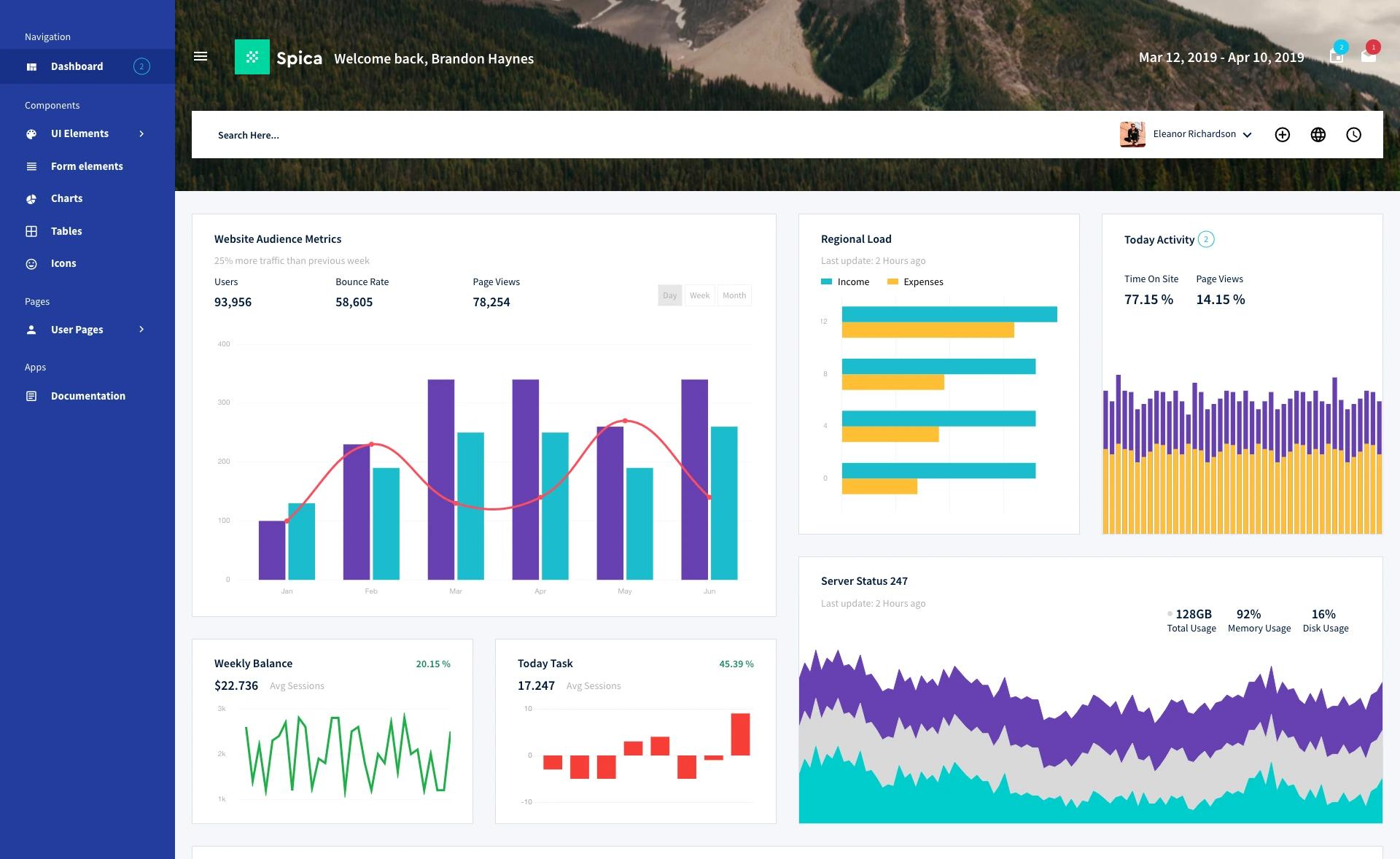
- Seven example pages — The kit ships with working examples for dashboard, icons, maps, notifications, table list, typography, and user profile, each with its own Angular component and routing setup.
- Prebuilt layout components — Includes navbar, sidebar, and footer components organized in an admin-layout module, ready to drop into a new Angular app.
- SCSS styling — Styles are written in SCSS under
src/assets/scss/now-ui-dashboard, with a main stylesheet that you can import into your app. - Documentation and tutorial — A documentation folder and a tutorial page explain the file structure, how to import components, and how to use every included component.
- One-click deploy to Genezio — You can deploy your own version of the template to Genezio with a single click using the provided repository link.
- Free and MIT-licensed — The template is offered free of charge under the MIT license, as shown in the README and LICENSE file.
Who is it for?
Now UI Dashboard Angular is aimed at front-end developers and startups who need an admin dashboard quickly without designing from scratch. Developers can clone the repository, run npm install and npm start, and immediately have a functional dashboard with navigation and pages. Product teams can use the example pages to prototype user interfaces before connecting a backend. Designers who work with InVision can take the same design language used in Now UI Kit Angular and apply it to dashboard interfaces.
What can you do with Now UI Dashboard Angular?
- Launch an admin panel fast — Use the included dashboard, table list, and user profile pages as the foundation for a back-office application, then replace the sample data with your own.
- Prototype with InVision — Since the template shares design characteristics with Now UI Kit Angular, you can create lifelike prototypes for user feedback before development starts.
- Learn Angular component structure — The open source code shows a clean separation of components, layouts, routing modules, and SCSS assets that you can study or adapt.
- Deploy to Genezio — The included one-click deploy button lets you push the template to Genezio's platform without configuring a server.
How does Now UI Dashboard Angular work?
The template is a standard Angular CLI project. After installing Node.js, you run npm install -g @angular/cli, then npm install and npm start inside the project folder, and open localhost:4200. The source is organized under src/app with separate folders for components (navbar, sidebar, footer), pages (dashboard, icons, maps, notifications, table-list, typography, user-profile), and an admin-layout module that handles routing.
Pricing
Now UI Dashboard Angular is free. The README states it is "provided for free" and the license badge shows an MIT license, which means you can use it in commercial projects without paying.
FAQ
Is Now UI Dashboard Angular free?
Yes. Creative Tim provides the template for free under the MIT license, so you can use it in personal and commercial projects without paying a license fee.
Does Now UI Dashboard Angular include example pages?
Yes, it includes seven example pages: dashboard, icons, maps, notifications, table list, typography, and user profile. Each page has its own Angular component and is wired into the routing.
How do I run Now UI Dashboard Angular locally?
You need Node.js installed. Then run npm install -g @angular/cli, npm install, and npm start from the project directory, and visit localhost:4200 in your browser.
Which frameworks does Now UI Dashboard Angular use?
It uses Angular as the application framework, Bootstrap 4 for the CSS grid and components, and SCSS for custom styling. The codebase is written in TypeScript.