Template details
Spica – Free Bootstrap 5 Admin Dashboard Template
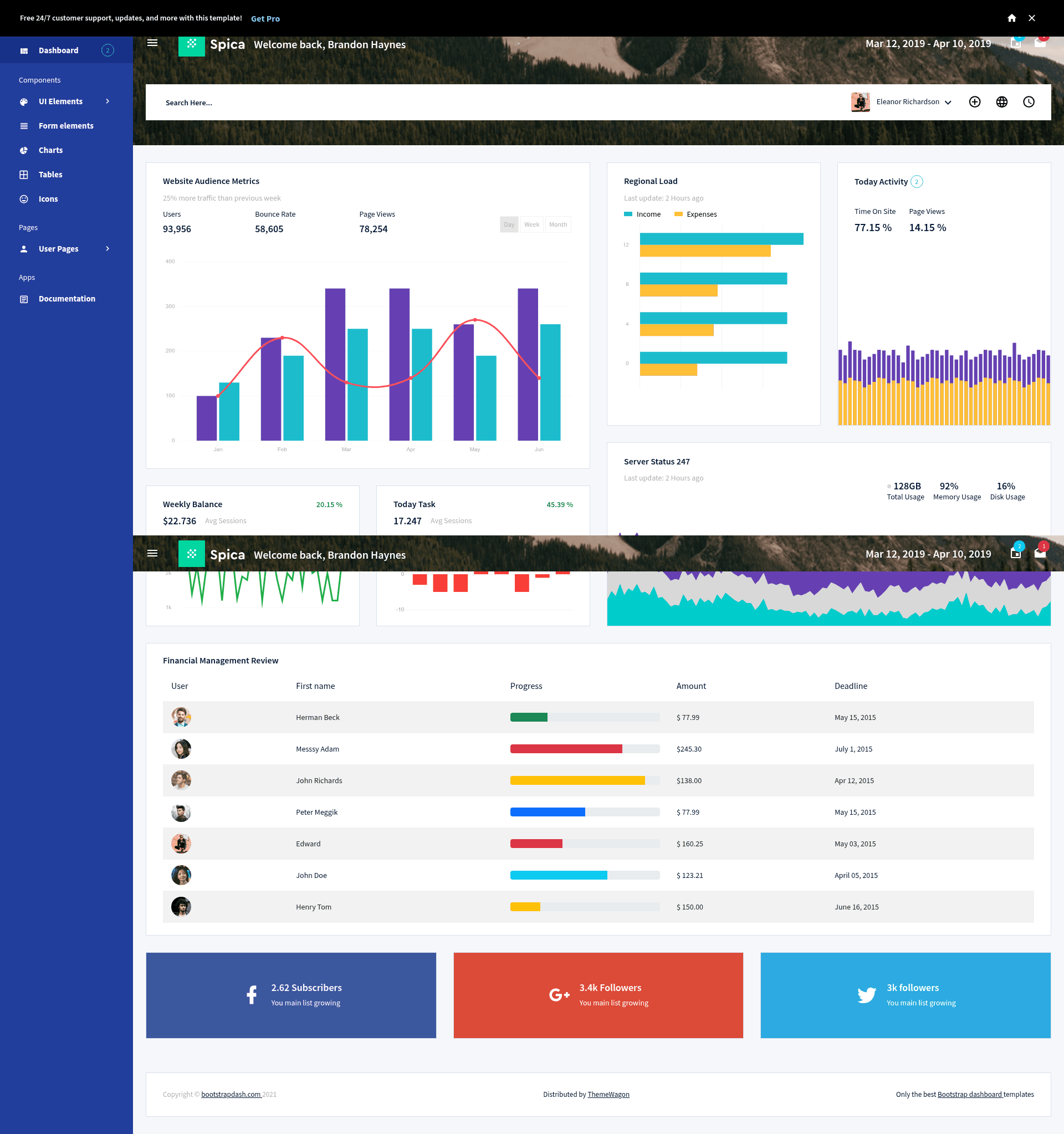
Free Bootstrap 5 admin dashboard template with multipage design, auth pages, charts, tables, and widgets for building admin panels.
About this template
Spica is a free Bootstrap 5 admin dashboard template from Bootstrap Dash that delivers a multipage, responsive starting point for building admin panels, ecommerce dashboards, and control panels.
What is Spica?
Spica is a free, open-source admin dashboard template built on Bootstrap 5, HTML5, CSS3, and SCSS, released by Bootstrap Dash and distributed on ThemeWagon. It takes static HTML pages stocked with ready-to-use UI components and produces a responsive, cross-browser admin interface that you can customize with basic coding knowledge. The download includes 2 HTML pages, all demo images, JavaScript source files, and library/plugin files, plus a documentation page.
What makes Spica stand out?
- Bootstrap 5 framework — Built on the latest Bootstrap 5 with HTML5, CSS3, and SCSS source files, giving you a modern grid, components, and utility classes for layout and styling.
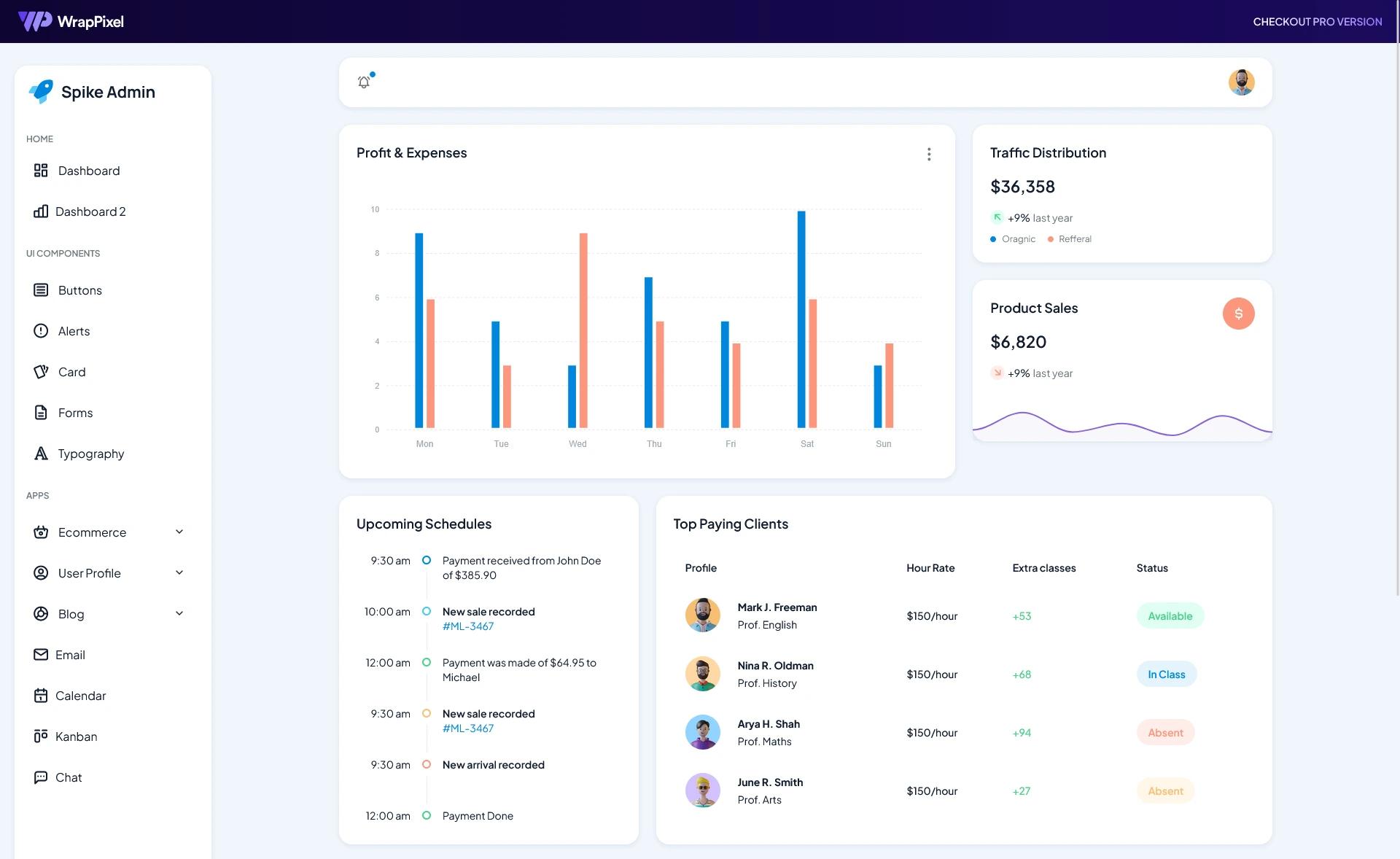
- Multipage structure — Includes 2 HTML pages with a collapsible navigation bar, dropdown menu bar, fixed top navigation bar, and sticky top navigation for a functional dashboard shell.
- Ready-to-use UI elements — Offers different types of tables, form elements, progress bars, widgets, and a set of icons including Font Awesome and Feather icons.
- Chart options — Provides bar, line, and donut chart examples for visualizing data (beyond tables and widgets).
- Authentication pages — Includes login form pages out of the box, simplifying the addition of sign-in flows to admin areas.
- Documentation page — Ships with a documentation page that walks through customization, so you don't need to reverse-engineer the code.
- Responsive and cross-browser — 100% responsive and compatible with Chrome, Edge, Firefox, Mobile, Opera, and Safari, per the listing.
- Free with commercial license — Free to download, open source, usable in commercial projects, and includes lifetime free updates.
Who should use Spica?
- Web developers who need a clean Bootstrap 5 starting point for an admin panel or control panel, with well-structured and documented code to extend.
- Startups and product teams building an ecommerce dashboard or SaaS backend who want a quick, free UI foundation with auth pages, tables, and charts.
- Freelancers who want a free admin theme they can legally use in client work, since commercial use is allowed.
What can you do with Spica?
- Build admin panels: Assemble a full admin interface using the collapsible sidebar, top navigation, widgets, and UI elements, then drop in your own content.
- Create ecommerce dashboards: Use the progress bars, tables, and bar/line/donut charts to display sales figures, inventory, and order metrics.
- Set up software control panels: Leverage the form elements, dropdowns, and authentication pages to construct a control panel for web applications.
Pricing
Spica is completely free. There are no paid tiers for the template itself; it is open source and can be used in commercial projects with lifetime free updates according to the ThemeWagon listing.
Alternatives
Other free admin dashboard templates on ThemeWagon include Dash UI and Mazer, both Bootstrap 5 admin dashboards in the same category, and Material Able, a Bootstrap 4 HTML5 admin dashboard.
FAQ
Is Spica free?
Yes, Spica is free to download and use. It is open source, can be used in commercial projects, and includes lifetime free updates according to the ThemeWagon download page.
What files are included in the download?
The package contains 2 HTML pages, all demo images, all HTML5 and CSS3 files, JavaScript source files, and library/plugin files (Bootstrap 5, jQuery, Font Awesome, and Google Fonts).
What should I know before customizing Spica?
Basic coding knowledge is helpful. The code is well structured and documented, and a dedicated documentation page is included to guide you through common customization tasks.
Which browsers does Spica support?
Spica is 100% responsive and cross-browser compatible. The ThemeWagon listing lists compatibility with Chrome, Edge, Firefox, Mobile, Opera, and Safari.
How many pages come with Spica?
Spica is a multipage design that includes 2 HTML pages. This covers a main dashboard view and additional pages, with collapsible navigation and fixed header.