Template details
Oscailte
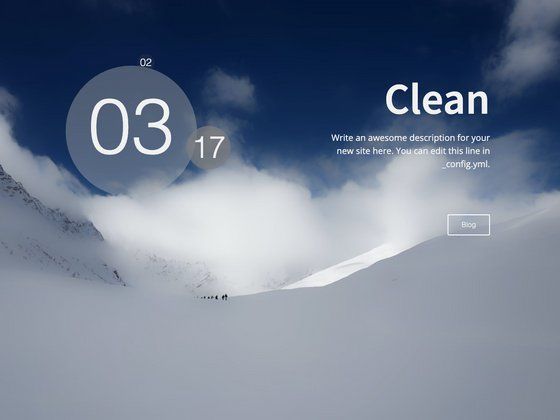
A light, clean, and responsive Jekyll blog theme with Disqus comments, Google Analytics, social icons, and CSS custom properties.
About this template
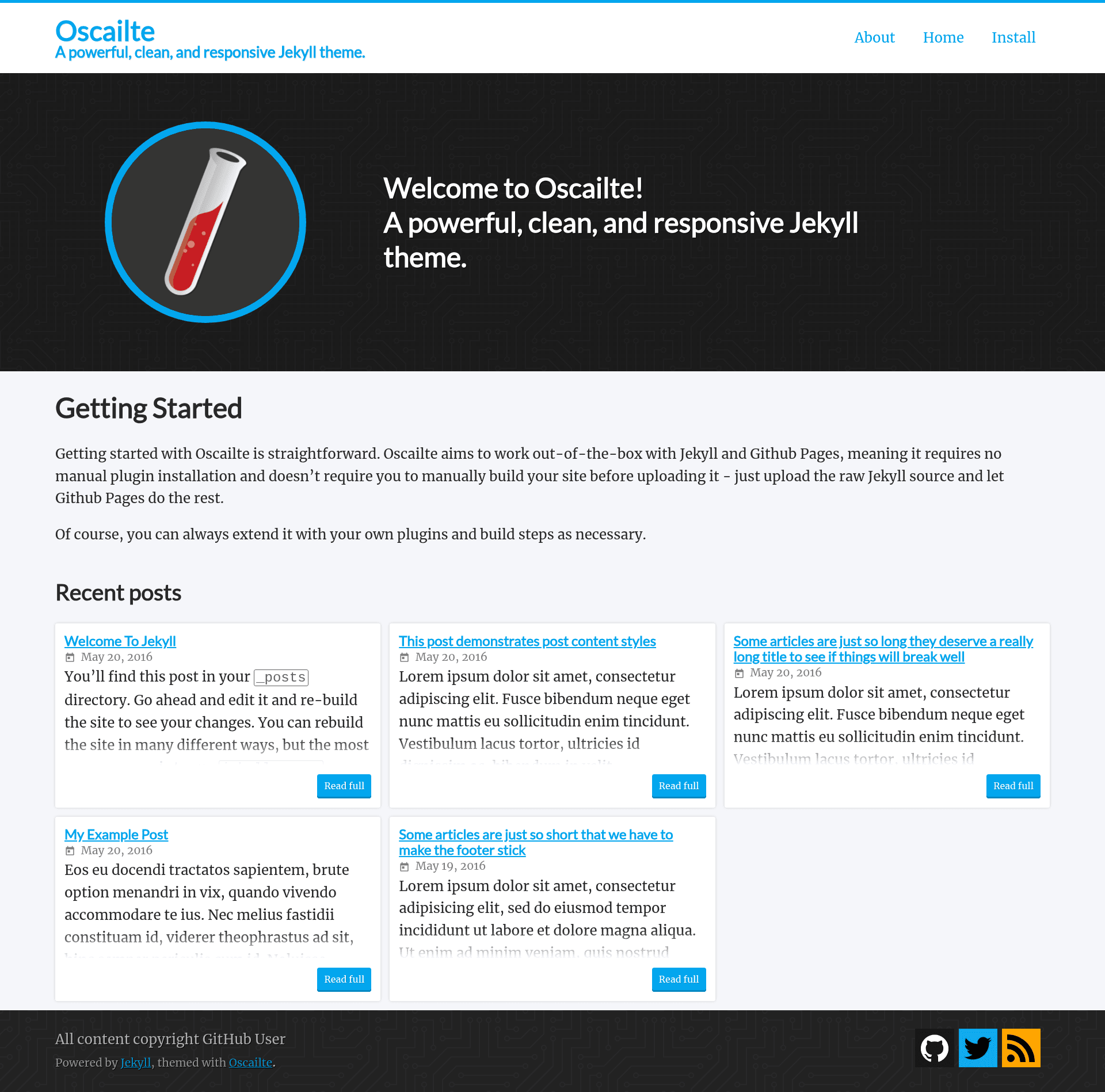
Oscailte is a light and clean Jekyll blog theme — named the Irish word for "open" — that ships as a Ruby gem and remote theme for GitHub Pages, with built-in configuration for Disqus comments, Google Analytics, and social network icons.
What is Oscailte?
Oscailte is a Jekyll blog theme released under the MIT License. It reads a site's _config.yml and produces a responsive static blog with configurable social links, optional comment threads, and analytics tracking. The theme is maintained on GitHub at coogie/oscailte, published as the oscailte Ruby gem, and has 227 stars on its repository.
Key Features
- Remote theme install — Install on GitHub Pages by adding
remote_theme: coogie/oscailteto_config.yml, with no gem installation required. - Gem-based install — Alternatively, add
gem "oscailte"to the Gemfile, settheme: oscailtein_config.yml, and runbundle. - Social network icons — Include username links for Twitter, GitHub, Dribbble, Facebook, Flickr, Instagram, LinkedIn, Mastodon, Pinterest, Telegram, Keybase, and RSS under the
oscailte.socialconfig key. - Disqus comments — Enable a comments section per post by setting
disqus.shortname; comments appear only in production builds (JEKYLL_ENV=production) and can be disabled per post withcomments: falsein front matter. - Google Analytics — Add your tracking ID under
oscailte.google_analytics; it loads only in production and respects the visitor's Do Not Track request. - CSS custom properties — The theme's colors and typography are exposed as CSS Custom Properties, listed in
/_sass/_oscailte.scss, so you can restyle the site without editing theme files. - Home page excerpts — Set
show_excerpts: trueto display post excerpts on the home page instead of full content. - Customizable UI strings — All interface text, from the hero title to "minute read" phrasing, can be rewritten under the
oscailte.stringsconfig key.
Who is it for?
- Bloggers on GitHub Pages — anyone hosting a personal blog on GitHub Pages can use Oscailte via remote theme and get a clean, responsive layout without managing a gem or build process.
- Developers who use Jekyll — developers building static sites in Ruby can install it as a gem and configure Disqus, Analytics, and social links entirely through
_config.yml. - Content writers wanting a minimal design — the light, clean aesthetic with configurable colors suits writers who want the focus on their posts rather than page decoration.
What can you do with Oscailte?
- Start a personal blog — create a new Jekyll site, add Oscailte as a remote theme, and publish posts in Markdown while the home page lists recent posts with optional excerpts.
- Enable reader comments — connect your Disqus shortname so posts get a comment thread that appears automatically in production builds.
- Track site traffic — add your Google Analytics ID to monitor visitors, with Do Not Track handling included.
- Link your social profiles — add usernames for up to a dozen social platforms and the theme renders matching icons in the site.
How does Oscailte work?
The quickest path is to add remote_theme: coogie/oscailte to _config.yml on a Jekyll site; GitHub Pages then fetches the theme automatically. For local development, you can instead add gem "oscailte" to the Gemfile, declare theme: oscailte, and run bundle to install it. All configuration lives under the oscailte key, and features like Disqus and Google Analytics only activate in production builds.
Pricing
Oscailte is free to use under the MIT License, so there are no paid tiers or subscription fees.
FAQ
Is Oscailte free?
Yes, Oscailte is open source and released under the MIT License, so you can use and modify it freely, including for commercial projects.
Does Oscailte work with GitHub Pages?
Yes. Oscailte can be used as a remote theme by adding remote_theme: coogie/oscailte to your _config.yml, and remote themes are enabled by default on GitHub Pages.
How do I change the colors of Oscailte?
Oscailte uses CSS Custom Properties for its look and feel. The full list of properties is defined in /_sass/_oscailte.scss, so you can override them in your site's stylesheet without forking the theme.
How do I enable comments on my posts?
Set disqus.shortname in _config.yml and ensure url is set, since Disqus requires it. Comments appear only in production builds (JEKYLL_ENV=production), and you can turn them off for a single post by adding comments: false to that post's front matter.
Does Oscailte respect Do Not Track?
Yes, when Google Analytics is enabled, Oscailte informs Google Analytics of the user's Do Not Track request, and the analytics script only loads in production.