Template details
Eleventy Base Blog
A starter repository showing how to build a blog with the Eleventy static site generator.
About this template
Eleventy Base Blog is a starter repository from the Eleventy team (11ty) that scaffolds a blog powered by the Eleventy static site generator, producing a fast static site from Markdown and Nunjucks templates.
What is Eleventy Base Blog?
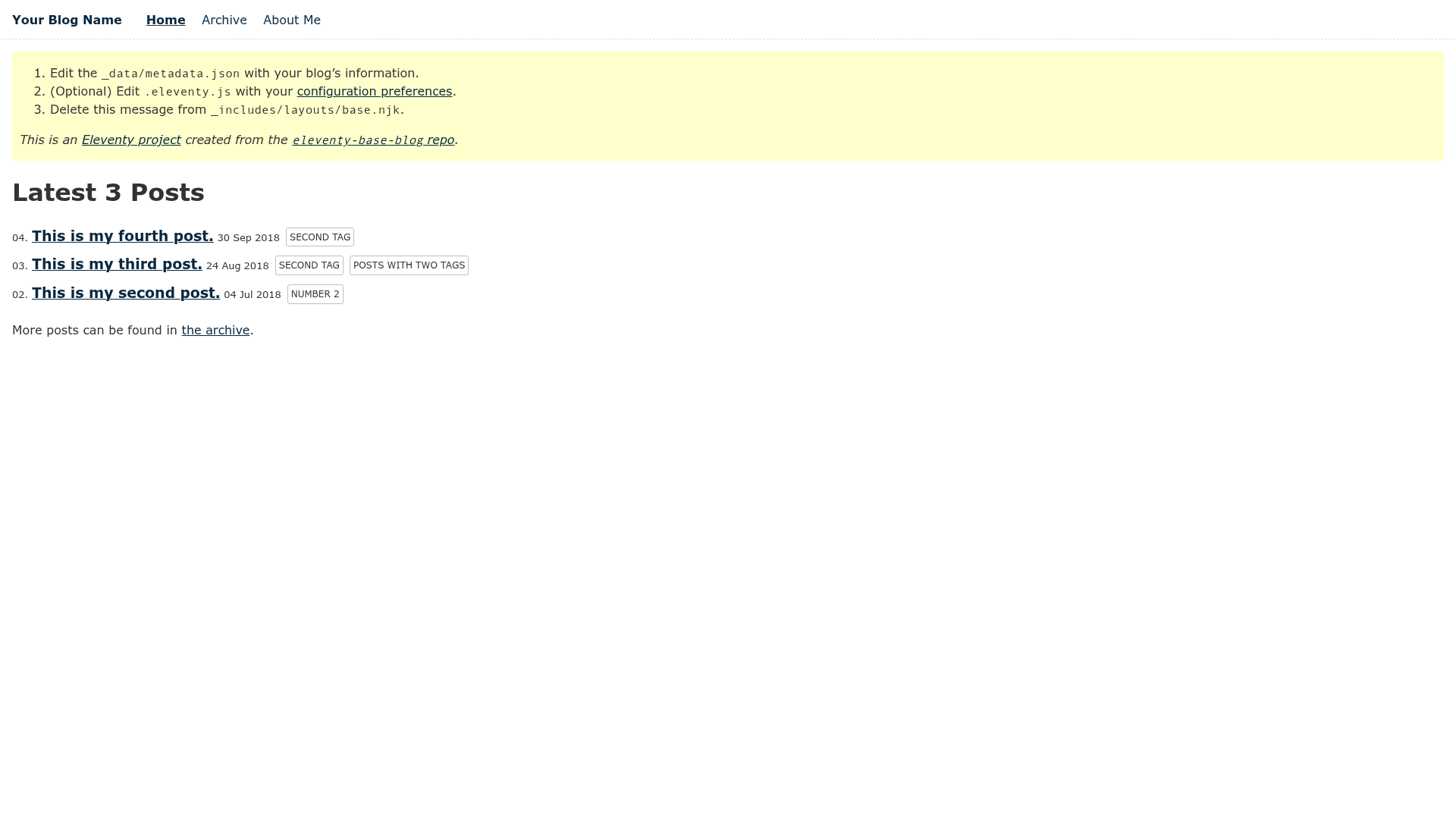
Eleventy Base Blog is a minimal starter repository that demonstrates how to build a blog with Eleventy, the static site generator by Zach Leatherman (maintained by the 11ty project). It takes blog posts written in Markdown (or any configured template format) plus Nunjucks layouts and a global data file named _data/metadata.json, and outputs a fully static HTML site. The project includes example pages, an RSS feed, and a collection system for posts, so it works as both a tutorial and a starting point for a new blog.
Key Features
- Template flexibility — Content can be written in any template format, not just Markdown; supported formats are configured in
.eleventy.jsundertemplateFormats. - Passthrough copying — Because
cssandpngare listed intemplateFormatseven though they are not template types, those files are copied to the output directory unchanged with the same folder structure. - Tag-based navigation — Adding the
navtag to a template puts that page in the top-level site navigation, as demonstrated onindex.njkandabout/index.md. - Blog collection — Posts can live in any directory; they just need the
posttag to be pulled into the blog's post collection. - RSS feed included —
feed/feed.njkgenerates an XML feed and doubles as an example of reading global data from_data/metadata.json. - Reusable post list include —
_includes/postlist.njkis a Nunjucks include that renders a list of all posts and is used byindex.njk. - Three layout layers —
_includes/layouts/base.njkprovides HTML structure,home.njkwraps the homepage, andpost.njkwraps blog posts intobase.njk. - One-click deployment — The repo links to Netlify and Vercel deploy buttons that spin up a built site with just a few clicks.
Who should use Eleventy Base Blog?
- Developers new to Eleventy — Learn how a complete blog is structured: layouts, collections, and global data in one small repo.
- Static-site bloggers — Start a blog that renders to plain HTML and can be hosted on GitHub Pages, Netlify, Vercel, or Glitch, all of which have live demos linked from the README.
- Site builders wanting a minimal base — Clone the repository, edit
_data/metadata.jsonfor site name and description, and replace the example posts rather than building from scratch.
What can you do with Eleventy Base Blog?
- Publish a blog — Write Markdown posts in the
posts/directory, tag them withpost, and runnpx eleventyto generate the final static site. - Add a content page — Copy the pattern from
about/index.mdwith thenavtag to get a page that also appears in navigation. - Customize the build — Adjust
templateFormatsin.eleventy.jsto change which template languages and file types are processed or copied. - Develop locally — Use
npx eleventy --servefor a local dev server,--watchfor automatic rebuilds on file changes, andDEBUG=* npx eleventyfor verbose output.
How does Eleventy Base Blog work?
The README's getting-started guide walks through four steps: clone the repository, run npm install, edit _data/metadata.json to set site metadata, and run npx eleventy to build. After that, the site output is ready to host, and the three npm-script alternatives cover local serving, watching, and debug modes.
FAQ
Is Eleventy Base Blog free?
Yes, it is an open-source starter repository published on GitHub under the Eleventy organization. Eleventy itself is also open-source, so there is no licensing cost to use this blog setup.
What template formats does it support?
Any template format configured in .eleventy.js under templateFormats is supported. Out of the box it includes Markdown for posts and Nunjucks for layouts, plus css and png passthrough copying.
How do I add a page to the site navigation?
Add the nav tag to the page's front matter. The README notes that this tag is what places a template into the top-level navigation, with index.njk and about/index.md as working examples.
Where can I put blog posts?
Blog posts can live in any directory. They only need the post tag in their front matter to be collected into the blog collection, even though the default setup groups them under posts/.
How do I deploy this?
Use the Netlify or Vercel deploy buttons in the README, or push the cloned repository to GitHub and enable GitHub Pages, which is the third demo host listed.