Template details
Pinwheel Tailwind
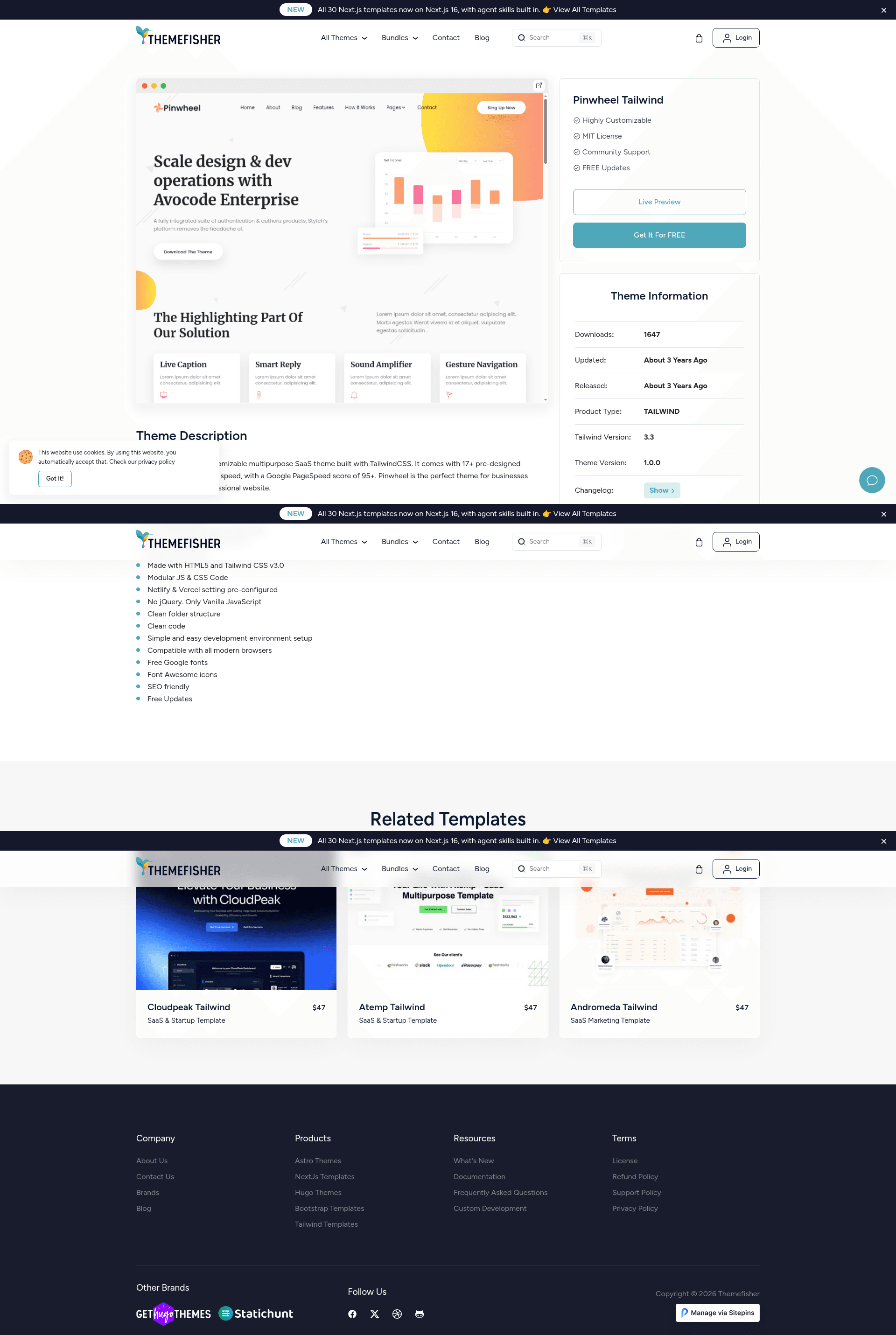
Pinwheel is a highly customizable multipurpose SaaS theme built with TailwindCSS.
About this template
Pinwheel Tailwind is a multipurpose SaaS website template built with HTML5 and Tailwind CSS v3.0, published by Themefisher for creating fast, SEO-friendly marketing sites.
What is Pinwheel Tailwind?
Pinwheel Tailwind is a highly customizable multipurpose SaaS theme built with TailwindCSS. It takes HTML, CSS, and vanilla JavaScript source files as input and produces a static website output that can be deployed to Netlify or Vercel using preconfigured settings. The template is developed and maintained by Themefisher, a theme provider, and is distributed under the MIT license. The template uses no jQuery, only vanilla JavaScript, and claims a 95+ Google Page Speed score. It is built with HTML5 and Tailwind CSS v3.0, includes modular JS & CSS code, and follows a clean folder structure to simplify customization.
Key Features
- 95+ Page Speed score — Optimized for performance, with a reported Google PageSpeed score above 95 out of the box.
- Tailwind CSS v3.0 — Styling is built entirely with Tailwind CSS v3.0, allowing utility-first customization without writing custom CSS.
- No jQuery — All interactivity is implemented in vanilla JavaScript, eliminating a common dependency and reducing page weight.
- Pre-configured for Netlify & Vercel — Deployment settings for both platforms are included, so you can connect the repository and publish with minimal setup.
- Modular JS & CSS — Code is organized into modular files, making it easier to maintain and extend specific components.
- Free Google Fonts & Font Awesome icons — Typography and icons are sourced from free libraries, avoiding additional licensing costs.
- SEO friendly — Semantic HTML and lightweight assets support search engine optimization efforts.
- Cross-browser compatible — Works with all modern browsers, as stated by the developer.
Who is it for?
- SaaS startups — Use the template to launch a marketing site with a high-speed landing page, testimonials, pricing, and feature sections.
- Developers — Customize the modular HTML and Tailwind CSS code to build unique layouts for client projects without starting from scratch.
- Marketing teams — Leverage the SEO-friendly structure and fast performance to improve conversion rates on product pages.
What can you do with Pinwheel Tailwind?
- SaaS founders: Set up a product landing page with a 95+ PageSpeed score and deploy to Netlify or Vercel using the provided configuration files.
- Web developers: Use the clean folder structure and modular JS/CSS to quickly build custom marketing sites for multiple clients.
- Designers: Modify the Tailwind CSS utility classes to change colors, spacing, and typography without touching build tooling.
How does Pinwheel Tailwind work?
The template requires Node.js v18+, npm v9.5+, and Gulp v4+. After cloning the repository, run npm install to install dependencies, use npm run dev to start a development server, and npm run build to generate production-ready static files. The build process outputs optimized CSS and JS ready for deployment.
Pros and cons
- Pros: High PageSpeed score, no jQuery dependency, pre-configured Netlify/Vercel settings, and MIT license for free code use.
- Cons: Images included in the demo have their own licenses and are not free to reuse; the template depends on specific Node.js, npm, and Gulp versions for local development.
Pricing
Pinwheel Tailwind is free to use under the MIT license. The code can be modified and used in commercial projects without a paid license, though the demo images are not licensed for reuse.
FAQ
Is Pinwheel Tailwind free?
Yes, the template's code is released under the MIT license, which permits free use, modification, and commercial deployment. The demo images, however, are only for demonstration and carry their own separate licenses.
What tech stack does Pinwheel Tailwind use?
It uses HTML5, Tailwind CSS v3.0, and vanilla JavaScript (no jQuery). The build system relies on Node.js, npm, and Gulp v4, with pre-configured deployment settings for Netlify and Vercel.
Can I deploy Pinwheel Tailwind to Netlify or Vercel?
Yes, the template includes pre-configured settings for both Netlify and Vercel, so you can connect your repository and deploy with minimal additional configuration.
Does Pinwheel Tailwind use jQuery?
No, the template explicitly avoids jQuery. All interactive functionality is written in vanilla JavaScript, which contributes to the high PageSpeed score.