Template details
portfolio
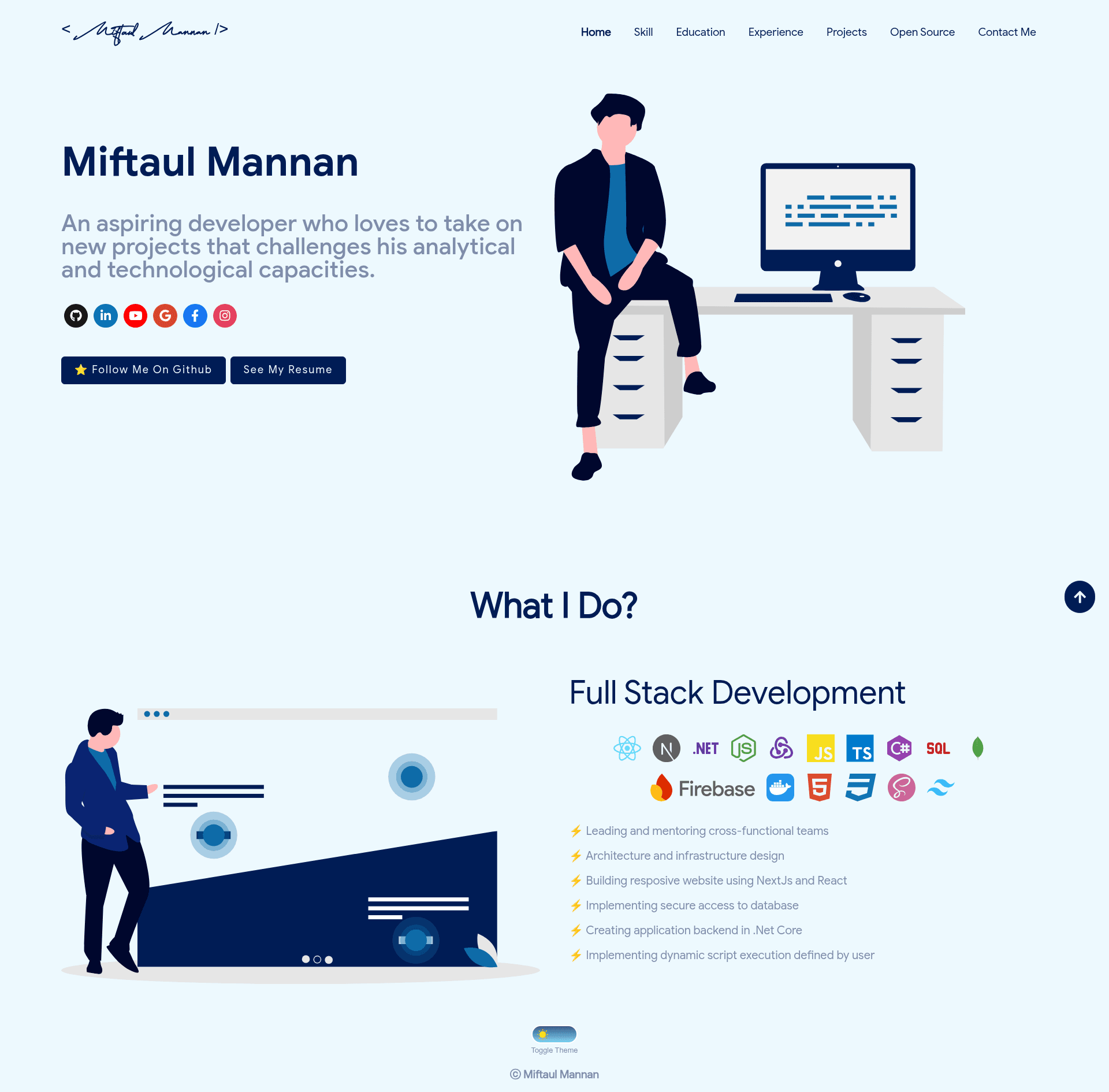
Portfolio made with reactJs for github pages. Supports light and dark theme.
About this template
portfolio is a React.js portfolio template for GitHub Pages that auto-fetches your GitHub profile data and includes a light/dark theme toggle.
What is portfolio?
portfolio is a single-page React application that turns your GitHub username and personal access token into a personal portfolio website. It consumes your GitHub data — pinned repositories, pull requests, issues, and organizations — and renders them on a static site that you can host for free at username.github.io. The project is maintained by Tasin5541 and is available on GitHub under the repo name portfolio.
Key Features
- Light/dark theme toggle — A button switches the entire site between light and dark modes; the README includes an animated GIF demonstrating the toggle.
- Automatic GitHub data fetching — The
git_data_fetcher.jsscript calls the GitHub API using the token stored in.envand thegithubUserNamevalue, so your live activity populates the page without manual updates. - React + npm tooling — Built with React, the project uses standard npm scripts:
npm install,npm run build,npm start, andnode git_data_fetcher.jsfor data fetching. - GitHub Pages deployment workflow — The README gives a complete command sequence to build the site and push the
buildfolder to ausername.github.iorepository. - Customizable info in one file —
src/portfolio.jsholds your personal details, and skill icons on the home page can be swapped using the Iconify skill-icons library. - Credited design lineage — Design and implementation ideas are adapted from Saad Pasta's developerFolio and ashutosh1919's masterPortfolio.
Who is it for?
- Developers with an active GitHub profile — You can create a data-driven personal page in minutes without writing backend code, because the template pulls your existing repos and contributions.
- Job seekers building a personal brand — Edit
portfolio.jswith your bio and contact links, deploy tousername.github.io, and have a professional URL to share with recruiters. - React learners exploring deployment — Following the setup steps teaches the Git + npm + GitHub Pages workflow; the project is small enough to read and modify.
What can you do with portfolio?
- Showcase your best work — Pinned repositories are fetched automatically and displayed as cards, so visitors immediately see the projects you chose to highlight.
- Display GitHub contribution data — Pull requests, issues, and organizations appear in dedicated sections, giving the page live data without manual typing.
- Preview locally before publishing — Run
npm startafter installing dependencies to see the site on localhost, then stop the server with Ctrl+C and continue with the build steps.
How does portfolio work?
Start by cloning the repo and deleting its .git folder. Then remove the redirect meta tag from index.html, set your username in package.json and git_data_fetcher.js, and add a REACT_APP_GITHUB_TOKEN (with all permissions) to .env. After running npm install and node git_data_fetcher.js, build with npm run build; finally, initialize a Git repo in build, commit, and push to your username.github.io repository. The README warns that npm run build deletes .git, so you must back it up and restore it before each deployment.
FAQ
Do I need a GitHub token?
Yes. The template uses the GitHub API to fetch your data, and the README instructs you to create a personal access token (giving all permissions) and store it as REACT_APP_GITHUB_TOKEN in a .env file.
Can I see changes before deploying?
Yes. Run npm start after npm install to serve the site locally, and press Ctrl+C when you are done.
What files must I edit?
You will edit index.html to remove the redirect, package.json for the homepage URL, .env for the token, git_data_fetcher.js for your username, and src/portfolio.js for your personal information.
Is this template free to use?
The repository is public on GitHub, no pricing or license is mentioned, and the author simply asks for a star and a link back if the template helps you.