Template details
MyPortfolio
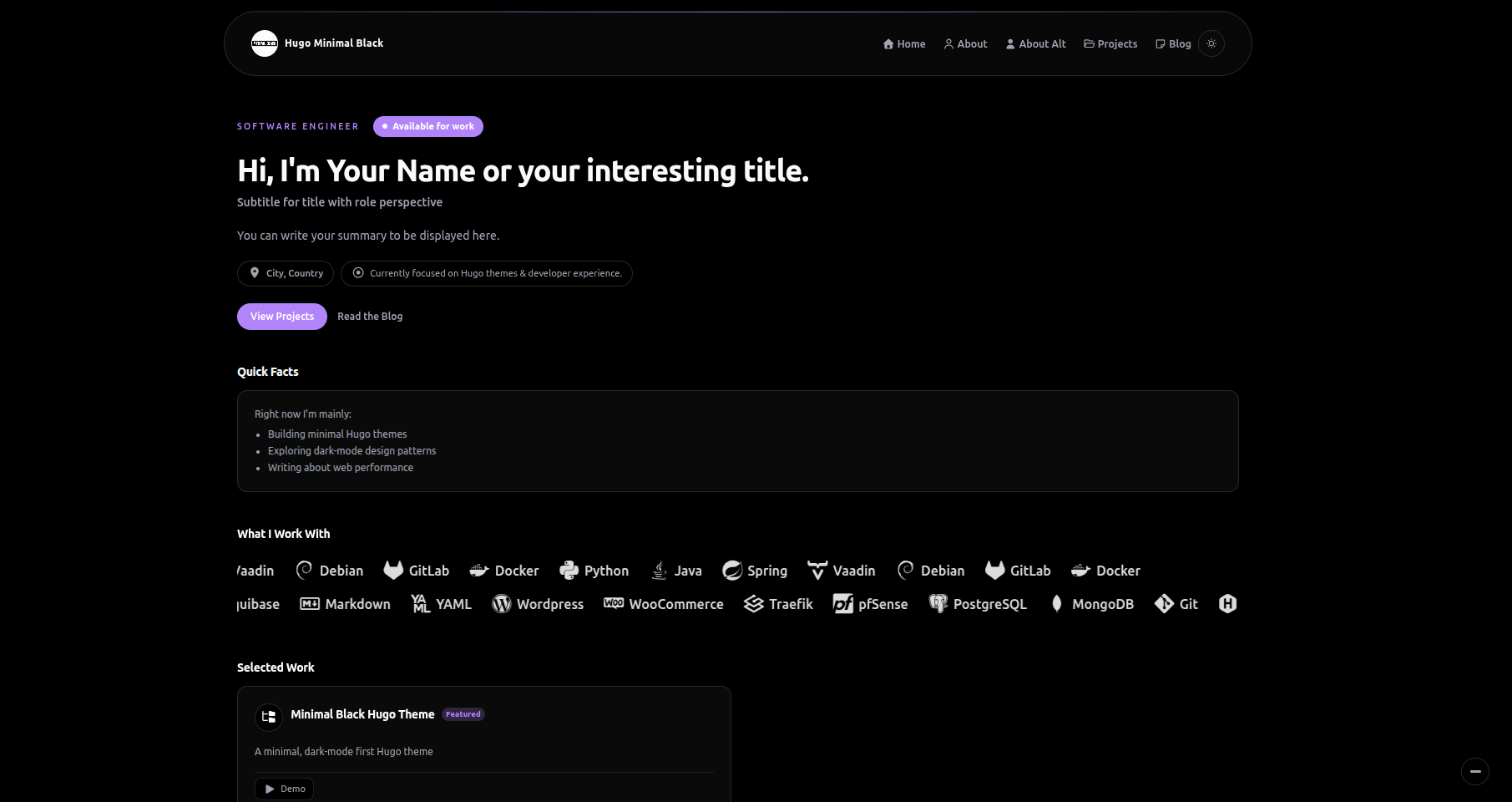
A Hugo theme for developers and creatives to showcase multiple distinct portfolio sections on a single static website.
About this template
MyPortfolio is an open-source Hugo theme for developers and creatives who need to showcase multiple distinct portfolios on a single site. It extends the classic single-portfolio Hugo "Creative" theme so you can define several portfolio sections — for example "Professional" and "Personal" — each with its own categories and project listings.
What is MyPortfolio?
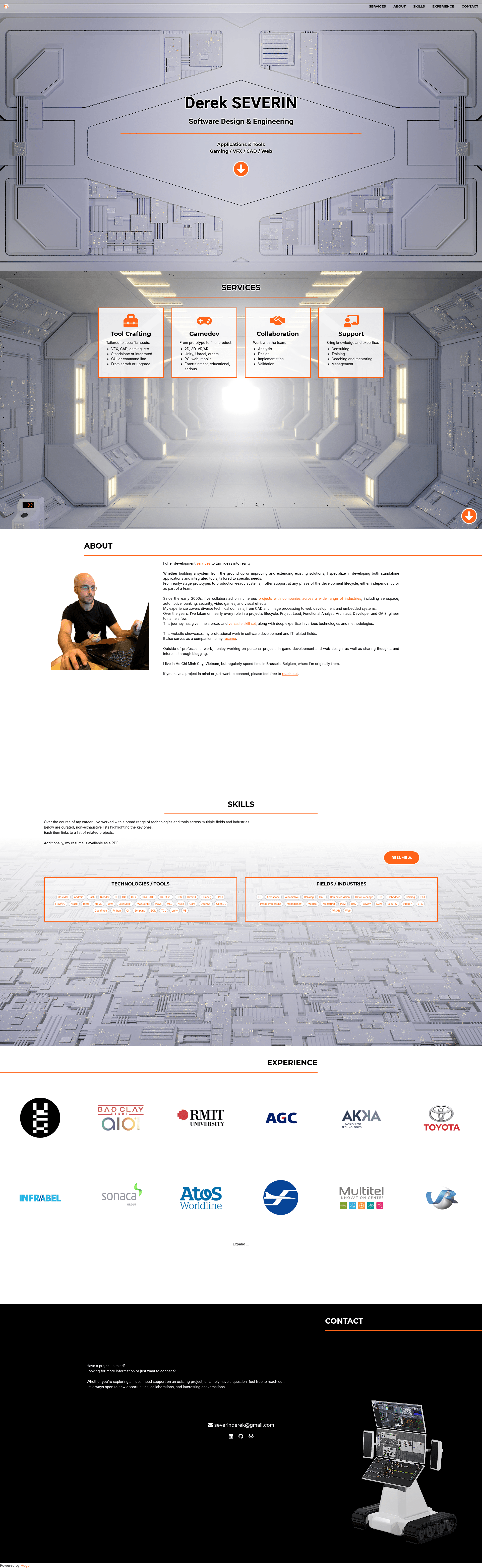
MyPortfolio is a Hugo theme adapted from the Hugo Creative theme by digitalcraftsman, which itself is based on the original Bootstrap theme by David Miller. It turns Hugo content and data files into a static website with a vertical single-page homepage that contains HOME, ABOUT, SERVICES, SKILLS, PROJECTS, and CONTACT sections. The user defines homepage sections and their order in config.toml, and supplies YAML or JSON data files for each section. The theme is maintained by 2-REC on GitHub and released under the Apache License 2.0.
Key Features
- Multiple portfolio sections — Create an arbitrary number of project sections (such as "pro" and "perso") by adding entries under [params.projects] in config.toml; each section is a Hugo list page with its own categories.
- Configurable homepage — Set the order and presence of sections in the homepage via the sections list in config.toml; each section's layout and data can be customized.
- Responsive portfolio grids with hover effects — Projects are displayed as a grid of images that react on hover, with links to individual project pages rather than pop-up windows.
- PhotoSwipe image galleries — Add galleries to project posts using a modified hugo-easy-gallery shortcode, supporting thumbnail suffixes, captions, hover effects, and per-image copyright strings.
- Custom sections and homepage components — Add new sections by placing HTML partials in the site's layouts/partials/sections directory and registering them in the config; add custom overlays or other components via homepage-custom.html plus CSS and JS files.
- CSS variable overrides — Override theme colors and other variables by placing custom CSS files in static/css and listing them under custom_css_vars in config.toml, without editing the theme's core files.
- Sidebar navigation and taxonomies — For each project page you can independently show siblings, children posts, and lists, with configurable order; tags and categories generate taxonomy pages automatically.
- SVG icons and 404 page — Icons are delivered as SVG files placed in static/icons, and the theme includes a custom 404 page.
Who is it for?
- Developers who want to keep a professional portfolio of client work separate from a personal or academic one, using the built-in multi-section architecture.
- Creative professionals such as designers, photographers, and musicians who need to categorize work by discipline or type.
- Small businesses and agencies that want to present multiple service lines or project types with a single Hugo site, using the SERVICES and PROJECTS sections.
Use cases
- Freelance developers: set up one portfolio section for paid client work and another for open-source or side projects, each with its own categories and tags.
- Designers: use the SKILLS section to display a downloadable resume and a tag cloud, and create separate project sections for branding, UI/UX, and illustration.
- Agencies: showcase sections for different industries (e.g. healthcare, retail, technology) so visitors can filter projects by sector without navigating away.
How does MyPortfolio work?
Install the theme by cloning its GitHub repository into the themes directory of a Hugo site, copy exampleSite/config.toml to the site root, and create the required data files (about.yaml, contact.yaml, home.yaml, services.yaml, skills.yaml) in the site's data directory. Then run hugo server to preview the site locally. Note that the theme's exampleSite currently does not render correctly because the theme expects homepage sections and data to be defined in configuration and data files rather than content files; the maintainer points to their own portfolio as a working example.
FAQ
Is MyPortfolio free?
Yes, the theme is open source and released under the Apache License 2.0, so you can use and modify it freely for personal or commercial projects.
How do I install MyPortfolio?
Clone https://github.com/2-REC/hugo-myportfolio-theme into your site's themes directory, copy the example config.toml to your site root, and create the required YAML data files. Then run hugo server to see the site at localhost:1313.
Can I create more than one portfolio?
Yes, that is a core feature. Add multiple entries in the [params.projects] categories list, each corresponding to a content directory, and add matching navigation links in [params.navigation.links].
Does MyPortfolio support galleries?
Yes, it includes a modified hugo-easy-gallery shortcode supporting PhotoSwipe. You can add galleries to posts with the gallery and figure shortcodes, and set options like thumbnail suffix, hover effect, and per-image copyright.
Can I add my own sections to the homepage?
Yes, you can create arbitrary custom sections by placing an HTML partial in the site's layouts/partials/sections directory, adding an entry to the homepage sections list and navigation links in config.toml, and optionally creating a data file and custom CSS.