Template details
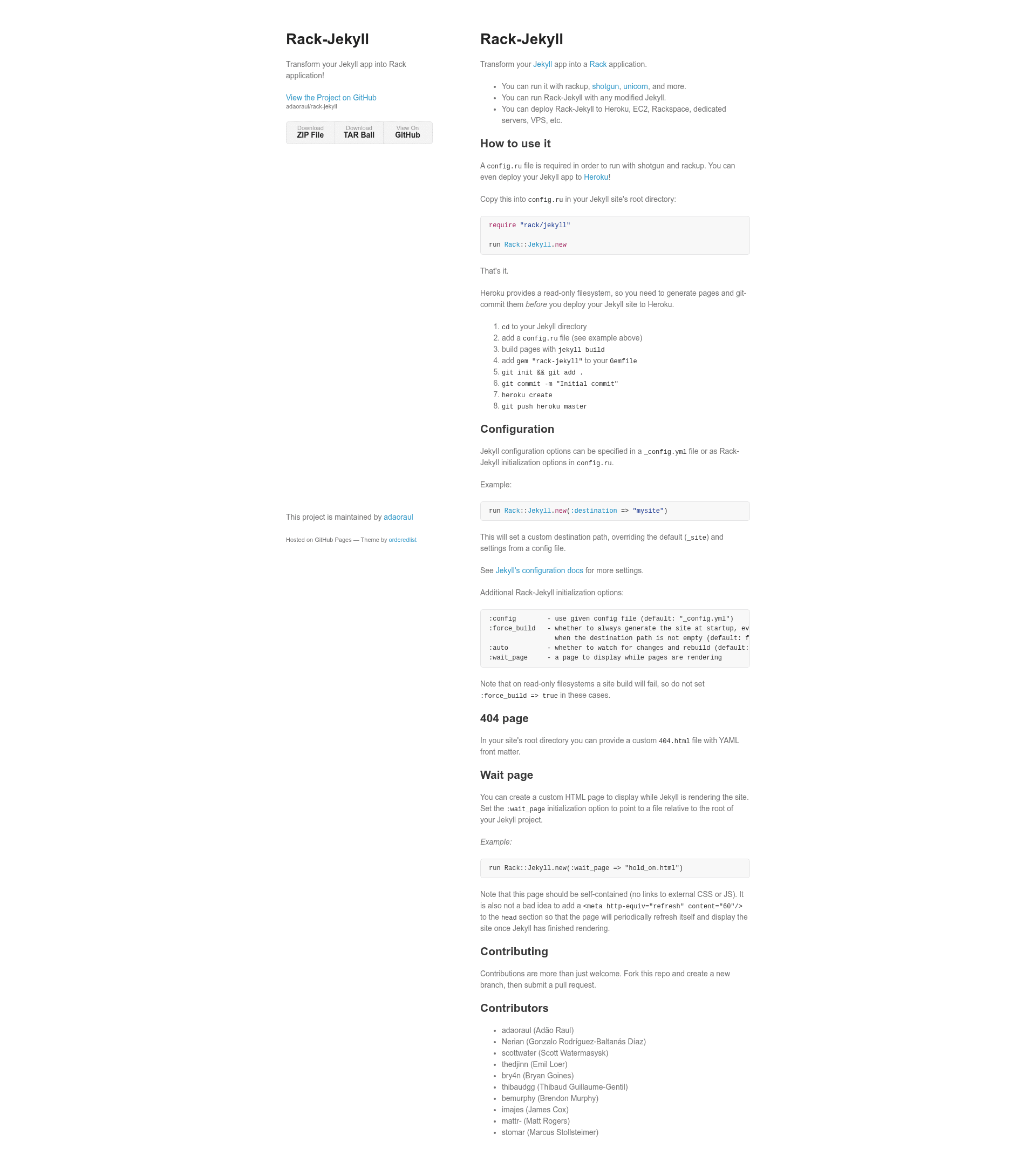
Rack-Jekyll
Transform your Jekyll app into Rack application!
About this template
Rack-Jekyll is an open-source Ruby gem that turns a Jekyll static site into a Rack application, so you can serve it with any Rack-compatible web server. It takes your Jekyll project (with its _config.yml and _site output) and exposes it through a config.ru interface, returning static files as the HTTP response. The gem is maintained by a list of contributors on GitHub, including Adão Raul, Gonzalo Rodríguez-Baltanás Díaz, Scott Watermasysk, and others.
What is Rack-Jekyll?
Rack-Jekyll is a lightweight adapter that wraps Jekyll's static output into a Rack app. You add two lines to config.ru (require "rack/jekyll" and run Rack::Jekyll.new), and then any Rack server can serve your Jekyll site. It reads Jekyll configuration from _config.yml and supports overrides via initialization options.
Key Features
- Rack compatibility — Runs on any Rack server, including rackup, shotgun, and unicorn, giving you an alternative to
jekyll serve. - Heroku deployment — The README documents an eight-step process for deploying to Heroku, which requires pre-building the site and committing
_sitebecause Heroku's filesystem is read-only. - Configurable destination — Pass a
:destinationoption, e.g.Rack::Jekyll.new(:destination => "mysite"), to output the site to a custom directory instead of the default_site. - Jekyll config integration — Reads settings from
_config.ymlor accepts initialization options such as:config,:force_build,:auto, and:wait_page. - Custom 404 page — Serve a site-specific
404.htmlwith YAML front matter from the root directory. - Wait page — Show a self-contained HTML page while Jekyll is building, with an optional meta-refresh tag to auto-reload when rendering finishes.
- Build control —
:force_buildforces site generation at startup even when the destination already exists;:autoenables watch mode to rebuild on file changes.
Who is it for?
- Jekyll developers who need to run their blog or documentation site on a production Rack server such as unicorn instead of the development-only built-in server.
- Heroku deployers who want a straightforward recipe to publish a Jekyll site to Heroku, including the required pre-build and git-commit workflow.
- Rack app builders who want to combine a static Jekyll site with other Rack middleware or microservices in a single
config.ru.
What can you do with Rack-Jekyll?
- Deploy a Jekyll site to Heroku: Follow the documented steps — add
config.ru, runjekyll build, addgem "rack-jekyll"to your Gemfile, thengit add .,git commit,heroku create, andgit push heroku master— to host your site. - Run Jekyll with Rack servers: Use
rackup, shotgun, or unicorn locally to get server-specific features like live reloading. - Customize the output path: Override the destination directory via the
:destinationoption, useful for sites that need an unusual build location. - Show a wait page during builds: Point
:wait_pageto an HTML file so visitors see a branded hold page while Jekyll generates the site, with a meta refresh to automatically load the finished site.
How does Rack-Jekyll work?
Create a config.ru in your Jekyll site's root with require "rack/jekyll" and run Rack::Jekyll.new. When a request comes in, Rack-Jekyll serves the generated static files from the destination directory. If the destination is empty or :force_build is true, it builds the site on startup. For Heroku, you must build locally and commit _site beforehand, since the platform does not allow writes at runtime.
FAQ
Does Rack-Jekyll work on Heroku?
Yes. The README provides an exact list of steps: add a config.ru, build pages with jekyll build, add gem "rack-jekyll" to your Gemfile, then git init, git add ., git commit, heroku create, and git push heroku master. Because Heroku's filesystem is read-only, do not set the :force_build option to true.
Can I use Jekyll configuration options?
Yes. Rack-Jekyll reads settings from a _config.yml file by default. You can also pass overrides directly in config.ru, such as :destination => "mysite", or use the :config option to point at a different config file.
What is the wait page?
The :wait_page initialization option specifies an HTML file relative to the Jekyll root that is served while Jekyll is rendering the site. The page should be self-contained (no external CSS or JS) and can include a meta refresh tag with a 60-second interval so it eventually loads the finished site.
Does Rack-Jekyll support custom 404 pages?
Yes. Place a 404.html file with YAML front matter in your site's root directory, and Rack-Jekyll will serve it whenever a visitor requests a non-existent path.
Is Rack-Jekyll free?
Rack-Jekyll is an open-source Ruby gem hosted on GitHub. The repository lists contributors and invites pull requests, indicating it is free to use under an open-source license.