Template details
BsMultiSelect
Bootstrap 4/5 multiselect input plugin that reuses your theme's classes and avoids its own CSS.
About this template
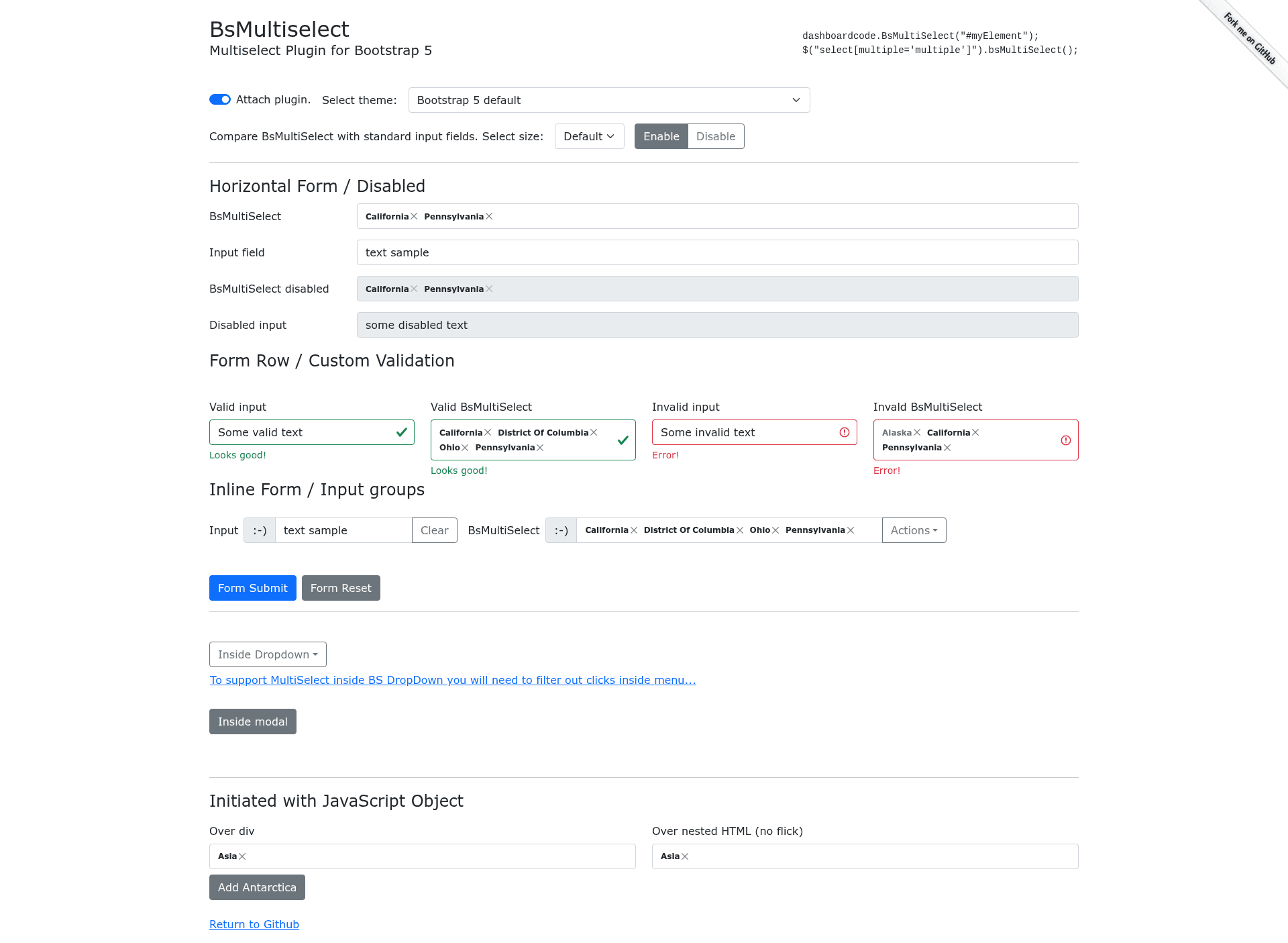
BsMultiSelect is a Bootstrap 5 and 4 multiselect input plugin that transforms a native HTML select element (or a JavaScript object) into a multiselect control with badge-style selected items and a dropdown list of checkboxes, reusing your existing Bootstrap theme instead of shipping its own look-and-feel.
What is BsMultiSelect?
BsMultiSelect is a JavaScript plugin that transforms a native HTML select element (or a JavaScript object) into a multiselect control with badge-style selected items and a dropdown list of checkboxes. It runs on Bootstrap 4 and 5, uses Popper.js v2 for positioning, and is developed by DashboardCode. The plugin takes as input a select[multiple] element or a plain JS object of options, and outputs an interactive widget that updates the original select's state.
Key Features
- Bootstrap-native styling — Uses existing Bootstrap classes like form-control, dropdown-menu, badge, btn-close, and custom checkboxes, so the widget inherits your theme without a custom CSS file.
- CSS-patch or SCSS modes — Default useCssPatch: true applies styling through JavaScript objects; setting useCssPatch: false lets you link the included BsMultiSelect.scss and customize via SASS variables.
- RTL support — Detects dir='rtl' on parent elements and includes a dedicated RTL snippet.
- Validation integration — Supports Bootstrap custom validation classes (.is-valid/.is-invalid), HTML form validation with .was-validated, custom validity messages via validationApi, and toggling of (in)valid-feedback/tooltip elements.
- Input-group support — Works with prepend/append buttons and floating labels (BS5 only) when the container is marked with the dashboardcode-bsmultiselect class.
- Sizes and states — Honors select-lg/select-sm and input-group-lg/sm sizing, disabled selects, fieldsets, and hidden or disabled options as defined in HTML 5.2.
- No-JSON mode — Can be initialized from a JS object array instead of a select element, with configurable setSelected callbacks to enforce rules like "max selected".
- Form reset and change events — Subscribes to form reset events and raises change events on the original select.
Who is it for?
- Bootstrap developers building admin interfaces who need a multiselect that matches their themed Bootstrap 4/5 site without writing plugin-specific CSS.
- Front-end teams using SASS pipelines who want to control styling through Bootstrap variables by linking BsMultiSelect.scss and setting useCssPatch: false.
- Plugin maintainers looking for a Bootstrap plugin boilerplate that follows Babel/Sass/Rollup build tooling similar to the Bootstrap team's own setup.
What can you do with BsMultiSelect?
- Form builders: Add multiselect fields that support HTML form validation, reset, and disabled/readonly states, mirroring native select behavior.
- RTL/localized sites: Enable right-to-left layouts without extra styling because the widget detects dir='rtl' automatically.
- Themed admin panels: Adjust dropdown warnings, focus rings, and badges via cssPatch objects or SCSS variables to match a custom theme.
How does BsMultiSelect work?
When called on a select element, the plugin hides the native select, builds a ul.form-control container with selected items as badges, and appends a div.dropdown-menu with list items containing Bootstrap custom checkboxes. It uses Popper.js v2 directly instead of the Bootstrap Dropdown component (which requires toggle buttons) to position the dropdown. Selections update the underlying option's selected property without adding/removing attributes, unless you supply a custom setSelected callback.
Pros and cons
- Pros: Reuses Bootstrap classes for consistent appearance; no external CSS required in default mode; supports RTL, validation, sizes, and input-group layouts; works with or without jQuery (ESM, UMD, jQuery factories); documentation includes 11 runnable snippets.
- Cons: No mutation observer — you must call UpdateData or UpdateAppearance methods after programmatic changes; IE11 requires polyfills for Popper v2; a small memory leak on repeated attach/detach cycles is acknowledged by the author; hidden selected options cannot be deselected (matching HTML5.2).
Alternatives
- Chosen.js
- Select2
- Bootstrap multiselect
- Bootstrap-select
- Choices
FAQ
Does BsMultiSelect work with Bootstrap 4?
Yes. Use the dedicated Bootstrap 4 bundles: BsMultiSelect.bs4.min.js and BsMultiSelect.bs4.min.css from the same CDN and npm package.
Does BsMultiSelect require jQuery?
No. It can be used without jQuery via the ESM module (BsMultiSelect.esm.min.js) or the UMD factory, which exposes dashboardcode.BsMultiSelect globally. A jQuery wrapper is also provided for existing jQuery projects.
How do I update options after initialization?
Call Update, UpdateData, or specific methods like UpdateOptionsSelected, UpdateOptionsDisabled, UpdateOptionsHidden on the instance. The plugin does not use MutationObserver, so changes to the original select won't reflect automatically.
Does BsMultiSelect support RTL?
Yes. It searches for dir='rtl' on parent elements and includes an RTL snippet. You can also force RTL via an isRtl configuration field.
Is BsMultiSelect free?
The page does not state a license, but it is distributed as an open-source package via npm (@dashboardcode/bsmultiselect) and jsDelivr CDN, and its source is available on GitHub.