Template details
Radish Garden
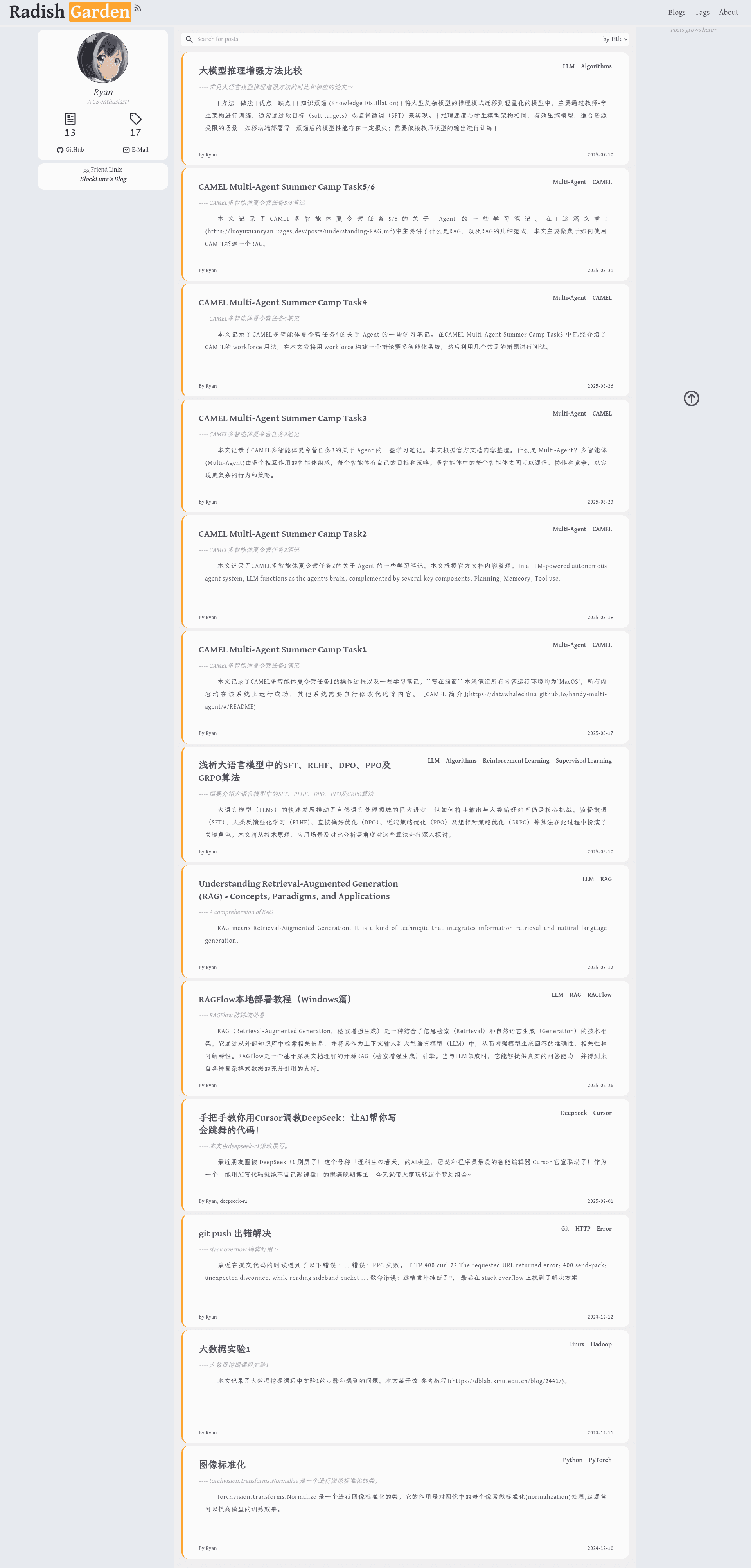
A simple Astro blog theme with Markdown support, dark mode, math rendering, RSS, and easy configuration for static deployment.
About this template
Radish Garden is an open-source personal blog theme built with Astro that turns Markdown files into a fast, static website for publishing computer science and technology articles.
What is Radish Garden?
Radish Garden is a simple Astro blog theme developed by Ryan (LuoYuXuanRyan) and released under the MIT license. It takes Markdown posts with YAML frontmatter as input and generates a fully static blog site, styled with TailwindCSS, with support for dark mode, math formulas, and RSS feeds. The repository is designed to be easy to configure, with site-wide settings centralized in a single config.ts file.
Key Features
- Astro static generation — The site compiles to static HTML, delivering fast page loads and flexible hosting options on any static provider.
- TailwindCSS responsive design — Utility-first CSS ensures the layout adapts cleanly to mobile, tablet, and desktop screens.
- Markdown content management — Blog posts are stored in
src/data/posts/as Markdown files, each with required frontmatter fields: title, publishDate, description, introText, author, tags, and slug. - Math formula rendering — Integrates remark-math and rehype-mathjax so posts can include LaTeX-style equations.
- Dark/light mode — A theme toggle lets readers switch between light and dark color schemes.
- RSS subscription — The theme automatically generates an RSS feed for readers who want to follow new posts.
- Motion animations — Uses the Motion library to add smooth transitions and interactive UI elements.
- Easy configuration — Edit
config.tsto set the website title, description, author info, and social media links without touching component code.
Who should use Radish Garden?
Radish Garden is a good fit for developers, researchers, and technical writers who want a minimalist blogging platform without the overhead of a database or CMS. It is especially useful for those who prefer writing in Markdown and want to publish a personal tech blog quickly. The built-in math support also appeals to people in math-heavy fields such as computer science, physics, and engineering.
What can you do with Radish Garden?
- Tech bloggers: Write and publish Markdown articles with tags, a custom slug, and an introduction text; the theme handles the rest of the rendering and list pages.
- Students and researchers: Include equations and formulas in your posts using the MathJax-powered math renderer.
- Indie developers: Clone the repo, adjust the config file, and deploy a personal blog to Cloudflare Pages in minutes.
How does Radish Garden work?
To get started, clone the repository and install dependencies with pnpm install. Use pnpm run dev for local development, add new posts to src/data/posts/, and the site will automatically generate pages for each post. For production, run pnpm run build to create a static build, then pnpm run preview to test it locally before deploying to Cloudflare Pages.
FAQ
Is Radish Garden free?
Radish Garden is open-source under the MIT license, so you are free to use, modify, and redistribute it for personal or commercial projects without paying a fee.
What is the tech stack?
The template uses Astro for site generation, React for UI components, TailwindCSS for styling, TypeScript for type safety, and Motion for animations. Blog content is written in Markdown.
Can I deploy Radish Garden to Cloudflare Pages?
Yes, the project includes deployment configuration for Cloudflare Pages, and the live demo is available at https://luoyuxuanryan.pages.dev.
What are the required frontmatter fields for a blog post?
Each Markdown post in src/data/posts/ must include title, publishDate, description, introText, author, tags, and slug. These fields are used to render the post page, generate lists, and create the RSS feed.
How do I customize the website settings?
Open config.ts in the root directory; you can change the site title, description, author details, and social media links there. No additional code changes are needed for basic customization.