Template details
Stablo – Minimal Blog Template
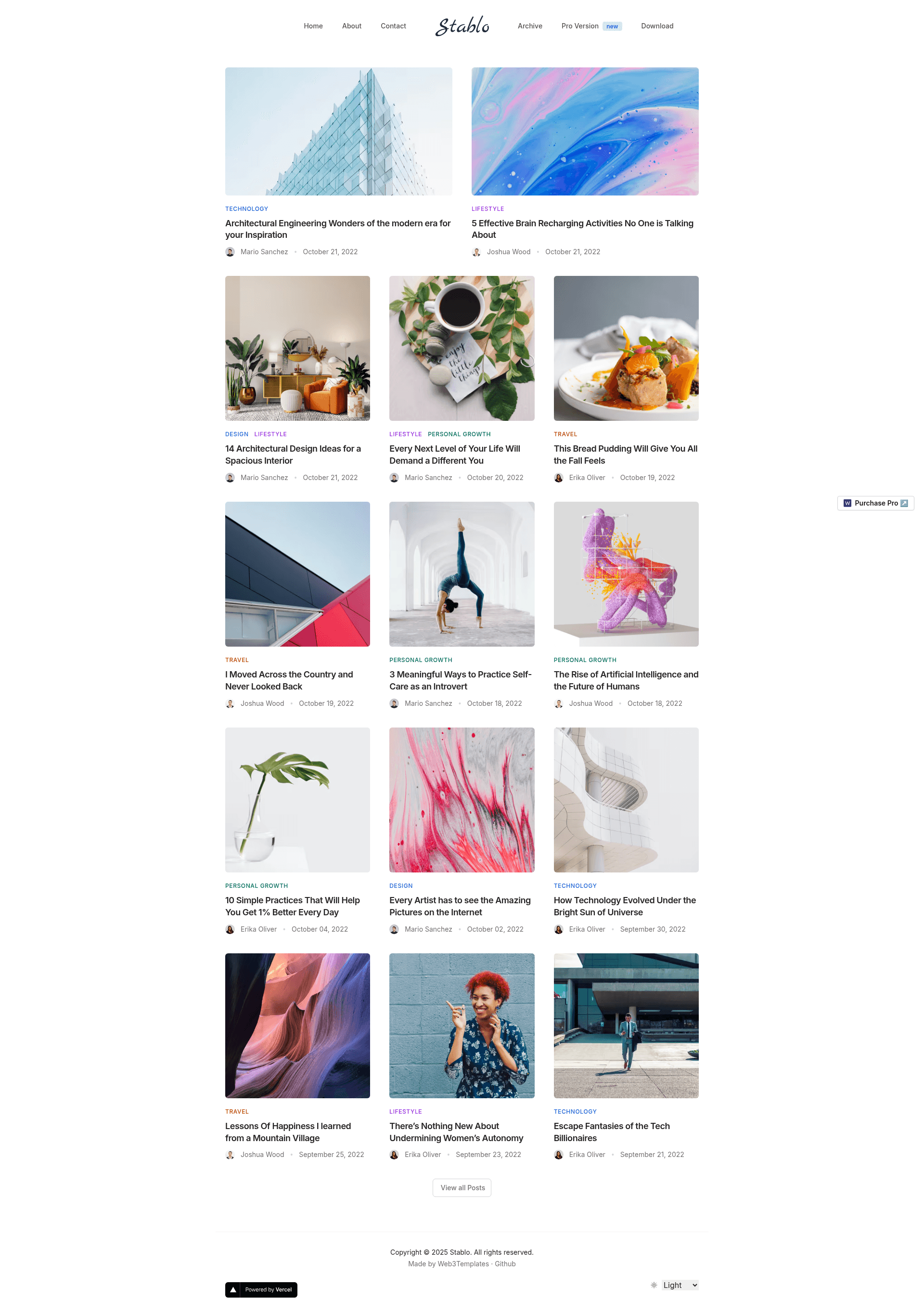
Stablo is a JAMStack Blog template built with Next.js, Tailwind CSS & Sanity CMS by Web3Templates. It comes with a free & pro version.
About this template
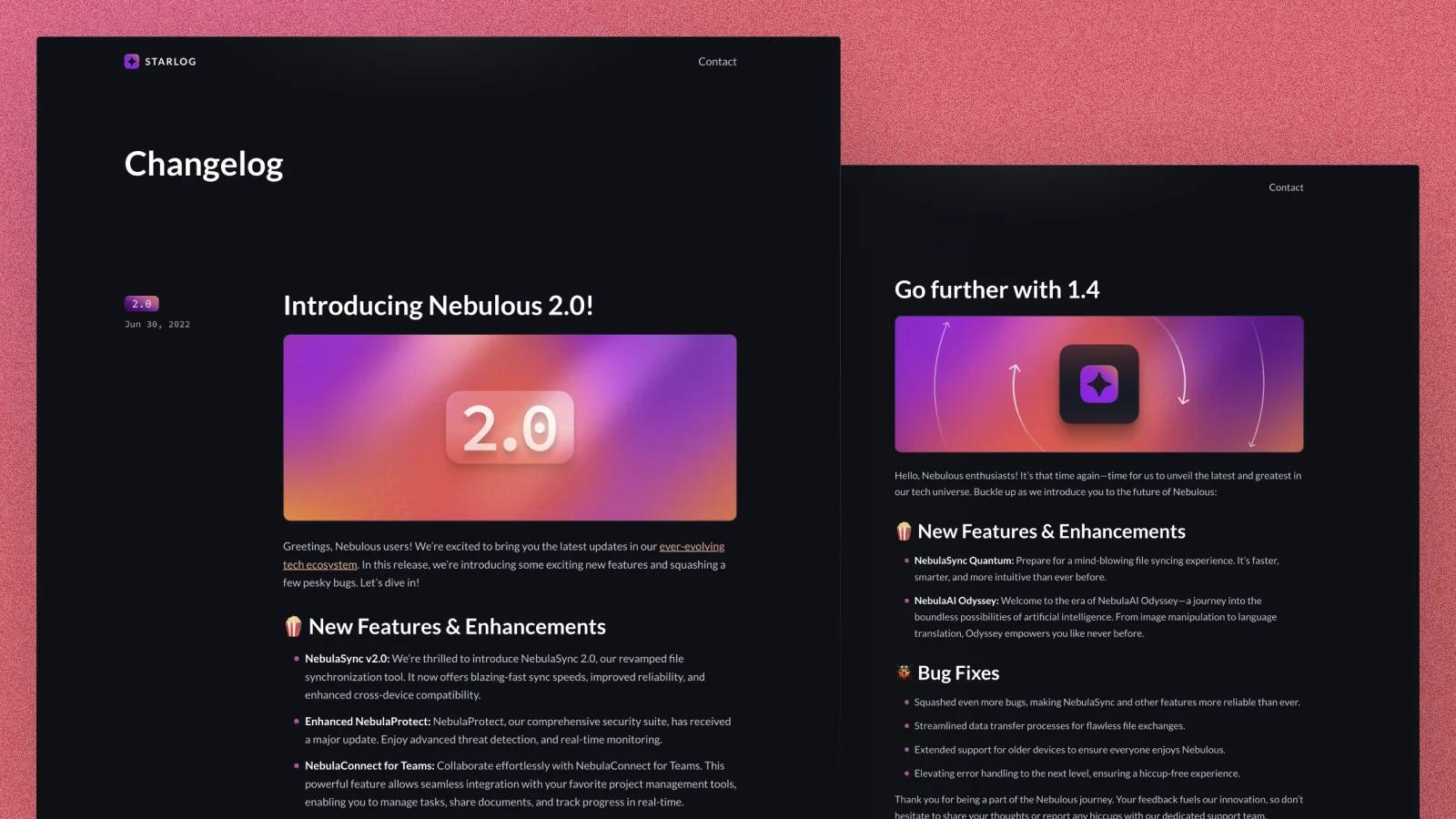
Stablo is a minimal blog website template built on Next.js 13, Tailwind CSS, and Sanity CMS by Web3Templates, and it produces a fully editable JAMStack blog frontend with a headless CMS backend.
What is Stablo?
Stablo is a JAMStack blog template that pairs a Next.js 13 frontend with the Sanity CMS v3 backend. It takes content written in Sanity Studio and renders it as a static or server-rendered blog with Tailwind CSS styling. The template is created and maintained by Web3Templates, and it ships in both a free open-source version (GPL-2.0) and a paid Pro version.
Key Features
The template's core feature list is split across free and Pro tiers, so the exact tools you get depend on which version you use.
- Next.js 13 with the /app directory — both versions run on the newer App Router structure, with server components and file-based routing already configured.
- Tailwind CSS — styling is done entirely with Tailwind utility classes, so you can alter spacing, colors, and typography without writing custom CSS files.
- Sanity CMS v3 integration — content is managed through Sanity Studio, which is mounted at the
/studioroute in the Next.js app; demo content is provided in aproduction.tar.gzfile for import. - Homepage layouts — the free version includes one default homepage, while Pro adds three more: Alternate, Minimal, Lifestyle, and Two Column.
- Blog post layouts — free includes the default single-post layout, while Pro adds Minimal, Lifestyle, and Sidebar post templates.
- Category, author, and search pages — these are Pro-only features; the free version does not generate separate category archives or author pages.
- On-demand revalidation — Pro supports instantly updating published content via Sanity webhooks, while free relies on time-based regeneration.
- Dark/light mode, contact page, and archive pagination — both versions include a working theme toggle, a functioning contact page, and paginated archives; the template is also mobile responsive.
Who is it for?
Stablo suits several types of users, from solo writers to development teams.
- Independent bloggers and writers who want a clean, article-focused website without building the frontend from scratch.
- Developers who work with Sanity CMS who want a reference implementation of Sanity v3 inside a Next.js 13 /app directory project.
- Agencies building client blogs that need a white-label foundation: the free version covers basic portfolio-style blogs, while Pro adds category, author, and search pages for larger content sites.
- Content teams that need instant updates — the Pro version's on-demand revalidation means an editor publishes in Sanity and the live site updates without a full rebuild.
What can you do with Stablo?
The template supports several concrete publishing workflows beyond just writing blog posts.
- Launch a production blog quickly: deploy the free version to Vercel in one click using the provided Deploy to Vercel button, which auto-creates a GitHub repo, a Sanity project, and a Vercel integration.
- Import demo content: run
npm run sanity-importwith the Sanity CLI to populate the site with the same sample posts and images shown in the live demo. - Customize the homepage style: on the Pro version, switch between Default, Alternate, Minimal, Lifestyle, and Two Column homepage layouts by adjusting template files.
- Create a multi-author news-style site: with Pro author pages, category archives, and a search page, you can structure a larger publication instead of a single-blog setup.
How does Stablo work?
The template's expected workflow is split into four steps. First, deploy to Vercel using the one-click button (or clone the repo and deploy to Netlify, Cloudflare Pages, or AWS Amplify). Second, clone the created repository locally, run npx vercel link and npx vercel env pull to fetch environment variables, and set your Sanity project ID via a .env.local file. Third, optionally import the bundled demo data with the sanity-import script, then run npm run dev to view the frontend at localhost:3000 and Sanity Studio at localhost:3000/studio. Fourth, push changes to trigger a redeploy in production.
Pricing
Stablo is distributed as freemium: the free version is GPL-2.0 licensed and free to use, while the Pro version costs $49 and carries a commercial license plus six months of support. The free tier offers time-based regeneration, while Pro includes on-demand revalidation.
FAQ
Is the Stablo template free to use?
The free version is fully free and released under the GPL-2.0 license. It includes the core Next.js, Tailwind, and Sanity integration, a default homepage, a default blog post layout, dark/light mode, a contact page, and archive pagination. For the extra layouts and SEO features, you need the paid Pro version.
What is the difference between the free and Pro versions?
The Pro version adds on-demand revalidation, category pages, author pages, search, four homepage layouts (instead of one), three additional blog post layouts, and six months of email support. The free version relies on time-based post updates and has a single homepage and post layout.
Does the template work with Sanity CMS?
Yes, Stablo is built specifically for Sanity CMS v3. Sanity Studio is embedded in the Next.js app at the /studio route, and the template includes a demo content import script that loads sample posts from a local tar.gz file.
Can I deploy it to a platform other than Vercel?
Yes, the README documents deployment to Netlify, Cloudflare Pages, or AWS Amplify, though the one-click Vercel deployment is the recommended path because it automatically creates the Sanity project and sets up the Vercel integration.