Template details
Sugoi
An ultra minimal, JavaScript-free Hugo theme built on Skeleton for personal blogs.
About this template
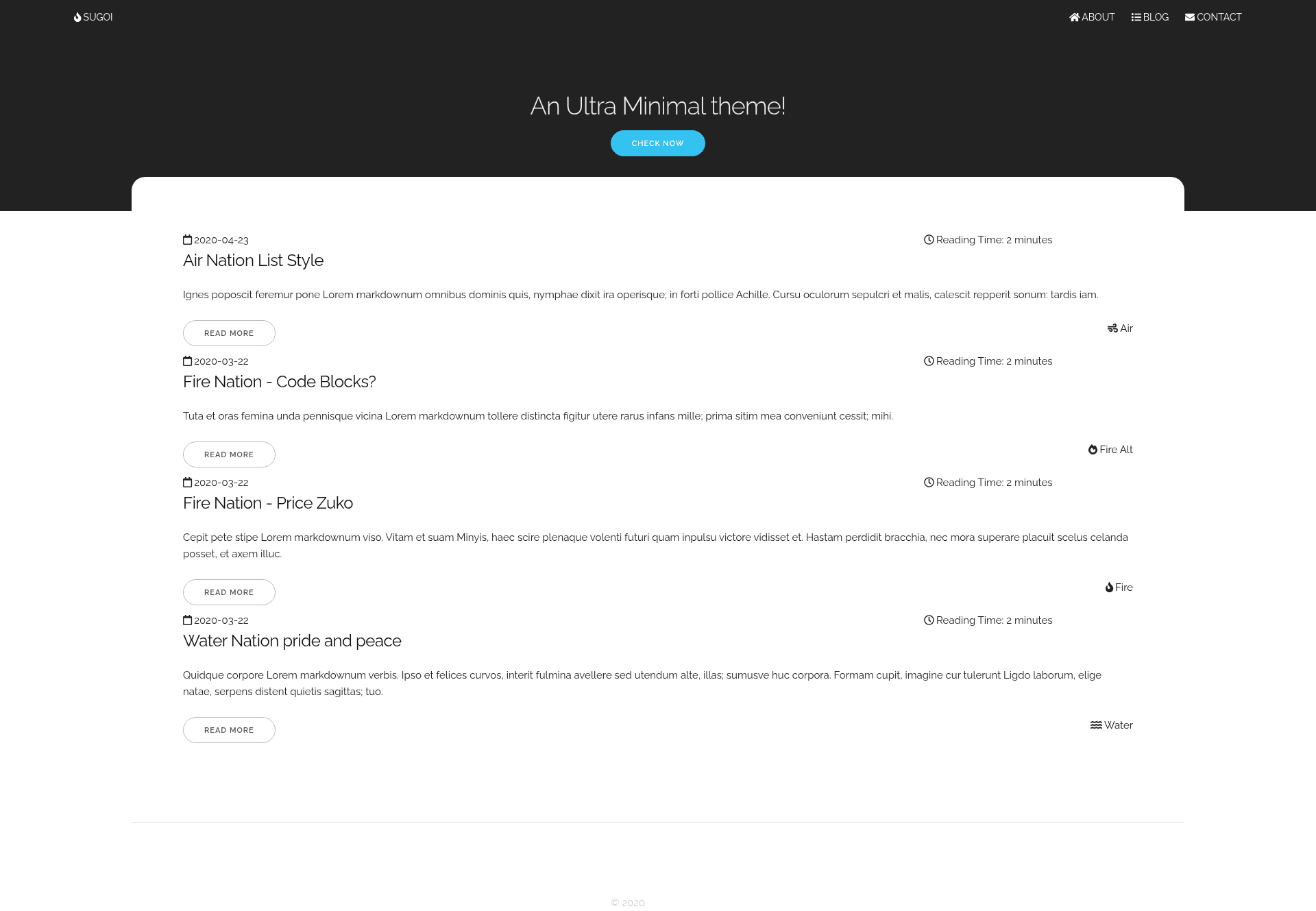
Sugoi is an ultra minimal, JavaScript-free Hugo theme built on the Skeleton CSS framework, designed for personal blogs and as a learning starting point for Hugo theme design. This theme renders a clean landing page with latest posts, single article pages, a contact page, and a 404 page from standard Hugo markdown content. It is distributed under the MIT license and maintained by aanupam23, with a live demo hosted at gosugoi.onrender.com.
What is Sugoi?
Sugoi is a bare-bones Hugo theme that pairs the Skeleton CSS boilerplate with Hugo templates to produce a lightweight, script-free website. It takes Hugo content files as input and outputs a fully static site featuring a blog index, individual posts, a contact page, and a custom 404 page. The theme intentionally contains no JavaScript, relying on CSS toggles for navigation, and includes a custom.css file for user modifications.
Key Features
- Skeleton-based styling — Built on the Skeleton CSS boilerplate, giving the theme a minimal, responsive grid system and typography.
- Zero JavaScript — The entire theme is script-free; the hamburger menu uses a CSS toggle, and no JS libraries are loaded by default.
- Custom.css for personalization — A dedicated custom.css file lets you override Skeleton's defaults with your own colors, fonts, and layout tweaks.
- Clean landing page with latest blog posts — The homepage automatically lists your most recent articles, giving visitors an instant content overview.
- Custom category icons — Each category can display a custom icon, helping readers visually identify post topics.
- Reading time on index and articles — Estimated read time appears both on the posts index and individual article pages, improving content scannability.
- Font Awesome integration — Font Awesome icons are used throughout, including for the menu and category icons.
- Hugo internal template support — Built-in support for Hugo's internal Google Analytics and Disqus templates, so you can add analytics and comments via config.
Who is it for?
- Personal bloggers — Writers who want a minimal, fast blog without JavaScript overhead, with an automatic latest-posts list and reading time displayed.
- Hugo learners — Developers studying theme creation; the README explicitly recommends using this theme to learn Hugo theme designing.
- Performance-focused site owners — Anyone who needs a simple, lightweight Hugo site that loads quickly and avoids client-side scripting.
What can you do with Sugoi?
- Launch a personal blog — Install the theme, write markdown posts, and generate a static blog with a landing page, category pages, and single-post views.
- Learn Hugo theme structure — Examine the theme's templates and custom.css to see how Skeleton and Hugo integrate; the source is minimal enough to follow.
- Add comments and analytics — Enable Disqus and Google Analytics through Hugo's internal templates with a few config settings.
How does Sugoi work?
To use Sugoi, navigate to your Hugo site directory and run git submodule add https://github.com/aanupam23/hugo-sugoi.git themes/hugo-sugoi. Then configure your site to use the hugo-sugoi theme. After adding markdown content, Hugo builds a static site where Sugoi's templates render the Skeleton-based pages with no JavaScript.
FAQ
Is Sugoi free to use?
Yes, Sugoi is open source under the MIT license, so you can freely use, modify, and distribute it for personal or commercial projects.
Does Sugoi work without JavaScript?
Yes, the theme is fully functional without JavaScript. The hamburger menu uses a CSS toggle, and all other interactive features rely on HTML and CSS.
What pages does Sugoi include?
The theme includes templates for a blog, single page, contact page, and 404 page, plus the landing page that shows the latest blog posts.
Can I add Google Analytics and Disqus to Sugoi?
Yes, Sugoi supports Hugo's internal templates for both services. Simply add the appropriate configuration values to your site's config file and the theme will render the required code.
How do I install Sugoi?
Install it as a git submodule in your Hugo site's themes directory with the command shown in the README, then set the theme in your site configuration.