Template details
Tram-Lite
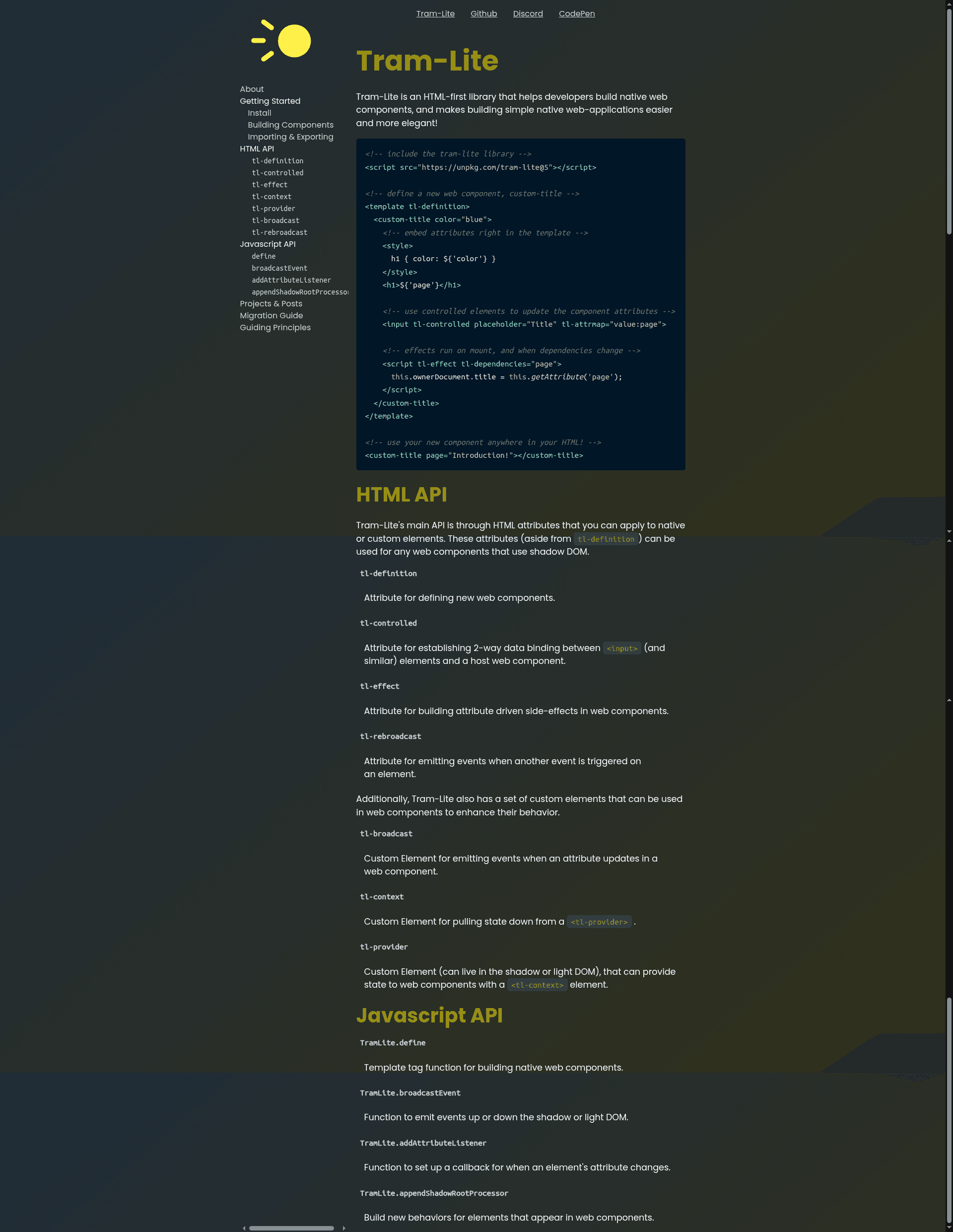
Tram-Lite is an HTML-first library for building native web-components and simple web-applications.
About this template
Tram-Lite is an HTML-first library from the Tram-One organization for building native web-components directly in HTML, without any JavaScript class definitions or build step. It is a runtime tool, not a website template, and it is distributed as a JavaScript library loaded via a script tag.
What is Tram-Lite?
Tram-Lite is an HTML-first library from the Tram-One organization for building native web-components directly in HTML, without any JavaScript class definitions or build step. It lets you define a custom element with a <template tl-definition> block, then use that element anywhere in your HTML. The library is loaded via a single script tag pointed to the unpkg CDN, such as <script src="https://unpkg.com/tram-lite@5"></script>. It produces standard native custom elements that work in any browser supporting the web-components specification. Note: the Tram-One org has announced that this project is no longer under active development, and recommends their Tram-Deco project for continued web-development work.
Key Features
- HTML-first authoring — Define components entirely in HTML using the
tl-definitionattribute on a<template>element; no JavaScript class needed. - Attribute interpolation — Embed component attributes in templates using the
`${'attributeName'}`syntax, e.g.${'color'}sets theh1color, and${'page'}sets the heading text. - Controlled elements — Add the
tl-controlledattribute to form elements; combined withtl-attrmap(e.g.value:page), the input's value updates the component attribute. - Effects with dependencies — Use
<script tl-effect tl-dependencies="page">to run JavaScript when the component mounts and whenever the listed attributes change; the example uses this to setdocument.title. - Tiny footprint — The minified library measures 2.2kB gzipped per its badge.
- Simple setup — Installation is a single
<script>tag; development uses standard npm commands:npm ci,npm run start,npm run build,npm run docs, andnpm test(Cypress).
Who is it for?
- Developers who want to avoid a build step — Use Tram-Lite to prototype and ship simple web applications where plain HTML is preferred over a JavaScript framework.
- Web-component learners — The declarative syntax demonstrates how custom elements, shadow DOM, and attribute observation can be expressed in templates.
- Tram-One ecosystem users — Those familiar with the Tram-One project can use Tram-Lite for lightweight components, though the org now steers new work toward Tram-Deco.
What can you do with Tram-Lite?
- Build custom UI components — Define a component like
<custom-title color="blue" page="Introduction!"></custom-title>and reuse it across pages. - Create two-way bindings without JavaScript — Use
tl-controlledandtl-attrmapso an input field edits a component's attribute, which then updates the DOM. - React to attribute changes — Write
tl-effectscripts that fire on mount and when dependencies change, e.g. to keep the browser tab title in sync with thepageattribute.
How does Tram-Lite work?
- Include the library via a script tag from unpkg.
- Define a component using a
<template tl-definition>block. Inside, write the component's HTML, styles, controlled inputs, and effect scripts. - Use the new custom element anywhere in your HTML. Tram-Lite registers it as a native web component.
FAQ
Is Tram-Lite still maintained?
The Tram-One org states in the repository that this specific project is no longer under active development. They recommend checking out their other project, Tram-Deco, for web development needs.
How do I install Tram-Lite?
Add a script tag to your HTML: <script src="https://unpkg.com/tram-lite@5"></script>. That's it — the library is distributed via npm and available on the unpkg CDN.
Does Tram-Lite require a build step?
No. Tram-Lite is HTML-first and works directly in the browser. You only need to include the script tag and then define templates with tl-definition.
What is the library size?
The minified library is 2.2kB gzipped, as shown by its badge.