Template details
urFolio
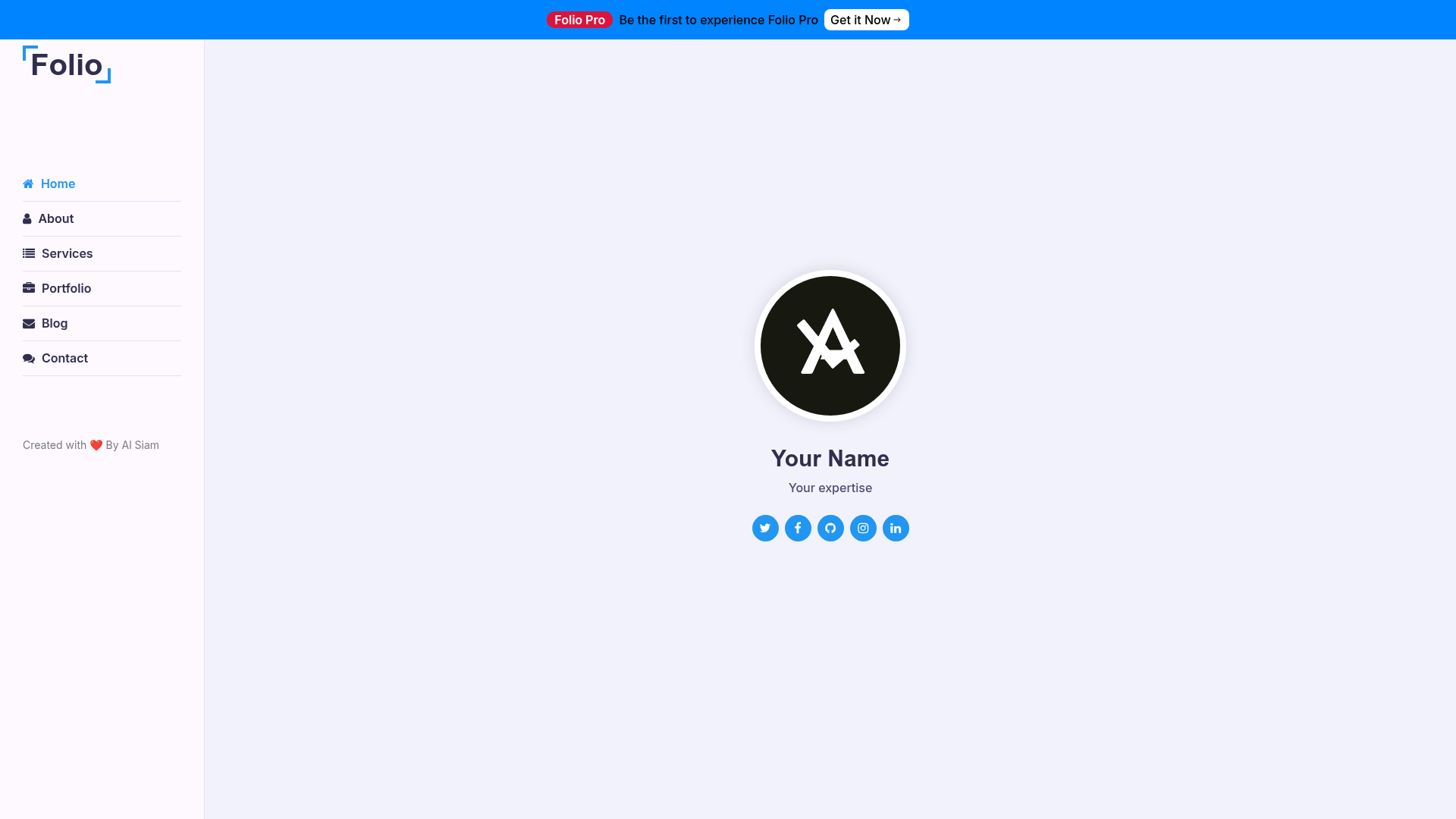
urFolio is a free, open-source Next.js portfolio template for developers with sections for projects, skills, and contact.
About this template
urFolio is a free and open-source portfolio template for developers, built on Next.js, that creates a personal website with sections for projects, skills, and contact information.
What is urFolio?
urFolio is a free, MIT-licensed portfolio template for developers, powered by Next.js and React. It takes your personal information, project descriptions, and skill lists as input and produces a responsive, developer-friendly personal website that can be deployed to a hosting service like Vercel. The template is maintained on GitHub in the alsiam/urFolio repository and currently has a public demo at urfolio.vercel.app. According to the README, the template was migrated to Next.js to improve performance and maintainability.
Key Features
- Next.js framework — Built with the Next.js React framework, which supports server-side rendering and static site generation for fast page loads.
- Clean, modern, responsive design — The layout automatically adapts to mobile, tablet, and desktop viewports.
- Projects, skills, and contact sections — The template includes these three content sections, so you can showcase your work, list your technical skills, and provide a way for visitors to reach you.
- Simplified customization — Modify colors and fonts in styles/globals.css, and replace placeholder images in the public/img directory with your own.
- Straightforward content editing — Personal details, projects, and skills are edited in the src/pages/index.js file, which follows Next.js page conventions.
- Quick local setup — After cloning, you can install dependencies with npm install and start the development server with npm run dev, then open http://localhost:3000.
- Free and open source — Licensed under the MIT License, allowing you to copy, fork, and use the template for personal or commercial purposes.
- Live demo hosted on Vercel — You can preview the template at urfolio.vercel.app before attempting your own deployment.
Who is it for?
- Software developers — Use urFolio to build a personal portfolio that highlights your projects, skills, and contact details without writing a website from scratch.
- Tech job seekers — Create a polished online presence for recruiters, using the responsive layout to present work on any device.
- Students and junior developers — Quickly launch a personal site for internships, graduate applications, or first job searches, and deploy it for free on a platform like Vercel.
- Open-source contributors — Fork the MIT-licensed repository, adapt it to your own needs, and use it as a starting point for a developer portfolio.
What can you do with urFolio?
- Developers: Replace the placeholder content in src/pages/index.js with your own name, bio, and project list to publish a personal website.
- Freelancers: Customize the color scheme and fonts in styles/globals.css to match your brand, then add your service offerings to the contact section.
- Students: Deploy the template to Vercel directly from the GitHub repository and use the resulting URL on resumes and college applications.
How does urFolio work?
The setup process is described directly in the README. First, clone the repository with git. Second, navigate into the folder and run npm install to install dependencies. Third, execute npm run dev to start the development server, and open http://localhost:3000 to see the site. From there you edit the source files to replace placeholders with your content.
Pricing
urFolio is completely free to use. It is released under the MIT License, so there are no license fees, subscriptions, or paid tiers. The project is open source, meaning you are free to copy, modify, and use it as you like.
FAQ
Is urFolio free to use?
Yes, urFolio is free and open source under the MIT License. You can use it for personal or commercial projects without paying anything, and you can modify the code to fit your needs.
How do I install urFolio locally?
Clone the repository, run npm install to install dependencies, then run npm run dev. Open http://localhost:3000 to view the portfolio in development mode. You need Node.js and npm installed on your system.
What can I customize in urFolio?
You can edit the content in src/pages/index.js for your personal information, projects, and skills. Colors and fonts are controlled in styles/globals.css, and images live in the public/img directory. The template is designed for easy customization.
Does urFolio include a blog section?
No, the template currently includes sections for projects, skills, and contact information. It does not come with a blog, but you can extend the code to add one because it is an open-source Next.js project.