Template details
Vercel Flags SDK Example
A Next.js example for controlling e-commerce UI variants with Vercel Flags, the Flags SDK, and the Flags Explorer.
About this template
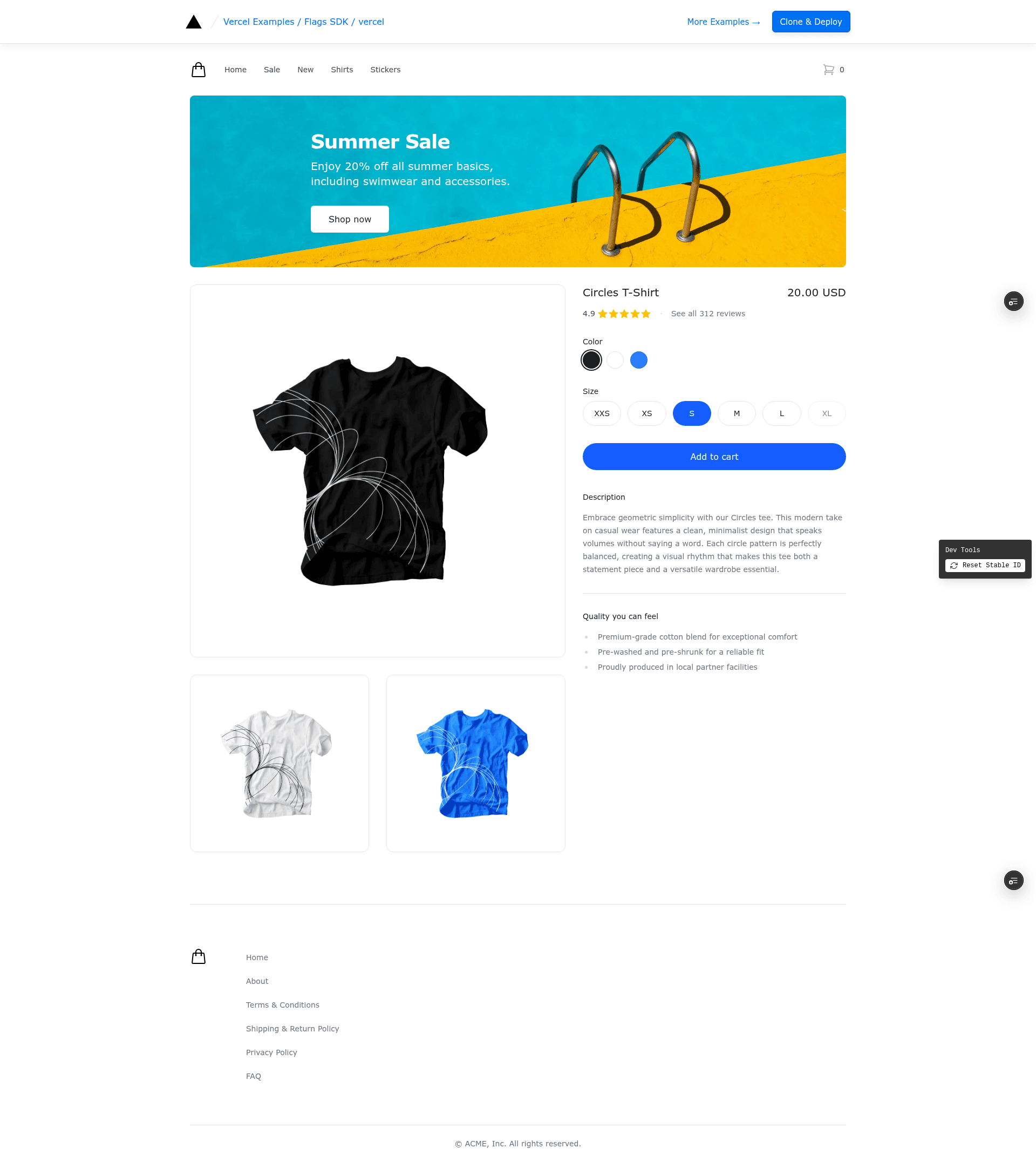
Vercel Flags SDK Example is a Next.js demo template from the vercel/examples repository that shows how to use Vercel Flags, the Flags SDK, the @flags-sdk/vercel adapter, and the Flags Explorer to control page content with feature flags. The demo renders an e-commerce-style page where banner visibility and a checkout button color change based on flag values managed in the Vercel Dashboard.
What is the Vercel Flags SDK Example?
This template is a working reference implementation for adding Vercel Flags to a Next.js application. It accepts feature flag definitions created in the Vercel Dashboard — two boolean flags (summer-sale and free-delivery) and one string flag (proceed-to-checkout-color with values blue, green, red) — and uses them to adjust what is rendered on the page. The project lives in the official Vercel examples collection and can be deployed immediately through a one-click Vercel button.
Key Features
- One-click deployment — The Vercel deploy button clones the repository to GitHub, creates a new Vercel project, and deploys it immediately, even before flags are configured.
- Predefined feature flags — The flags.ts file defines summer-sale, free-delivery, and proceed-to-checkout-color, with the string flag accepting blue, green, or red values.
- Flags Explorer integration — After linking the project with
vercel link, the Flags Explorer lets you enable or disable features locally and test overrides securely. - Setup fallback page — When FLAGS or FLAGS_SECRET environment variables are missing, requests are rewritten to a /setup page listing the required flag keys and configuration checklist.
- Local development workflow — Uses
vercel link,vercel env pull, and FLAGS_SECRET in .env.local to support precompute and secure Flags Explorer overrides. - Part of official examples — Maintained in the Vercel examples repository (nextjs topics, 5,100+ stars), so it follows Vercel's recommended patterns.
Who is it for?
- Next.js developers looking for a minimal, idiomatic example of integrating Vercel Flags with the Flags SDK.
- E-commerce and marketing teams that want to toggle promotional banners or change checkout button colors without redeploying code.
- Frontend platform engineers evaluating feature flag tools on Vercel and how Flags Explorer works for local testing.
What can you do with the Vercel Flags SDK Example?
- Toggle banners: Turn the summer-sale and free-delivery banners on or off using boolean flags.
- Change checkout styling: Switch the checkout button between blue, green, and red with the proceed-to-checkout-color string flag.
- Test flag overrides safely: Use Flags Explorer after linking the project to simulate different flag states without affecting production traffic.
How does it work?
After deploying and creating the feature flags in the Vercel Dashboard, you pull environment variables with vercel env pull, install dependencies with pnpm install, and start the development server with pnpm dev. The app then reads flag values through the Flags SDK and adjusts rendered content accordingly.
FAQ
What feature flags does this example define?
The example defines three feature flags in flags.ts: summer-sale and free-delivery as boolean flags, and proceed-to-checkout-color as a string flag with values blue, green, or red. These exact keys must be created in the Vercel Dashboard.
What happens if I deploy without configuring flags?
If the FLAGS or FLAGS_SECRET environment variables are missing, requests are rewritten to a /setup page. That page shows a checklist and the required flag keys, so the app tells you exactly what to configure.
How do I use the Flags Explorer with this template?
Deploy the template, link the project locally with vercel link, and pull environment variables with vercel env pull. Then set FLAGS_SECRET in .env.local to enable precompute and secure overrides in the Flags Explorer.
Does local development require the project to be linked?
Yes. The instructions state that local development requires linking with vercel link, pulling environment variables with vercel env pull, and setting FLAGS_SECRET in .env.local for precompute and secure Flags Explorer overrides.