Template details
Void
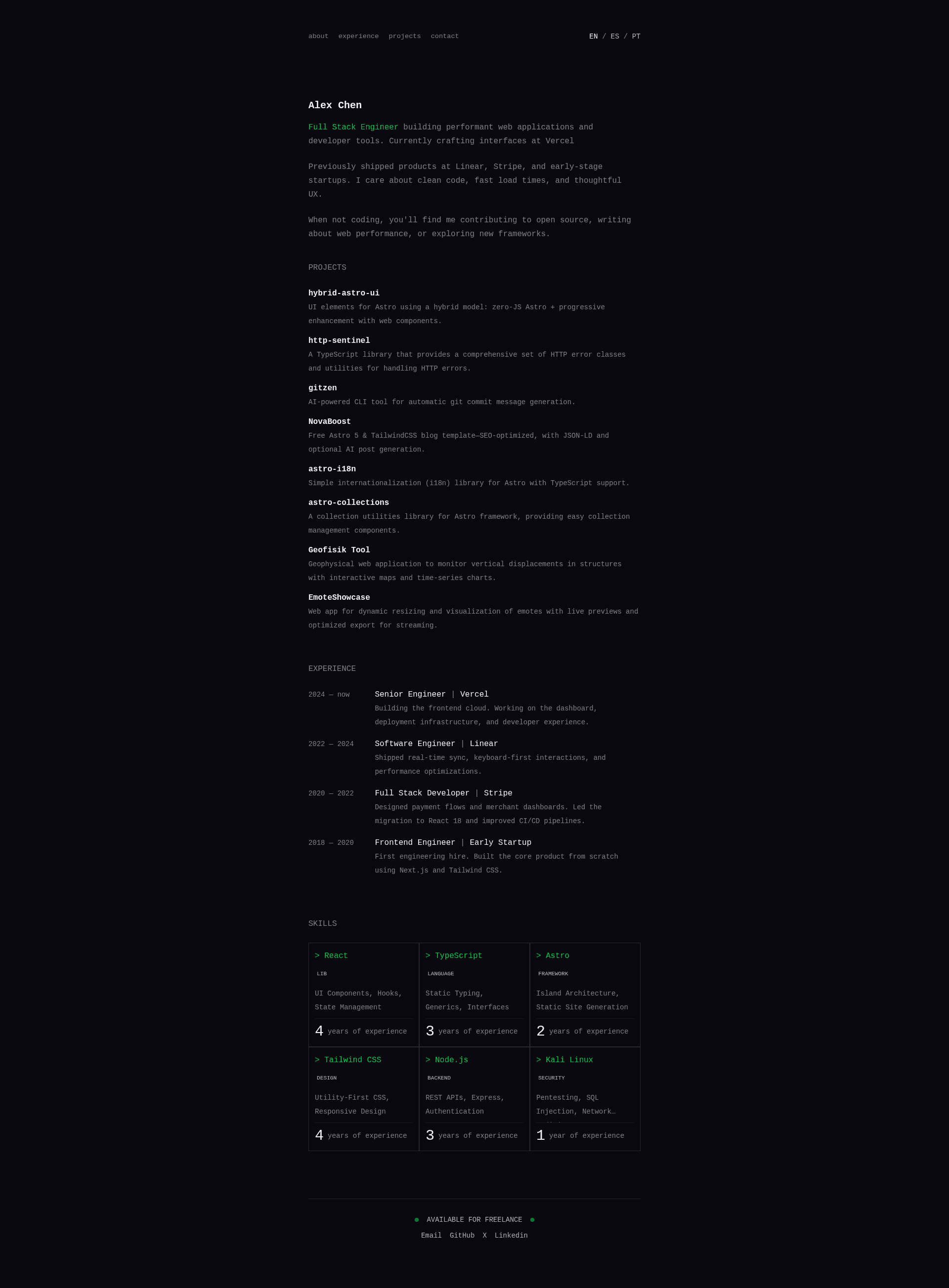
A minimalist, multilingual portfolio template built with Astro and TailwindCSS, featuring zero-JS output and built-in i18n for 3 languages.
About this template
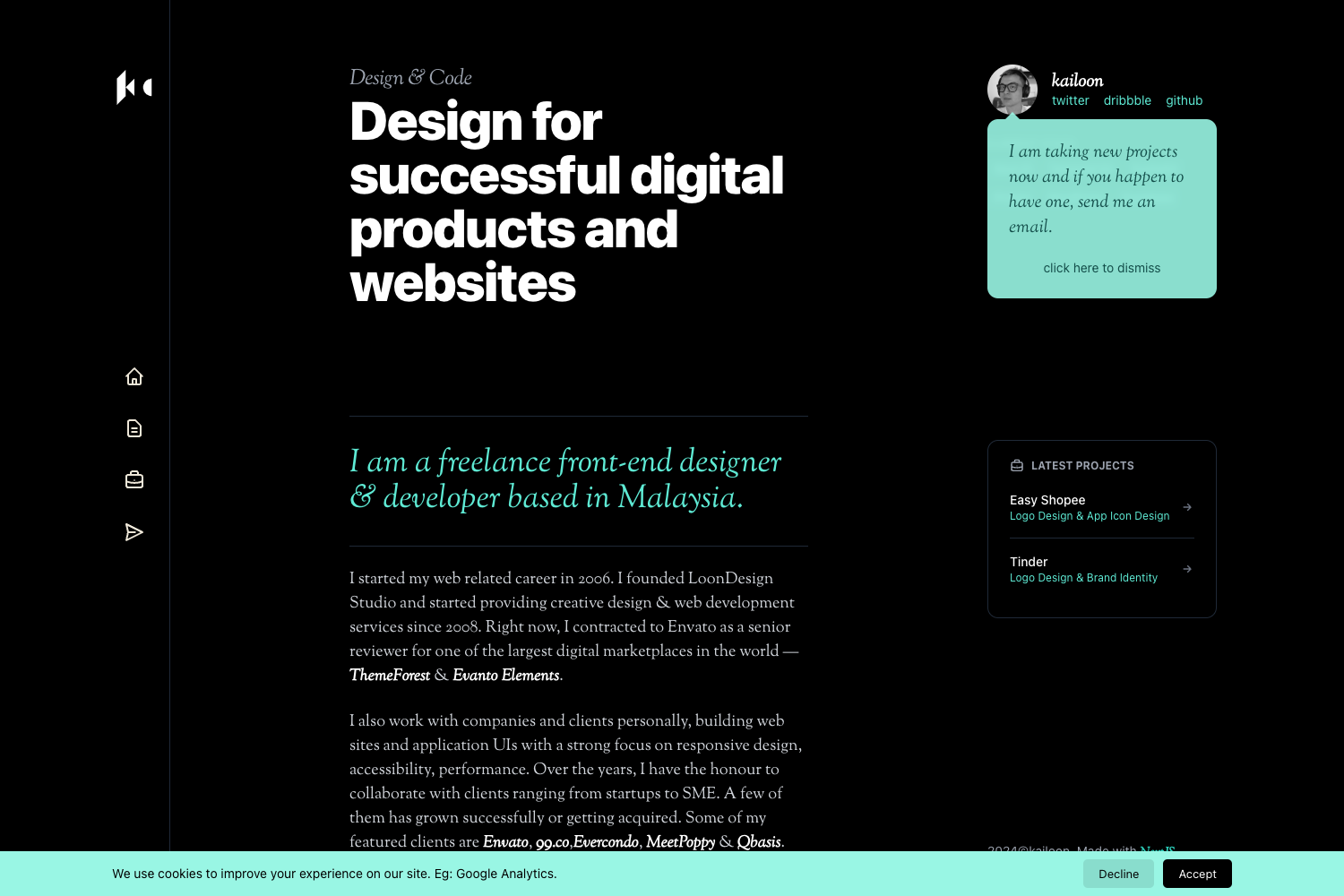
Void is a minimalist, multilingual portfolio template for developers, built with Astro 5 and TailwindCSS 4, that generates a static, SEO-optimized personal site with zero client-side JavaScript by default.
What is Void?
Void is a portfolio template that runs on Astro's static site generator and uses TailwindCSS 4 for styling. It takes content from JSON translation files in /i18n/ and outputs a fully localized static portfolio site with routes for each supported locale. The template is published under the MIT license and is maintained via the GitHub repository JorgeRosbel/void. It comes with three pre-configured locales — English, Spanish, and Portuguese — and uses the @ariaskit/astro-i18n library for routing and translations.
Key Features
- Multilingual support — Built-in i18n for English, Spanish, and Portuguese, with JSON translation files covering navigation, hero, projects, experience, and contact sections.
- Astro 5 static generation — Produces HTML-only output with no JavaScript in the browser, leading to fast page loads.
- TailwindCSS 4 styling — Utility-first CSS framework with a dark theme, customizable through component classes and global styles.
- Responsive mobile-first design — The layout adapts to phones, tablets, and desktops out of the box.
- SEO optimizations — Includes sitemap generation and meta tags for search engines.
- TypeScript safety — The entire codebase is typed with TypeScript for maintainability.
- Lucide icons — A lightweight, consistent icon set is integrated into the UI.
- Static host deployment — Output works with Vercel, Netlify, GitHub Pages, and Cloudflare Pages.
Who is it for?
Void is aimed at developers and technical professionals who want a fast portfolio without managing a CMS or a client-side JavaScript framework. Freelancers can set up a trilingual portfolio that presents projects and work experience. Open-source contributors and students can clone the repository and adapt the content through translation files. Design-conscious developers who prefer dark-mode and minimal aesthetics will find the Linear/Gemini-inspired look suitable.
Use cases
- Developer portfolios: Publish a bilingual or trilingual portfolio with project descriptions, work experience, and contact links by editing the JSON files in
/i18n/. - Personal branding: Customize the hero, navigation, projects, and experience sections to create a landing page without writing HTML or JavaScript.
- Astro learning: Study a working example of Astro 5, TypeScript, dynamic routes, and the
@ariaskit/astro-i18nlibrary.
How does it work?
Void uses a dynamic [lang] route in src/pages/ so each locale gets its own URL. To add a language, create a new JSON file in /i18n/ that mirrors en.json, register the locale in getStaticPaths, and rebuild the site. All content for navigation, hero, projects, experience, and contact is read from these JSON files and rendered by Astro components.
Pros and cons
- Pros: Zero JavaScript by default means fast first load; three locales are included; MIT license allows commercial use; content is edited in simple JSON files.
- Cons: Only three languages are pre-configured; adding a locale requires manual steps; no CMS or backend is integrated; the section set is limited to hero, projects, experience, and contact.
FAQ
Is Void free?
Yes, Void is released under the MIT license, so you can use it for personal or commercial projects without cost.
What languages does Void support initially?
English, Spanish, and Portuguese are pre-configured. You can add more by creating a new JSON translation file and registering the locale in getStaticPaths.
Does Void require JavaScript to display?
No, the template is built for zero JavaScript by default. All rendering happens on the server at build time with Astro.
Can I customize the styling?
Yes, Void uses TailwindCSS 4. You can override colors and styles in the component classes and global stylesheet.
What deployment platforms does Void support?
The static output works with any static host, including Vercel, Netlify, GitHub Pages, and Cloudflare Pages.