Template details
wagtail-resume
A Wagtail project made to simplify creation of resumes for developers.
About this template
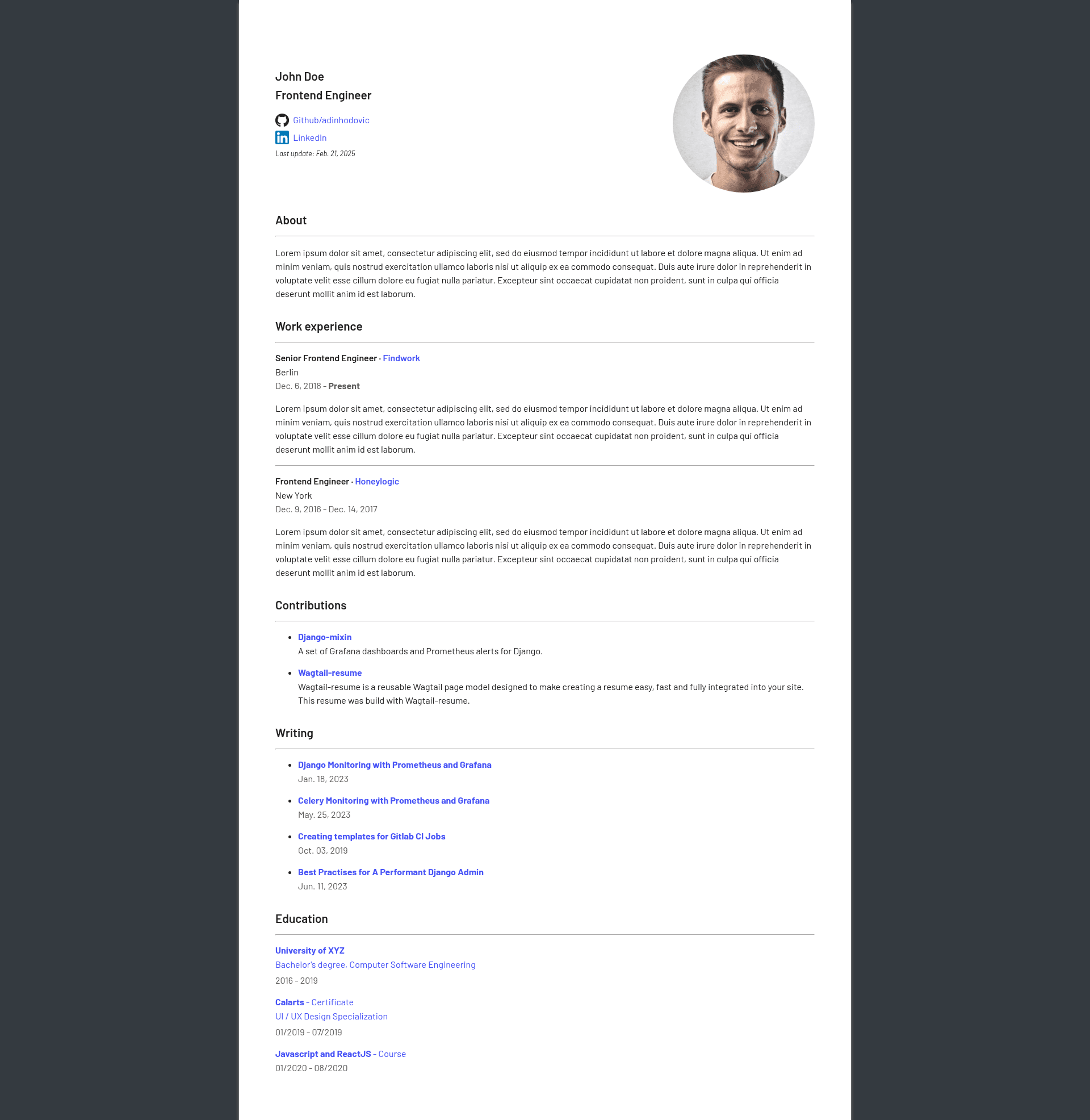
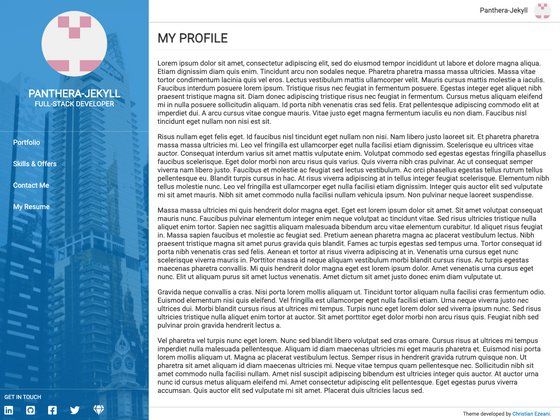
Wagtail-resume is a free, open-source Wagtail CMS page model that turns the Wagtail admin into a resume builder for developers, outputting a responsive HTML resume page with optional PDF export via Weasyprint.
What is wagtail-resume?
wagtail-resume is a reusable Django app built on the Wagtail CMS. It provides a BaseResumePage model that you extend with your own page model, then manage all resume content from the Wagtail admin interface. The app collects structured data — role, profile picture, social links, about text, work experience, contributions, writing entries, and education — and renders it as a search-engine-optimized HTML page. It also exposes a route that uses Weasyprint to generate a PDF from the same HTML, so you can share a URL or a file. The project is maintained by Adin Hodovic on GitHub and published on PyPI.
Key Features
- Wagtail admin management — create and edit your entire resume using Wagtail's built-in content editing interface, with no HTML or CSS required.
- SEO meta tags — uses the wagtail-metadata dependency to populate HTML meta description and Open Graph tags for better visibility in search engines.
- Flexible section creation — build unlimited sections for projects, blog posts, and other content, and reference internal Wagtail pages as 'writing' items.
- Customizable styling — four supported customizations: section headings, Fontawesome icons, Google Font font style, and background color (hex or CSS named colors).
- Built-in PDF generation — a Weasyprint button on the page produces a PDF version, with visibility configurable as public, authenticated users only, or disabled.
- Responsive design — the output is optimized for mobile and tablet screen sizes.
- No PDF sending — because the resume is HTML-based, you share a link instead of attaching files.
- Tech stack — built with Django and Wagtail, using wagtail-markdown for rich text and Weasyprint for PDF rendering.
Who is it for?
Developers who want an easily maintainable online resume without building a site from scratch in Wagtail. Wagtail developers seeking a ready-made page model they can extend with their own fields. Anyone who prefers sharing a resume as a URL rather than a PDF. Open-source contributors who want a self-hosted alternative to SaaS resume builders.
What can you do with wagtail-resume?
- Developer resumes: create a professional resume site with work experience, open-source contributions, and education, all editable from the Wagtail admin.
- PDF exports: generate a PDF version of the resume on demand with the Weasyprint button, or hide the button entirely if you prefer HTML-only.
- Portfolio integration: use the 'writing' section to link to blog posts and external articles, turning the resume into a mini-portfolio.
- Custom branding: adjust fonts, icons, and background color to match your personal brand.
How does wagtail-resume work?
Install the package with pip, add 'wagtailmetadata', 'wagtailmarkdown', and 'wagtail_resume' to your Django INSTALLED_APPS, then include 'wagtail_resume.urls'. Run migrations, create a page model that subclasses BaseResumePage, and execute makemigrations/migrate. Finally, configure your site's host and port in Wagtail settings so Weasyprint can build absolute URLs for the PDF.
Pros and cons
- Pros: free, open source; SEO-friendly; generates PDF from HTML; responsive; integrates with other Wagtail pages.
- Cons: requires a Wagtail project and Django knowledge to set up; customization is limited to four styling options; fonts must come from Google Fonts.
Pricing
Free.
FAQ
Is wagtail-resume free?
Yes, wagtail-resume is free and open source. The package is published on PyPI and can be installed with pip install wagtail-resume without any cost.
What do I need to run wagtail-resume?
You need a Django project with Wagtail CMS installed. The app depends on wagtail-metadata, wagtail-markdown, and Weasyprint, which are added to INSTALLED_APPS during setup.
Can I customize the design?
Yes, wagtail-resume supports four customization options: section heading, Fontawesome icon, Google Font style, and background color. You can also show, restrict, or disable the PDF button.
How do I generate a PDF?
Once the site's host and port are configured in Wagtail settings, the resume page includes a Weasyprint button that generates a PDF from the HTML version of the resume.
Is the resume mobile-friendly?
Yes, the output is responsive and designed to work on mobile, tablet, and desktop screen sizes.