Template details
panthera-jekyll
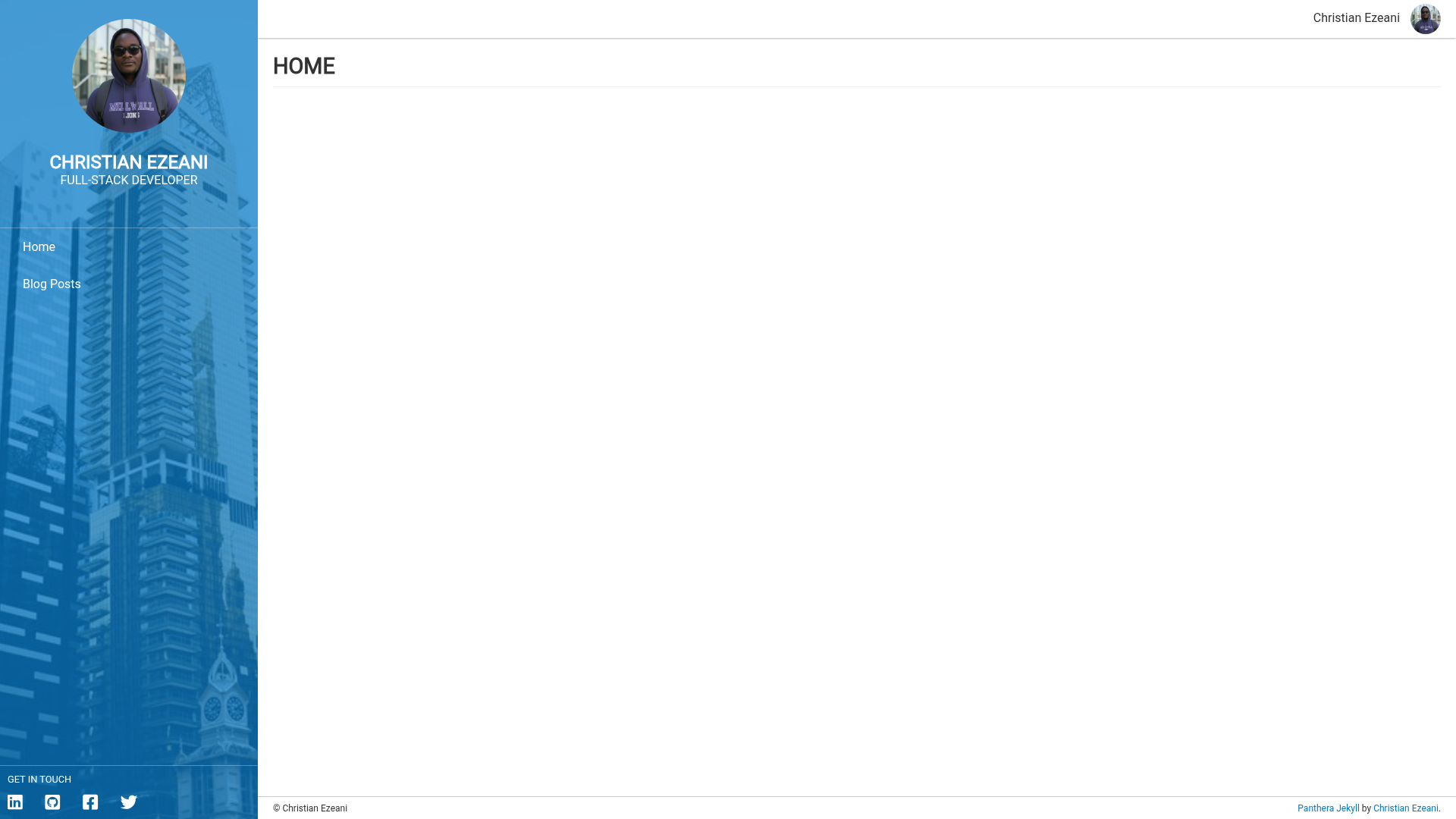
A quick and simple responsive developer portfolio theme for Jekyll sites and GitHub Pages.
About this template
panthera-jekyll is a responsive Jekyll theme for developer portfolios, designed to run on GitHub Pages and any Jekyll site, and installed either as a gem or as a remote theme.
What is panthera-jekyll?
panthera-jekyll is a Jekyll theme that turns a standard Jekyll site into a developer portfolio. It accepts site configuration and blog posts as inputs and outputs a responsive page with a customizable left-side panel, menus, social links, and a blog index. The theme is maintained by Christian Ezeani and distributed through RubyGems under the MIT License. A live preview is hosted at demothemes.github.io/panthera-jekyll.
Key Features
- GitHub Pages and Jekyll support — Install either by adding the
panthera-jekyllgem to the Gemfile and settingtheme: panthera-jekyll, or by usingremote_theme: christianezeani/panthera-jekyllin_config.ymlfor GitHub Pages. - Customizable left side — Set
left_sidevariables in_config.ymlto control background image, background color, close button color, and text color; the theme automatically maintains text readability over images. - Menu configuration — Define menu items with
menuin_config.yml, each entry specifying text, link, and icon class. - Social icons — Add social links via
social_iconswith name, link, and FontAwesome icon class; FontAwesome 5.9.0 is bundled. - Footer copyright — Customize the footer by setting
footer.copyright_textin_config.yml. - Blog posts — Standard Jekyll posts in
_postswith front matter (title, date, optional description, image, tags) are supported; a posts index can be displayed by including the theme's posts index include. - Custom stylesheet — Override or extend styles by creating
/assets/css/style.scssthat imports the theme with@import "panthera-jekyll"; Sass variables can be changed before the import line.
Who is it for?
- Developers who need a clean portfolio page on GitHub Pages without building from scratch.
- Jekyll users who want a theme that is configured entirely through
_config.ymlrather than editing layouts. - Freelancers and job seekers who want to present projects, skills, and a blog with minimal setup.
What can you do with panthera-jekyll?
- Create a personal portfolio: Add your title, subtitle, description, and social links to
_config.yml, and the theme renders a professional left-panel layout. - Publish a blog: Write posts in Markdown inside
_posts, then create a page that hosts the theme's post index; optional image and tags appear in each post. - Customize the look: Change background images, colors, and text colors for the left panel, and add custom CSS or Sass in
/assets/css/style.scsswithout touching theme files.
How does panthera-jekyll work?
Once installed, panthera-jekyll reads your site's _config.yml and content files. Configuration variables control the left panel, menu, social icons, and footer. Blog posts follow Jekyll's standard filename and front matter conventions. For GitHub Pages, simply set remote_theme in _config.yml; no build steps are required beyond committing files.
Pricing
panthera-jekyll is free to use under the MIT License, with source available on GitHub.
FAQ
Is panthera-jekyll free?
Yes, panthera-jekyll is open source and released under the MIT License, so you can use, modify, and distribute it for personal or commercial projects without charge.
How do I install panthera-jekyll on GitHub Pages?
Add remote_theme: christianezeani/panthera-jekyll to your site's _config.yml. GitHub Pages automatically fetches the theme; no Gemfile is needed for remote themes.
Can I add my own social links?
Yes, edit the social_icons list in _config.yml. Each entry needs a name, link, and FontAwesome icon class, for example fab fa-github-square.
Does panthera-jekyll support blog posts?
Yes. Place Markdown files in _posts with filenames like 2020-07-10-new-years-eve-is-awesome.md. Add optional front matter for date, description, image, and tags. To list posts, create a page that includes the theme's posts index include.
How do I change the background of the left panel?
In _config.yml, set the left_side variables: background_image, background_color, close_button_color, and text_color. The theme applies these settings automatically.