Template details
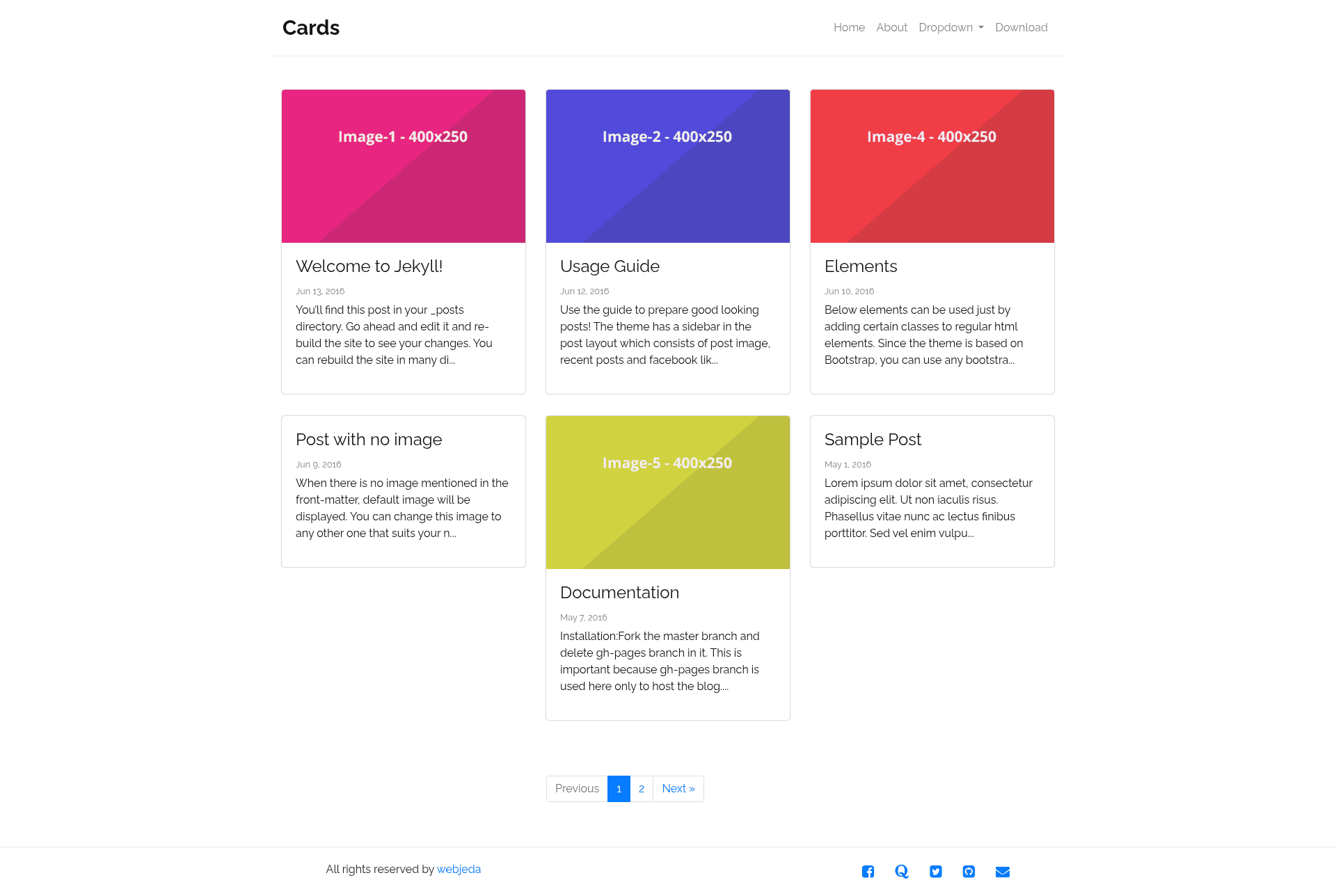
Webjeda Cards
A minimal Bootstrap-based Jekyll theme for card-style sites on GitHub Pages.
About this template
Webjeda Cards is a minimal, Bootstrap-based Jekyll theme for publishing a card-style website directly on GitHub Pages, distributed through jekyll-themes.com.
What is Webjeda Cards?
Webjeda Cards is a Jekyll theme that converts Markdown or HTML content into a static card-layout website styled with the Bootstrap front-end framework. As a Jekyll theme, it accepts source files such as Markdown posts, pages, and a _config.yml configuration, and outputs a plain HTML site suitable for any static host. It was created by Webjeda, and the live demo is available at http://webjeda.com/cards. The GitHub repository is described as "a bootstrap based minimal jekyll theme" and carries the topics bootstrap-theme, github-pages, jekyll-template, jekyll-theme, and jekyll-themes; it has earned 101 stars.
Key Features
- Bootstrap-based styling — The theme integrates Bootstrap, which provides a responsive grid, reusable components, and consistent cross-browser styling out of the box.
- Minimal design — The maintainer labels it "minimal," meaning the default layout omits heavy decoration and keeps the focus on content cards.
- GitHub Pages ready — The installation instructions are written specifically for GitHub Pages: fork the repo and set the Pages source to the
masterbranch. - Forkable source — The complete source is public, so anyone can fork the repository and modify layouts, CSS, and configuration for their own site.
- Jekyll static generation — Because it is a Jekyll theme, content written in Markdown is automatically turned into static HTML at build time, eliminating the need for a database or backend.
- Listed on jekyll-themes.com — The theme is showcased in the jekyll-themes.com directory, linking to both the demo and the repository.
Who is it for?
- Developers and technical users — Get a personal site or project page running in minutes by forking the repo, editing the Markdown, and enabling GitHub Pages on the
masterbranch. - Markdown writers — Publish essays, notes, or documentation without a content management system; simply write files in Markdown and let Jekyll render the cards layout.
- Portfolio owners — The card-style presentation lends itself to displaying projects or pieces of work as individual cards, which is ideal for a lightweight portfolio.
What can you do with Webjeda Cards?
- Publish a free landing page on GitHub Pages — Fork the repository, replace the default content with your own text, and set the Pages source to
masterto go live. - Create a project showcase — Present each project as a card on the homepage, linking out to live demos or code repositories.
- Prototype a Bootstrap-based layout — Use the theme as a clean starting point to experiment with Bootstrap components inside a Jekyll site.
How does Webjeda Cards work?
The documented workflow has two steps. First, fork the repository to your GitHub account. Second, go to Settings, open the GitHub Pages section, and select master as the source branch. After that the site is built and published automatically at your GitHub Pages URL.
Pricing
The theme is free to use; the installation method is simply forking the public repository, with no payment or subscription mentioned anywhere in the documentation.
FAQ
Is Webjeda Cards free?
Yes, it is free. The documented setup requires only a GitHub account and a fork of the public repository; there is no purchase, license fee, or subscription.
How do I install Webjeda Cards?
Install by forking the repository to your GitHub account, going to Settings, and setting the GitHub Pages source to master. Once saved, GitHub builds the Jekyll site and serves it at your default Pages domain.
Does Webjeda Cards work with GitHub Pages?
Yes, the installation steps are designed for GitHub Pages. The Pages service runs the Jekyll build automatically each time you push changes to the repository.
Can I customize the look and behavior?
Because the repository is forkable, you can edit the Jekyll layouts, includes, and Bootstrap styles directly. Changing the _config.yml file also lets you adjust site-wide settings such as the title or custom metadata.