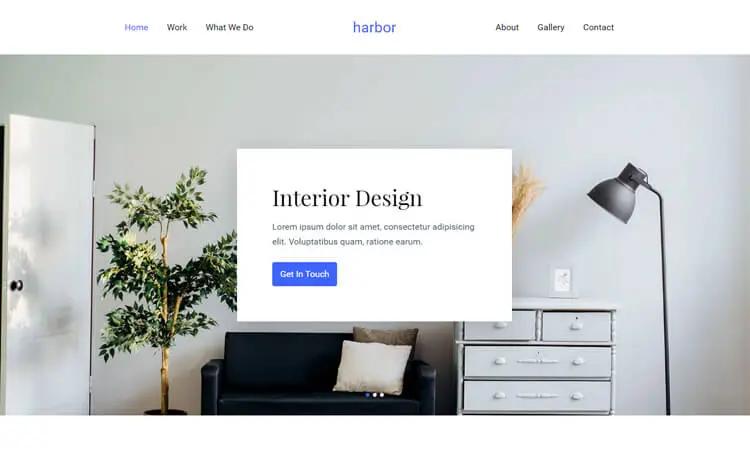
Template details
Yourfolio
Super simple and responsive theme for your personal website on Hugo framework.
About this template
Yourfolio is a minimal, responsive Hugo theme for personal portfolio websites, letting you publish a clean static site that showcases your projects using only Markdown content and a single config file.
What is Yourfolio?
Yourfolio is a Hugo theme for building personal portfolio websites. It takes Markdown content and a config.yaml file and produces a responsive static site that showcases a person's projects and profile. The theme was designed by Yara (yaravelichko.com) and is hosted on GitHub under the repository serg/yourfolio. To use it, you need the extended version of Hugo v0.64.1 or above.
Key Features
Yourfolio packs essential portfolio features into a single Hugo theme, focusing on simplicity and responsiveness.
- Hugo framework — Built for the Hugo static site generator; requires the extended edition v0.64.1 or higher.
- Responsive layout — The theme automatically adjusts to phone, tablet, and desktop screen sizes.
- Simple installation — Clone the repository into the themes folder and set the theme in config.yaml.
- Example site included — The exampleSite folder provides ready-to-copy content and configuration structures.
- Config-driven customization — Edit only config.yaml to change navigation, personal details, and site parameters.
- Portfolio-specific design — The layout emphasizes project showcases and personal branding over long-form blog posts.
Who is it for?
Yourfolio suits individuals who need a straightforward personal portfolio site rather than a multi-page business website.
- Freelance developers and designers — Display past client work and a design process to win new projects.
- Students and recent graduates — Publish a professional profile that links to resumes and coursework.
- Creative professionals — Use the responsive layout to present photographic or visual artwork cleanly.
What can you do with Yourfolio?
With Yourfolio, you can create and manage a personal portfolio site entirely through Markdown and one configuration file.
- Launch a personal website — Set up a homepage with your name, bio, and contact links without writing HTML.
- Showcase projects — Structure project pages with titles, descriptions, and credited example images.
- Preview locally — Run hugo server and see changes live at localhost:1313 while you edit content.
- Customize navigation — Adjust config.yaml to include or reorder menu items such as About, Work, and Contact.
How does Yourfolio work?
Yourfolio follows the standard Hugo workflow: create a new Hugo site, clone the theme into the themes directory, and set the theme name in config.yaml.
After installing Hugo, run hugo new site your-site-name, then cd themes and git clone https://github.com/serg/yourfolio.git. Copy the exampleSite configuration if you want a ready-made starting point, then launch the development server with hugo server.
FAQ
Here are answers to common questions about installing and using Yourfolio.
What Hugo version is required?
The theme needs the extended version of Hugo v0.64.1 or above. The extended build includes the Sass/SCSS compiler used by the theme's styling.
Is Yourfolio free to use?
Yes, Yourfolio is open source and hosted on GitHub, so anyone can download, modify, and publish it without paying a license fee. The repository includes the full source code.
How do I customize the site?
Site-wide options are set in config.yaml, including theme settings and navigation. Individual page content lives in Markdown files under the content directory, which you can edit with any text editor.
Can I use this theme for a business website?
The theme is intentionally focused on personal portfolios, so it works best for an individual's profile, projects, and contact information rather than for corporate or multi-page business sites.
Where can I get the theme?
Clone it directly from GitHub using git clone https://github.com/serg/yourfolio.git inside your Hugo site's themes folder, or browse the repository at github.com/serg/yourfolio.