Template details
Portio Hugo
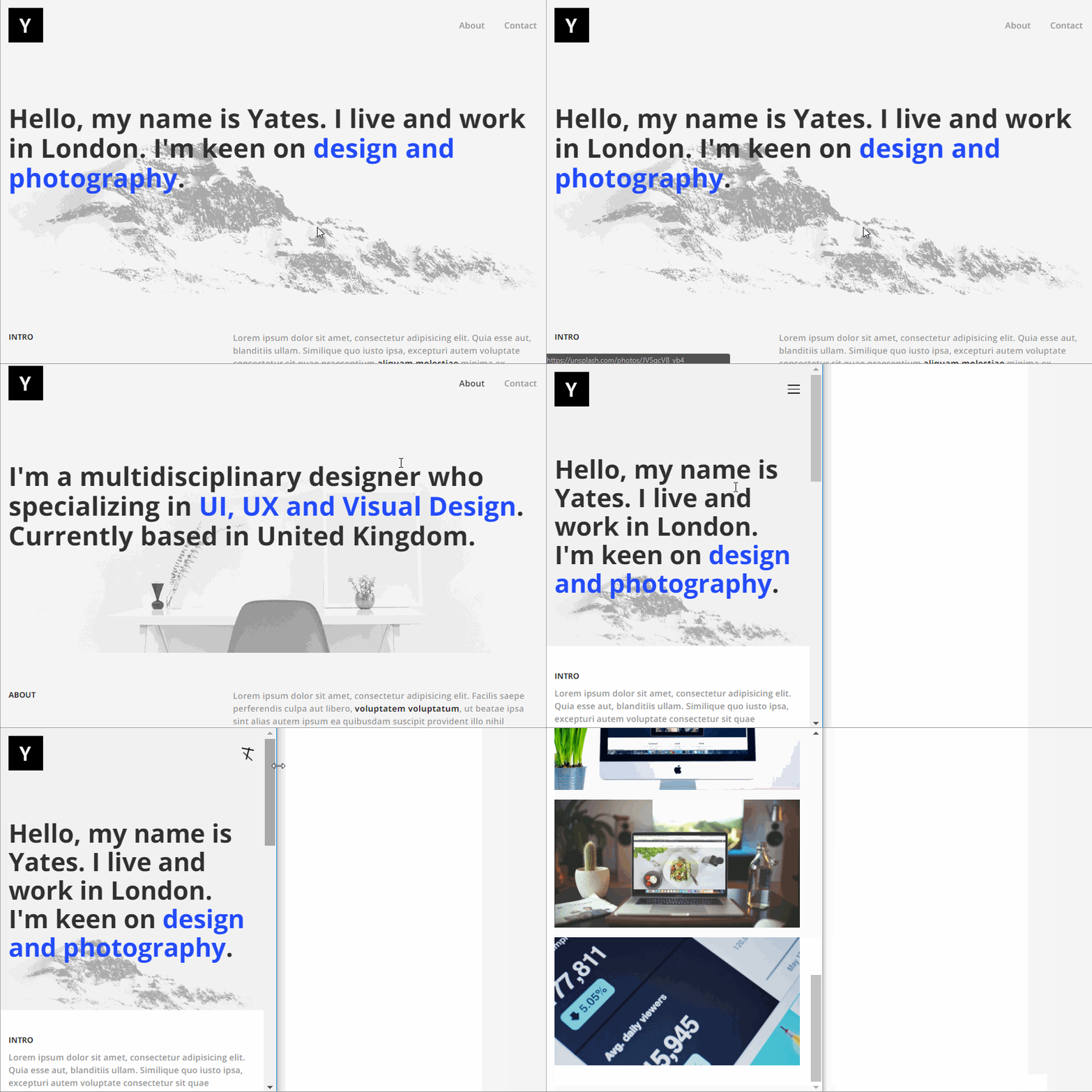
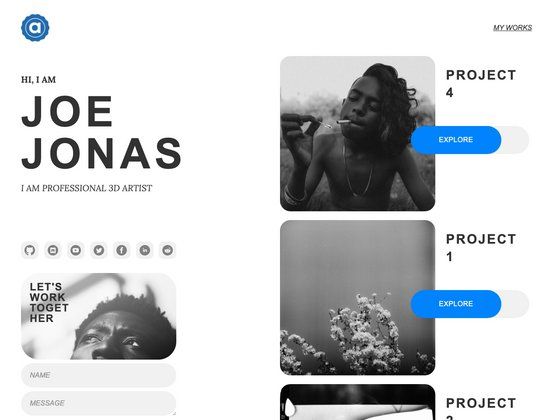
Portio Hugo is a simple, minimal and responsive Portfolio Hugo Theme built with Bootstrap 4.
About this template
Portio Hugo is a minimalist Hugo theme for building static portfolio websites, built on Bootstrap 4 and designed for easy customization.
What is Portio Hugo?
Portio Hugo is an open-source Hugo theme that generates a simple, minimal, and responsive portfolio website from static content. It runs on the Hugo static site generator, requiring Hugo Extended v0.160+ to build, and it uses Bootstrap 4 for its layout and styling. The theme is distributed as a repository with 448 stars, and its description highlights that it is well organized and named so that any part of the design can be changed easily.
Key Features
- Bootstrap 4 foundation — The theme's UI is built with Bootstrap 4, providing a responsive grid and ready-to-use components without extra dependencies.
- Minimal portfolio layout — It delivers a clean, content-focused design suited for showcasing projects, with no unnecessary page weight.
- Hugo static output — Because it runs on Hugo, the final site is plain HTML and CSS, so it can host anywhere without a server runtime.
- Easy to customize — The repository description states the code is well organized and well formatted, making it easy to change all or part of the design.
- Automated setup commands — The project includes
yarn project-setupto initialize the theme, plusyarn devfor a development server andyarn previewfor a production preview. - Node and Go toolchain — Development requires Node v18+ and Go v1.22+, which are used for the build tooling around the Hugo theme.
Who is it for?
- Freelancers who need a simple, fast-loading portfolio site to present client work and case studies.
- Developers who want a Hugo-based theme they can customize with Bootstrap 4 and their own code.
- Designers and creatives who want a minimal presentation for their visual projects without learning a complex CMS.
What can you do with Portio Hugo?
- Freelancers: publish a portfolio with project pages, descriptions, and links, served as static files.
- Photographers: display image-based work in a clean, responsive layout that loads quickly for visitors.
- Developers: create a personal site to highlight open-source contributions and coding projects.
How does Portio Hugo work?
To build and preview the theme, you install prerequisites (Hugo Extended v0.160+, Node v18+, Go v1.22+), run yarn install to fetch dependencies, then yarn project-setup to initialize the project. After that, yarn dev starts a local development server, and yarn preview runs a production-like preview to test the final output.