Template details
Academic Portfolio Astro
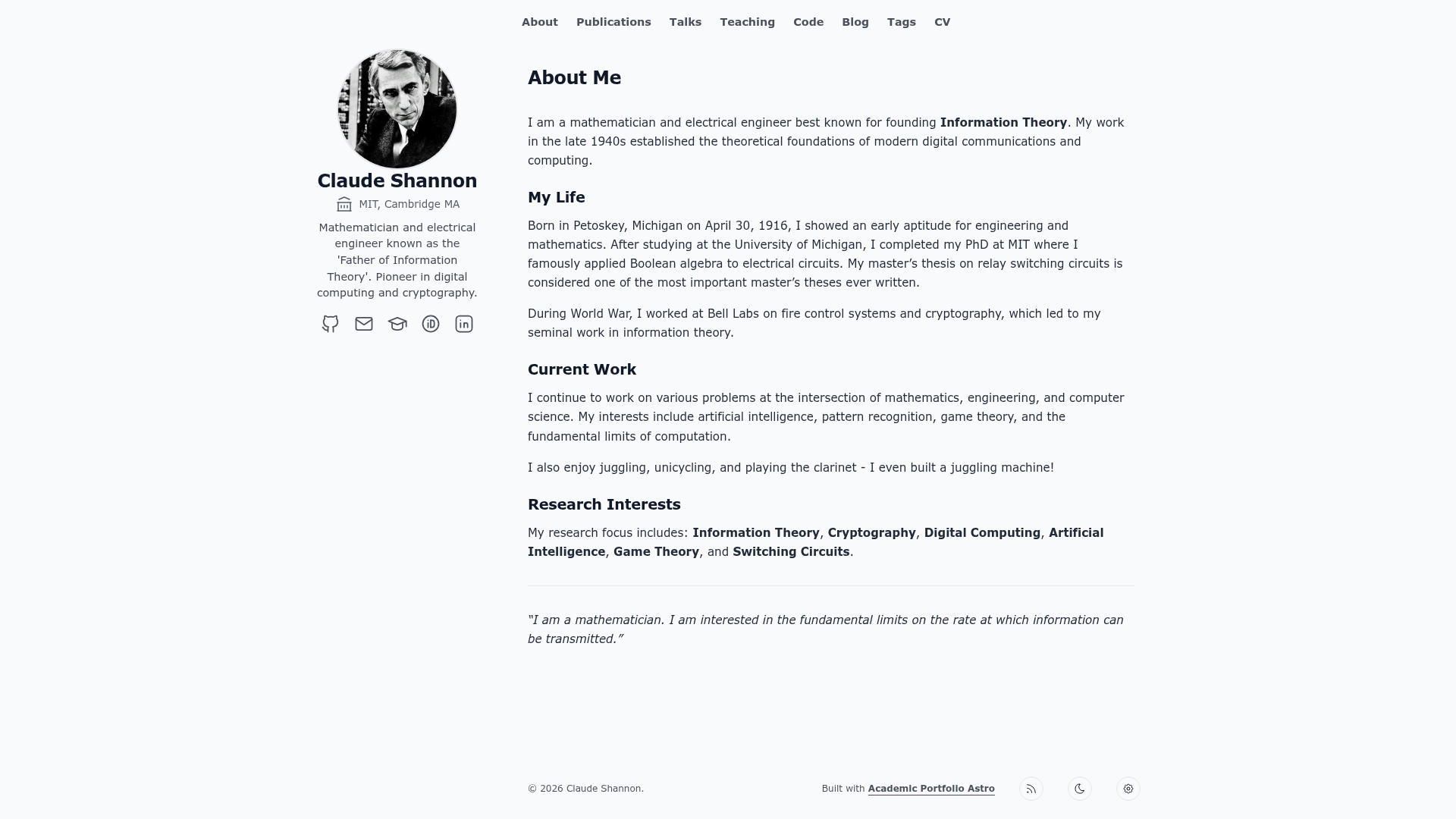
A fast, minimalist Astro template for academic portfolios that turns Markdown files into a personal site with blog, publications, projects, talks, and CV.
About this template
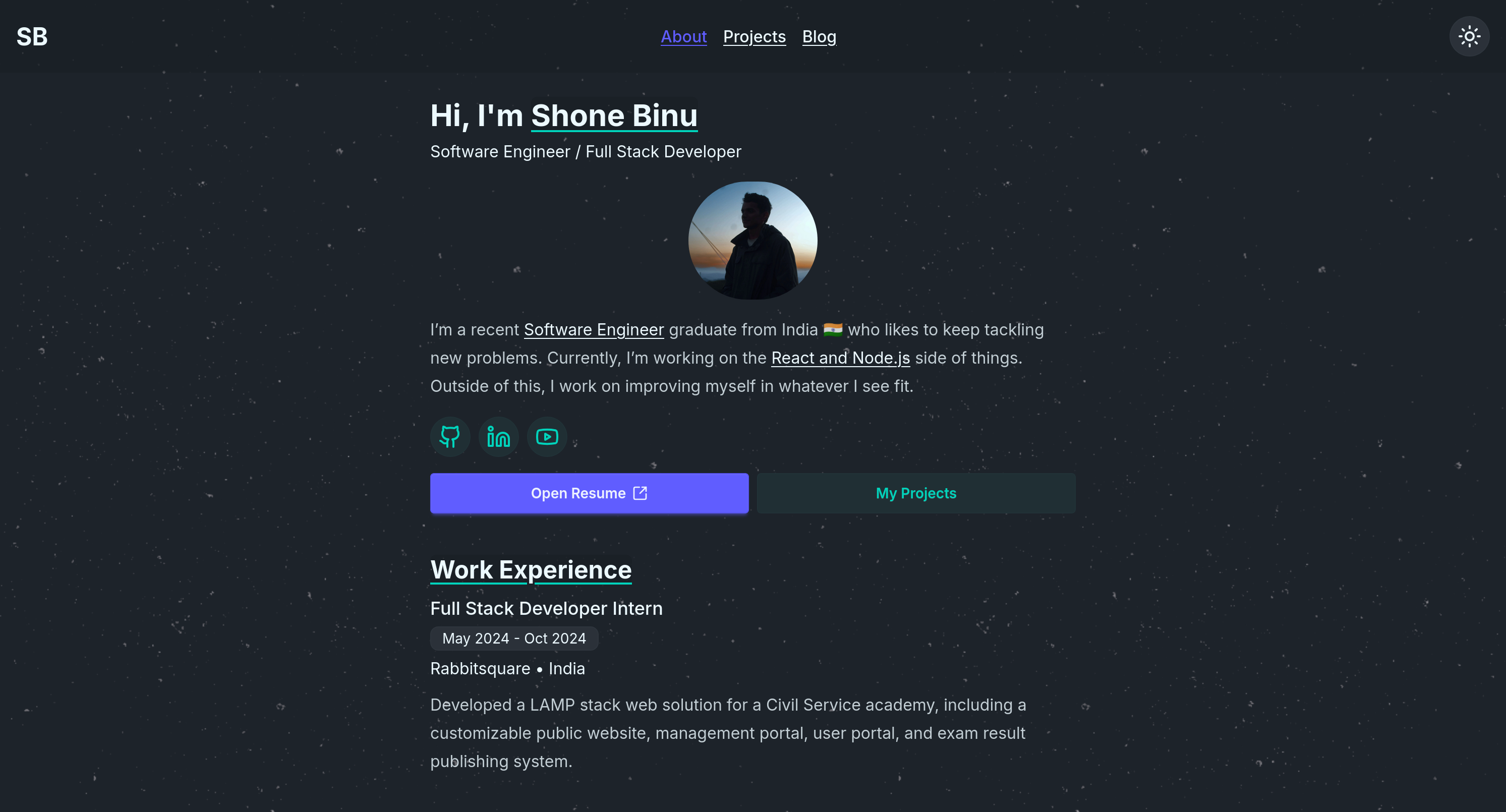
Academic Portfolio Astro is an open-source Astro template for building a personal academic portfolio site, publishing bio, blog, publications, projects, talks, CV, and teaching content entirely from Markdown files.
What is Academic Portfolio Astro?
Academic Portfolio Astro is a static site generator template built on Astro, Tailwind CSS v4, and TypeScript that takes Markdown files as its only input and produces a fast, two-column portfolio website as output. It is designed specifically for academics — researchers, professors, and PhD students — and is distributed as a GitHub template repository. The layout features a sticky left profile sidebar and a scrollable main content area, and all site configuration is centralized in the src/config directory.
Key Features
- Markdown-Driven Collections — Manage Bio, Blog, Publications, Projects, Talks, CV, and Teaching entirely through
.mdfiles insrc/content, with no programming knowledge required. - Built-in LaTeX Rendering — Write mathematical notation with
remark-mathandrehype-katex, giving you out-of-the-box support for scholarly equations. - Extensive Theming System — Light/Dark mode toggle with multiple preset color palettes defined in
themes.tsand applied viaTHEME_CONFIGinsite.ts. - Toggleable Sections — Disable entire sections such as Talks or Teaching globally with a single boolean flag in
pages.ts. - Peak Performance — Built on Astro with Tailwind CSS v4 through
@tailwindcss/vite, yielding near-perfect Lighthouse scores and minimal client-side JavaScript. - Analytics Support — Native configuration for self-hosted Umami (
umami.websiteId) and Google Analytics 4 (ga4Id) insite.ts. - Two-Column Architecture — Sticky left profile sidebar for identity and social links, with a scrollable main area for content.
Who is it for?
Academic Portfolio Astro is for researchers, professors, and PhD students who need a professional online presence without hand-coding a website. A professor can publish a publication list with LaTeX abstracts and a teaching page; a PhD student can maintain a research blog and project showcase; a researcher can create a CV page and link to their social profiles. Because all content lives in Markdown, these users can update their site without touching UI code.
What can you do with Academic Portfolio Astro?
- Academics — Build a publication and citation page with LaTeX math support and toggle sections like talks and teaching on or off.
- PhD students — Maintain a research blog and project gallery from Markdown files, then deploy the static output to GitHub Pages or any static host.
- Professors — Present a CV, bio, and teaching experience in a two-column layout with a sticky profile sidebar and light/dark mode.
- Anyone technical — Quickly scaffold an SEO-friendly personal site with analytics (Umami or GA4) configured in one file.
How does Academic Portfolio Astro work?
Start by creating a new repository from the rubzip/academic-portfolio-astro template via GitHub CLI (gh repo create my-portfolio --template="rubzip/academic-portfolio-astro" --clone) or by cloning the repository with git. Then install dependencies with npm install (requires Node.js version 22.12.0 or higher) and run the development server with npm run dev — the site appears at http://localhost:4321. To customize content, edit the Markdown files under src/content and adjust global settings in src/config.
Pricing
Academic Portfolio Astro is free and open source, released under the MIT License. There are no paid tiers or premium features — you can use it commercially without restriction and modify it as needed.
Alternatives
- Academic Pages — the GitHub Pages template that inspired this project, focused on Jekyll-based academic sites.
- AstroPaper — a minimalist Astro blog theme that contributed design ideas.
FAQ
Is Academic Portfolio Astro free?
Yes, the template is open source under the MIT License, so it is completely free to use, modify, and deploy, including for commercial academic projects.
Does Academic Portfolio Astro require coding knowledge?
No. All content is written in Markdown files under src/content, and all global configuration lives in src/config — you can update your bio, publications, and teaching pages without writing any UI code.
What Node.js version do I need?
The project requires Node.js version 22.12.0 or higher. After installing Node, run npm install and npm run dev to start the local server on port 4321.
Can I disable sections I don't need?
Yes. Each page section (talks, teaching, etc.) can be enabled or disabled globally using a boolean flag in the src/config/pages.ts file.
Does it support LaTeX math?
Yes, the template includes LaTeX rendering out of the box using the remark-math and rehype-katex plugins, so you can include mathematical equations in your publications, blog posts, and other Markdown content.