Template details
Minimalistic Portfolio
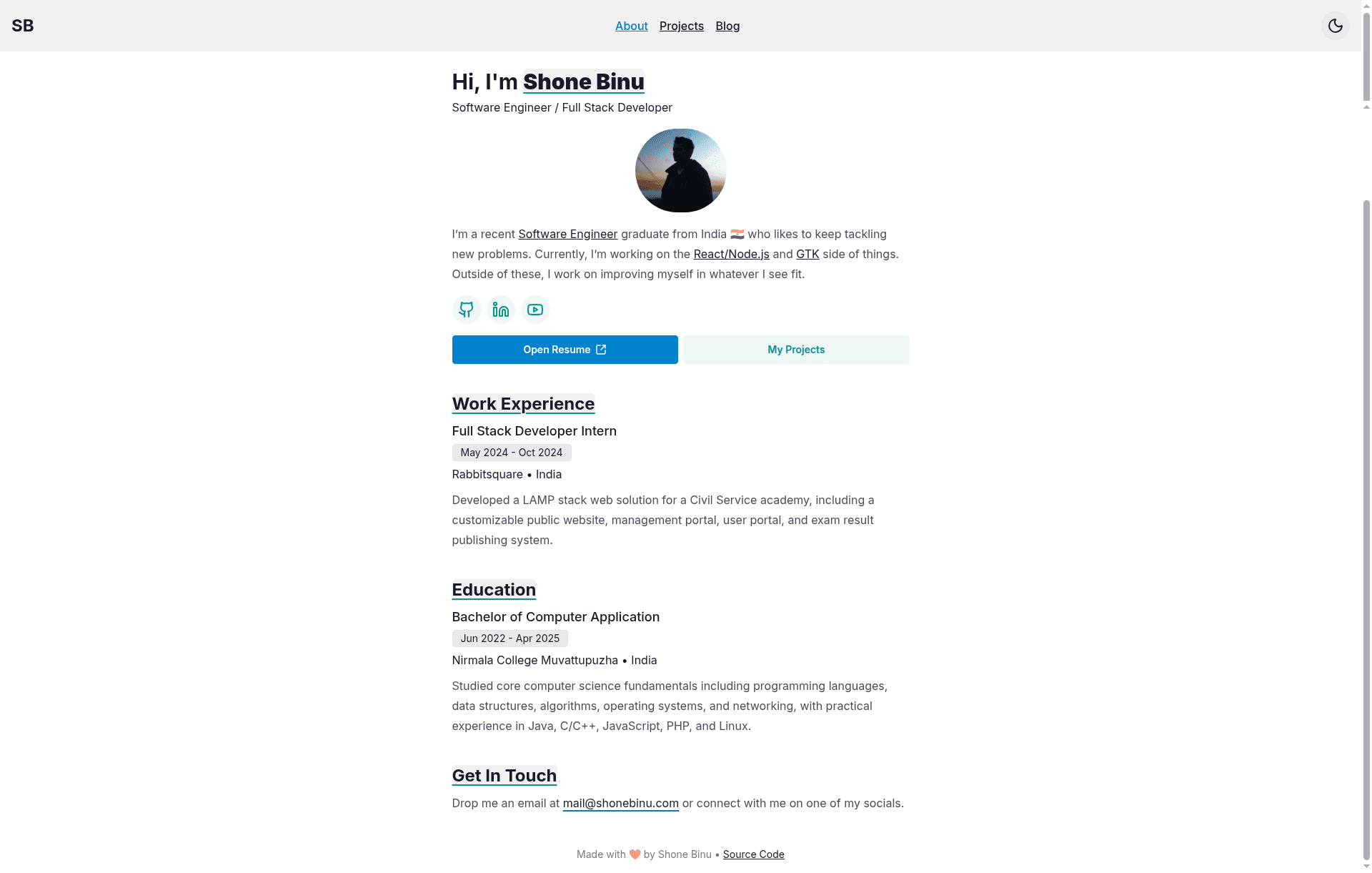
A minimal Astro and daisyUI portfolio with customizable site data and a Markdown blog.
About this template
Minimalistic Portfolio is a lightweight portfolio website template built with Astro and daisyUI, designed to be customized by editing a single configuration file and adding Markdown or MDX blog posts.
What is the Minimalistic Portfolio?
Minimalistic Portfolio is a personal portfolio site starter from the GitHub repository "Portfolio Website" by Shone Binu. The project uses the Astro framework, which builds static HTML pages, and daisyUI, a Tailwind CSS component library, to supply styled elements without custom CSS. The template's input is a site configuration file at src/consts.ts and a blog content collection at src/content/blog; its output is a set of static pages that can be deployed to any hosting service. The repository currently has 10 stars on GitHub.
Key Features
- Astro static generation — The site is built with Astro, so pages are rendered as static HTML with no JavaScript by default, which keeps load times low.
- daisyUI component library — Visual styling uses daisyUI, a Tailwind CSS plugin that provides pre-built buttons, cards, and navigation styles, reducing the need for hand-written CSS.
- Single-file site configuration — All site-wide settings live in
src/consts.ts; you edit this one TypeScript file to update your name, links, and metadata. - Markdown/MDX blog content — Blog posts are stored as
.mdor.mdxfiles insidesrc/content/blog, and Astro's content collections let you query and validate posts with frontmatter. - Minimal design — The layout is intentionally sparse, with no heavy UI framework, making the codebase small and easy to audit.
Who is it for?
- Developers who want a personal site without a complex JavaScript framework, and who are comfortable editing a TypeScript config file and writing Markdown.
- Technical writers who want a blog integrated into their portfolio with minimal tooling.
- Astro learners who want a working example of content collections and a Tailwind integration in a small project.
What can you do with it?
- Build a personal portfolio: Set your name and details in
src/consts.ts, then deploy the static output to a hosting service. - Publish blog posts: Drop a
.mdor.mdxfile intosrc/content/blogand Astro handles the collection and page generation. - Customize styling: Because daisyUI is a Tailwind plugin, you can override design tokens and component classes using Tailwind's configuration.
How does it work?
To customize the template, you first clone the repository and update the site data in src/consts.ts. Next, add blog posts as Markdown or MDX files under src/content/blog. The Astro content collection system reads those files, and the build process generates a static site ready for deployment.