Template details
Gatsby Starter Identity
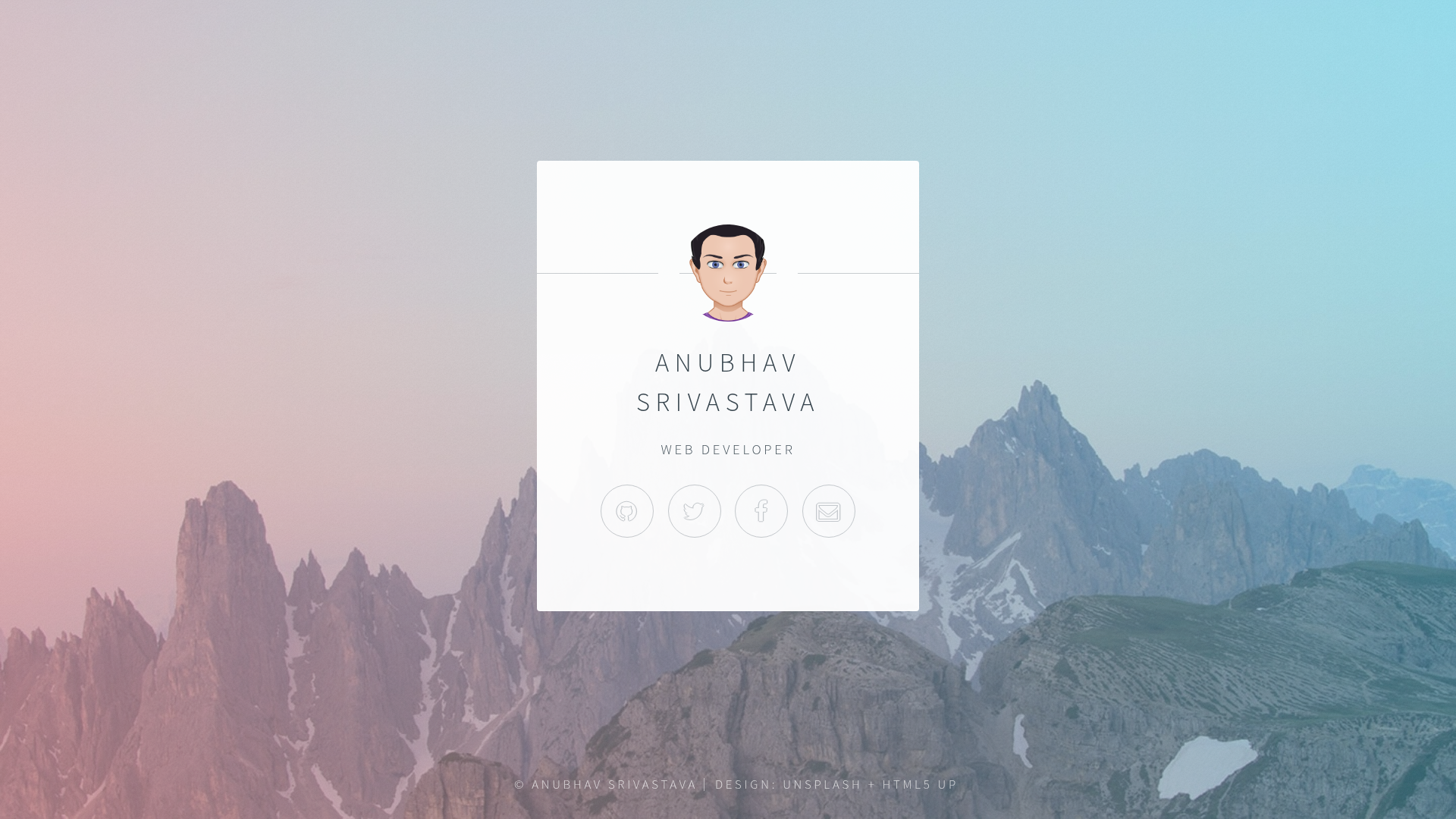
Gatsby.js V4 starter template based on Identity by HTML5 UP for a personal identity/portfolio single-page site.
About this template
gatsby-starter-identity is a free, open-source Gatsby.js starter that creates a single-page personal identity site using the Identity design by HTML5 UP. It produces a static homepage with your name, tagline, profile photo, and social links, ready to deploy to GitHub Pages.
What is gatsby-starter-identity?
It's a Gatsby.js V4 starter template created by Anubhav Srivastava that packages the Identity design by HTML5 UP into a working Gatsby site. You input your personal details in config.js — site title, author name, heading, and social links — and the starter generates a static single-page site. It runs on the Gatsby framework and can be built and deployed as static files anywhere, with built-in support for GitHub Pages.
Key Features
- Identity design by HTML5 UP — a minimal, single-page layout originally designed for personal identity/portfolio, fully ported to Gatsby.
- config.js personalization — edit one file to set site title, author name, heading, and social links with Font Awesome icons (like fa-github, fa-twitter).
- GitHub Pages deployment script —
npm run deployuses the gh-pages module to publish the site, with pathPrefix support for sub-path hosting. - Gatsby CLI setup — scaffold a new project with
gatsby newfrom the GitHub repository. - MIT license — free to use, modify, and distribute, including commercial use.
- Part of a larger starter family — the author maintains many other HTML5 UP-based Gatsby starters (resume, spectral, prologue, etc.) for different layouts.
Who is it for?
- Freelancers and web developers who need a quick personal landing page that reflects their name and social presence without building from scratch.
- Design-minded developers who appreciate the clean HTML5 UP Identity aesthetic and want it integrated into a Gatsby workflow.
- Gatsby newcomers looking for a minimal starter to learn how Gatsby components, config, and deployment work in a real project.
What can you do with gatsby-starter-identity?
- Personal branding: Show your name, tagline, and links to GitHub, LinkedIn, Twitter, and other profiles on a single page.
- Rapid prototyping: Stand up a presentable personal homepage in minutes by cloning the starter, editing config.js, and running gatsby develop.
- Portfolio front door: Use it as the landing page that links out to your full portfolio or resume hosted elsewhere.
How does gatsby-starter-identity work?
First, install the Gatsby CLI globally (npm install --global gatsby-cli). Then create a new site with gatsby new <site-name> https://github.com/anubhavsrivastava/gatsby-starter-identity, run npm install, and start the dev server with gatsby develop. Edit config.js to personalize your content, and run npm run deploy to publish to GitHub Pages.
Pricing
The template is free and open source under the MIT license. There are no paid tiers or premium features; the source lives in a public GitHub repository and can be used for personal or commercial projects without cost.
Alternatives
- gatsby-starter-resume (another Gatsby starter by the same author, built around a single-page resume layout)
- gatsby-starter-spectral (a Gatsby starter with the Spectral design, also from HTML5 UP)
- The original Identity template from HTML5 UP (the static HTML source this starter is based on)
FAQ
Is gatsby-starter-identity free?
Yes, it's released under the MIT license, so you can use, modify, and distribute it freely, even in commercial projects. The full source is available on GitHub.
How do I customize the site content?
Open config.js in the project root and change values like siteTitle, authorName, heading, and the socialLinks array. The starter reads these values to populate the page.
How do I deploy to GitHub Pages?
The package.json includes a default script that uses the gh-pages module. Run npm run deploy from the project directory to publish the site to GitHub Pages.
Does this support hosting on a subpath?
Yes, config.js includes a pathPrefix setting. If your site will live at a subpath like https://example.com/your-site/, update pathPrefix accordingly. If it's at the root, remove the pathPrefix configuration.