Template details
Add to Calendar Generator
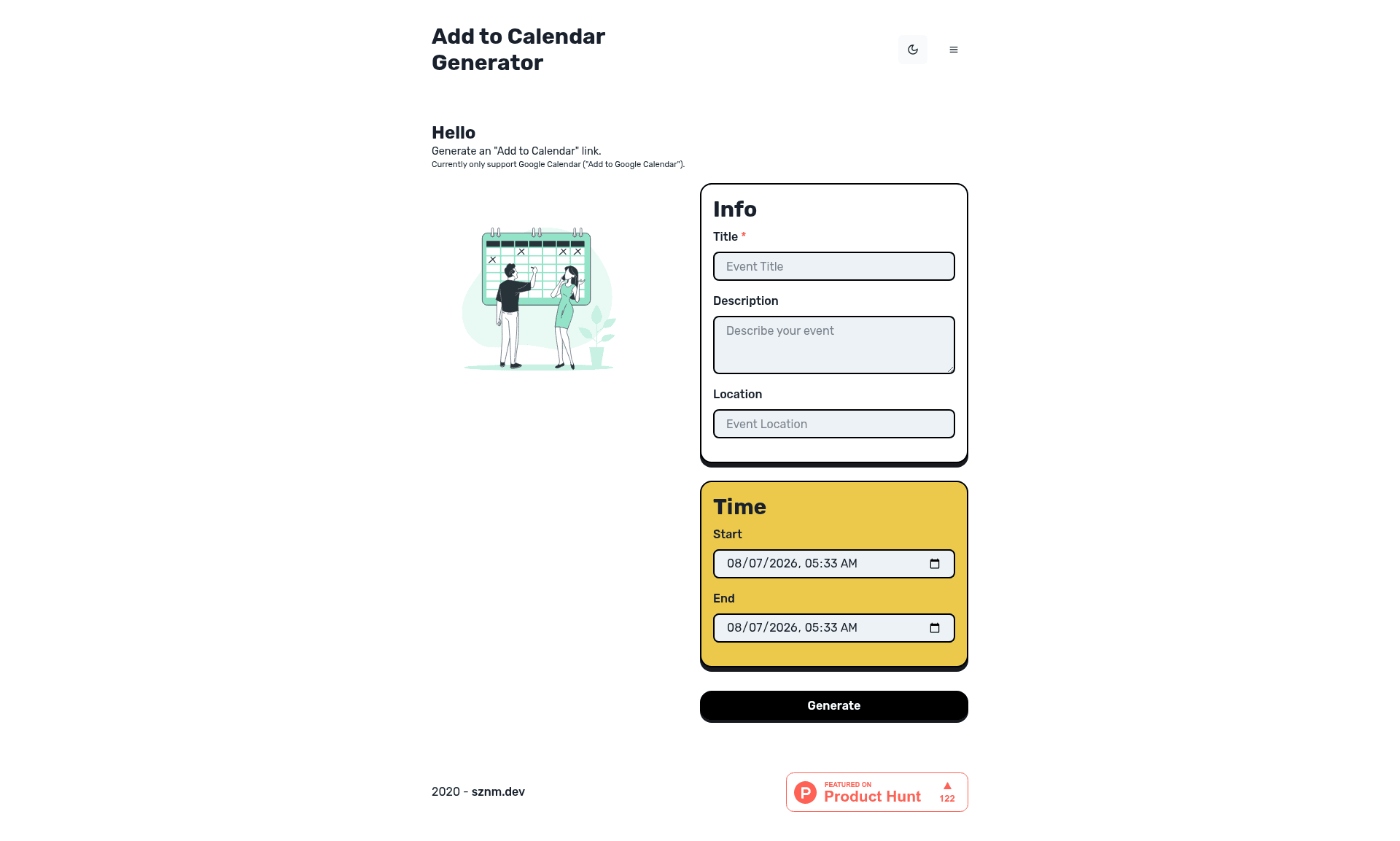
Add to Calendar link / button generator
About this template
Add to Calendar Generator is a web tool built with Next.js and Chakra UI that produces "Add to Calendar" links and buttons from event details entered in a form. Originally published on GitHub by sozonome, the project is now archived and has been moved to https://tools.sznm.dev/add-to-calendar.
What is Add to Calendar Generator?
Add to Calendar Generator is a free, open-source web application that takes event information — such as title, date, time, and description — and outputs shareable links or embeddable buttons that let people add the event to their personal calendar. The repository describes it as an "Add to Calendar link / button generator" and lists its core topics as calendar, chakra-ui, formik, nextjs, and typescript. It is built on the Next.js React framework with Chakra UI for styling and Formik for form state management, and it was featured on Product Hunt.
What makes Add to Calendar Generator stand out?
- Generated calendar links and buttons — turns event details into ready-to-use "Add to Calendar" links and buttons that can be placed on websites or shared directly.
- Next.js framework — runs on Next.js, so it supports server-side rendering and can be deployed to Vercel or similar platforms; development server starts with
npm run devoryarn dev. - Chakra UI styling — uses the Chakra UI component library for a consistent, accessible interface with dark-mode support.
- Formik-based input form — leverages Formik to manage form state, validation, and submission in the event-creation flow.
- TypeScript support — the project is written in TypeScript, though the default page to edit is
src/pages/index.js. - Product Hunt launch — was presented on Product Hunt with a dedicated badge, indicating public availability and community interest.
- Quality monitoring — integrated with SonarCloud, which tracks bugs, code smells, duplication, maintainability, security rating, and technical debt.
Who is Add to Calendar Generator for?
- Web developers who need to embed "Add to Calendar" functionality into their own sites and want to see a reference implementation built with Next.js and Chakra UI.
- Event organizers who create event pages and need a quick way to generate calendar links for attendees without coding from scratch.
- Open-source contributors interested in a small, focused TypeScript/Next.js project that combines Chakra UI and Formik in a real-world tool.
Use cases
- Conference and meetup hosts: generate calendar links for sessions or workshops and share them with attendees before the event.
- Course creators: provide "Add to Calendar" buttons for live webinars or class schedules on their landing pages.
- Developers learning the stack: study how Formik and Chakra UI are combined inside a Next.js app to build their own form-driven tools.
How does Add to Calendar Generator work?
The developer runs npm run dev or yarn dev to start the Next.js development server, then opens http://localhost:3000 to interact with the app. The page can be edited in src/pages/index.js, and the browser auto-updates as changes are made. The generator itself accepts event details through a Formik-managed form and returns calendar link/button outputs ready for use.